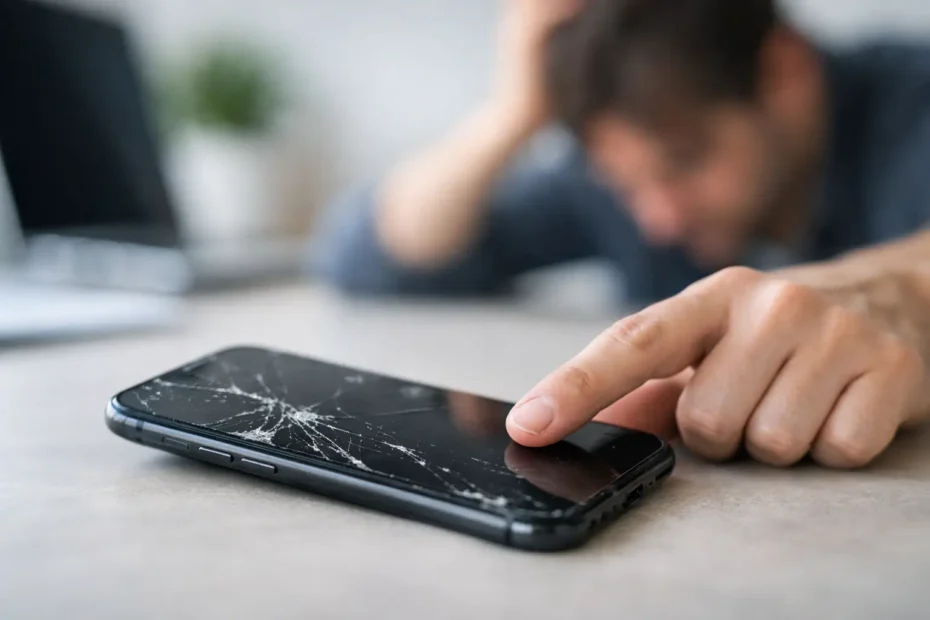
One drop is all it takes. Your iPhone still powers on, the display lights up, maybe you can even see your lock screen clearly – but the touch response is gone, delayed, or only works in certain spots. If your iPhone touch screen is not working after drop, the problem is usually more than a simple glitch. A fall can damage the screen assembly, loosen internal connectors, or in harder impacts, affect the board underneath.
The tricky part is that cracked glass does not always tell the full story. Some phones look barely damaged and still lose touch completely. Others have heavy cosmetic damage but keep working for days before the touch layer starts failing. That is why a good diagnosis matters more than guessing.
Why an iPhone touch screen stops working after a drop
An iPhone screen is not just a piece of glass. It is a layered assembly that includes the display, the touch digitizer, and flex cables that connect everything to the logic board. When the phone hits the ground, the force has to go somewhere. Sometimes it breaks the glass. Sometimes it damages the touch layer under the glass. Sometimes the impact travels deeper and affects connectors or board circuits.
The most common cause is screen assembly damage. This is especially likely if touch stopped immediately after the drop, only part of the screen responds, or the phone starts showing ghost touches. In many cases, the display image still looks normal because the pixels survived, but the digitizer did not.
Another possibility is a partially dislodged or damaged connector. A drop can jar the internal screen cables enough to interrupt touch input even if the phone still shows a picture. This can happen with or without visible cracking.
More serious cases involve board-level damage. If the phone was bent during the fall, hit a corner hard, or already had prior repairs, the impact can stress solder joints or damage touch-related circuits on the board. That is a more specialized repair, and it is one reason some shops replace the screen first, only to find the problem is still there.
What to check first when iPhone touch screen is not working after drop
Before assuming the worst, there are a few practical things worth checking. Keep expectations realistic. These steps can rule out a temporary software issue, but they will not fix physical damage.
Start with a force restart. If the phone froze at the moment of impact, touch may appear dead even though the hardware is intact. On newer iPhones, press volume up, then volume down, then hold the side button until the Apple logo appears. If touch comes back normally after rebooting, you may have dodged a hardware failure.
Next, inspect the screen closely under good light. Look for lifting at the edges, black spots, flickering, colored lines, or a tiny crack near a corner. Even a small impact point can be enough to damage touch.
If only part of the screen works, pay attention to the pattern. A dead strip along one edge often points to digitizer damage. Random touches, passcode entries on their own, or apps opening without input can also indicate a failing screen assembly.
If the phone has a case and screen protector, remove them and test again. This will not solve impact damage, but it can rule out a cracked protector interfering with touch in limited cases.
Signs the problem is probably hardware, not software
A lot of people hope for a setting, an update, or a reset that will bring touch back. After a drop, that is usually wishful thinking. Physical symptoms matter more than software theories.
If the screen is visible but completely ignores touch, hardware is the leading suspect. The same goes for phones that respond only after pressure is applied, work briefly and then fail again, or have certain zones that never register input. These patterns usually mean the digitizer or its connection has been compromised.
If the display looks distorted, flashes, or goes black intermittently, the damage may extend beyond touch. And if the housing is bent, there is a real chance the impact affected internal board connections, not just the screen.
Should you try a screen replacement first?
Sometimes yes, but not blindly. A quality screen replacement is often the correct fix when an iPhone touch screen is not working after drop. It is the most common outcome because the screen assembly absorbs a lot of impact.
But there is an important trade-off. If the real damage is on the board, replacing the screen alone adds cost without solving the problem. This is where proper testing matters. A technician should verify whether the phone responds normally with a known-good screen before treating the repair as a simple display job.
That distinction matters even more on phones with previous repair history, frame damage, or severe corner impacts. In those cases, the odds of deeper internal damage go up.
When the issue is deeper than the screen
Board-level touch issues are less common than screen damage, but they are real. A drop can crack solder joints, damage filters, or affect touch IC-related pathways depending on the model and the nature of the impact. This is not a DIY repair, and it is not something every shop handles well.
What makes these cases frustrating is that the phone may still seem mostly alive. It charges, rings, and displays an image. That leads people to assume the repair must be easy. In reality, touch failures tied to the board require component-level diagnostics and repair methods far beyond basic parts swapping.
For customers who care about keeping the device, preserving data, and avoiding unnecessary replacement, this is where experience matters. A specialist who can separate a bad screen from a board fault saves time and money.
What not to do
Do not keep pressing hard on the screen hoping it wakes up. That can worsen panel damage or stress internal layers.
Do not open the phone unless you have proper tools and experience. Modern iPhones are tightly assembled, and careless opening can tear flex cables or create a much more expensive problem.
Do not trust a quick guess based only on visible cracks. Some of the worst touch failures happen on screens that look almost fine from the outside.
And if the phone contains important photos, work files, notes, or app data, do not delay too long. A drop-related issue can be limited to touch today and become a broader failure later if the device has underlying structural damage.
Can you still recover your data if touch is gone?
Sometimes yes, but it depends on the phone state. If the device is already unlocked and trusted by a computer, data access may still be possible. If it is locked and touch is completely dead, recovery gets more complicated because you may not be able to enter the passcode or approve prompts.
That is one more reason not to treat this casually. In some situations, restoring touch function – even temporarily – is the key to preserving access to data. A proper repair path can be about more than just getting the phone usable again.
When to bring it to a specialist
If you have already force restarted the phone and touch still fails, the next step is professional diagnosis. This is especially true if the impact caused visible screen damage, frame bending, flickering, or inconsistent touch zones.
A good repair process should answer a few basic questions clearly. Is the screen assembly bad? Are the connectors intact? Is there any sign of board-level damage? Can the phone be repaired at a fair price, or would replacement make more sense? Honest answers matter more than a rushed estimate.
For people in Central Florida dealing with an iPhone touch issue after a fall, the best service is not the place that guesses fastest. It is the place that tests properly, explains what failed, and does not push a full replacement when a repair is still realistic.
Dropped phones are stressful because they fail without warning and usually at the worst time. But a dead touch screen does not automatically mean the phone is done. Sometimes it is a straightforward screen repair. Sometimes it points to deeper damage that needs a more advanced hand. Either way, the right diagnosis is what gets you from panic to a real answer.
Need Mac or iPhone repair in Winter Garden / Orlando?
YourMac.Repair — board-level Apple repair with honest diagnosis and fast turnaround. We say YES when Apple says NO.
- Mac Logic Board Repair — liquid damage specialist
- Mac Screen Repair
- Mac Battery Replacement
- Mac & PC Data Recovery
- iPhone Screen Repair — same-day service
📞 (407) 580-9965 · WhatsApp · 819 Marsh Reed Dr, Winter Garden, FL 34787