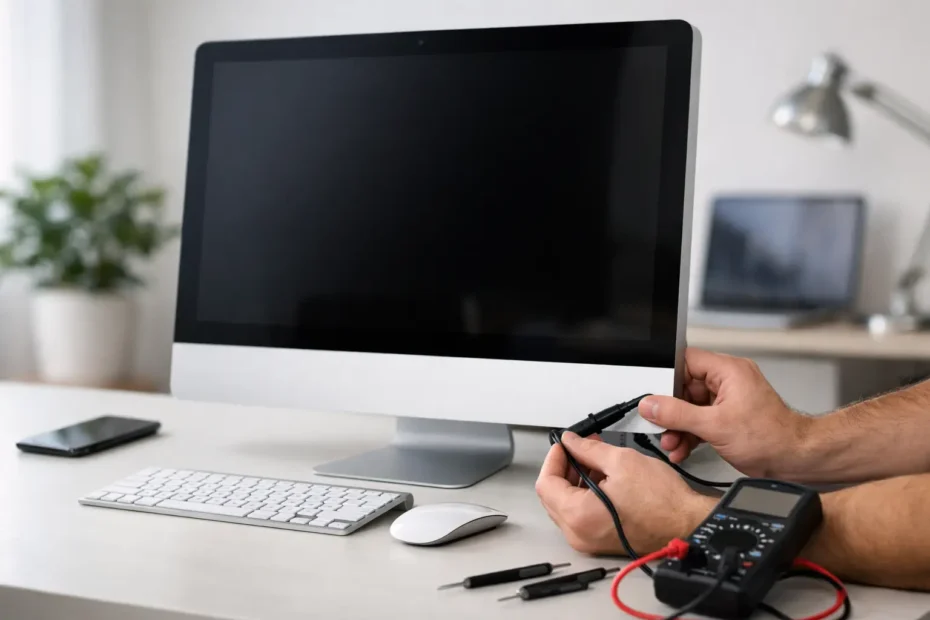
One day your iMac is fine. The next, you press the power button and get nothing – no startup chime, no fan spin, no display, no sign of life. If you are trying to figure out how to diagnose dead iMac behavior, the most important first step is to separate a true no-power failure from a display problem, a bad accessory, or a damaged power path.
That distinction matters because the repair can range from simple and inexpensive to board-level work that needs proper tools and experience. Guessing usually wastes time. A clear diagnosis gives you the best shot at saving the machine and, just as important, protecting the data inside it.
Start by defining what “dead” actually means
When customers say an iMac is dead, they often mean one of three different things. The Mac has absolutely no response at all. It powers on but the screen stays black. Or it starts and then shuts down quickly.
Those are not the same failure.
A completely dead iMac usually points toward AC power delivery, the internal power supply, the logic board, or liquid damage. An iMac with fan noise or drive activity but no picture may have a display, backlight, GPU, or logic board issue. An iMac that tries to start and then dies can indicate a shorted rail, bad memory, thermal sensor issue, corrupted firmware, or a failing power supply that cannot stay stable under load.
Before opening anything, pay attention to the exact behavior. Do you hear fans? Do USB devices light up? Does Caps Lock respond on a wired keyboard? Does the screen change from totally black to a dim gray? Small clues matter.
How to diagnose dead iMac issues without opening the machine
Start with the external checks because they are quick and sometimes they solve the problem.
First, test the wall outlet with another device. It sounds basic, but power strips, surge protectors, and switched outlets fail all the time. If the outlet is good, inspect the iMac power cord for cuts, looseness, or heat damage. On older systems especially, a bad power cable can create a complete no-power symptom.
Next, disconnect everything except power, keyboard, and mouse. That includes printers, hubs, external drives, SD cards, adapters, and any odd USB accessory. A shorted USB device can hold a Mac in a bad state or make the machine appear dead.
Then try a power reset. Shut the iMac down if it is partially responsive. Unplug the power cord from the back of the iMac and from the wall. Wait at least 15 seconds. Plug it back in, wait another 5 seconds, and press the power button once. On Intel iMacs, this can sometimes clear a stuck power condition. It will not fix hardware failure, but it is worth doing before assuming the worst.
If the iMac still shows nothing, look closely for any sign that the display is not the real issue. In a quiet room, listen for fan spin or hard drive movement. If the machine seems to be running but the screen is dark, shine a flashlight at an angle on the display. On some failures, a faint image can point toward backlight trouble rather than a dead computer.
Check for model-specific clues
Not every iMac fails the same way. Older Intel iMacs and newer Retina models have different common weak points.
On many Intel iMacs, the internal power supply is a frequent suspect in no-power cases. Age, heat, power fluctuations, and dust buildup all take a toll. On some models, failed power supplies are straightforward. On others, the power supply is only part of the story, and a short on the logic board can make a good power supply look bad.
Retina 5K iMacs can be more deceptive. A display issue can make the whole machine seem dead, especially if the user expects the usual visual startup cues. T2-equipped Intel Macs and Apple silicon systems also add complexity because startup behavior, firmware recovery, and board architecture are different from older machines.
This is where online advice can go wrong. A symptom that suggests a power supply on one iMac generation may point to board-level failure on another. The year and model matter.
What the power button response can tell you
The power button itself is rarely the main problem, but its behavior still tells a story.
If pressing the button causes absolutely no response, and you have already verified the outlet and cable, you are usually looking at one of four categories: failed internal power supply, logic board fault, liquid damage, or a short that prevents startup rails from coming up.
If the iMac briefly powers on and then clicks off, the machine may be detecting a fault and shutting down to protect itself. This can happen with bad RAM, shorted components, damaged GPU circuits, or failing power rails.
If it powers on only after repeated attempts, that often suggests a weak power supply or aging capacitors. It is not a permanent condition. Those cases usually get worse over time.
If you open the iMac, be careful what you assume
Opening an iMac can help diagnosis, but it also creates risk. The glass and display assemblies are delicate, and on many models the adhesive must be handled correctly. If data matters or you are not set up for careful disassembly, it is better not to learn on a machine you cannot afford to damage.
If you do inspect internally, start with your eyes and nose. Burn marks, corrosion, sticky residue, or a sharp electrical smell can narrow the fault quickly. Liquid damage is especially common in iMacs used near windows, kitchens, or where cleaning spray was applied too aggressively. Even a small amount of moisture can cause no-power symptoms weeks later.
Dust is another factor, though usually not the only one. Heavy dust buildup can trap heat and accelerate failure of the power supply and board components. But dust alone rarely causes a truly dead iMac unless it has contributed to long-term overheating.
How professionals diagnose a dead iMac
A real diagnosis does not stop at swapping parts. It starts with power path testing.
A technician will usually verify incoming AC, test the internal power supply outputs, and check whether the logic board is requesting startup correctly. If the power supply is present but startup rails are missing, the fault may be on the board. If the supply is unstable under load, replacing it may solve the issue. If a shorted rail exists, that short has to be located before random part replacement makes sense.
This is where component-level repair separates a specialist from a basic shop. A dead iMac may have a failed fuse, corroded power circuit, damaged MOSFET, shorted capacitor, or fault in a power management area. Those are not problems you fix by resetting software or replacing the display.
There is also the data question. If the machine is dead but the storage is intact, an experienced technician may still be able to recover important files even before full repair is completed. That matters for business owners, students, and anyone with work trapped inside the Mac.
When not to keep troubleshooting at home
There is a point where more home testing stops being useful.
If the iMac is completely dead after outlet, cable, and accessory checks, and especially if there was a recent storm, spill, burning smell, or sudden shutdown, internal diagnosis is the next logical step. The same is true if you hear clicking, see corrosion, or suspect liquid exposure. In those cases, turning it on repeatedly can make damage worse.
If the Mac contains critical files, avoid trial-and-error repairs. A bad power event can turn a repairable board problem into a data recovery case if the wrong part is forced, the display is damaged during opening, or corrosion spreads.
At YourMac.Repair, this is exactly where direct technician diagnosis helps. Instead of being told to replace the whole machine, you get an honest assessment of whether the fault is in the power supply, logic board, display path, or storage side, and whether repair is worth it.
The smartest way to think about a dead iMac
A dead iMac is not a diagnosis. It is a symptom. Sometimes the fix is simple. Sometimes it takes board-level testing and real experience to find the fault without wasting money on parts the machine never needed.
If you stay methodical, protect the data, and avoid guessing, you give the computer its best chance. And if the signs point to internal failure, getting a proper diagnosis early usually saves both time and options later.
Need Mac or iPhone repair in Winter Garden / Orlando?
YourMac.Repair — board-level Apple repair with honest diagnosis and fast turnaround. We say YES when Apple says NO.
- Mac Logic Board Repair — liquid damage specialist
- Mac Screen Repair
- Mac Battery Replacement
- Mac & PC Data Recovery
- iPhone Screen Repair — same-day service
📞 (407) 580-9965 · WhatsApp · 819 Marsh Reed Dr, Winter Garden, FL 34787