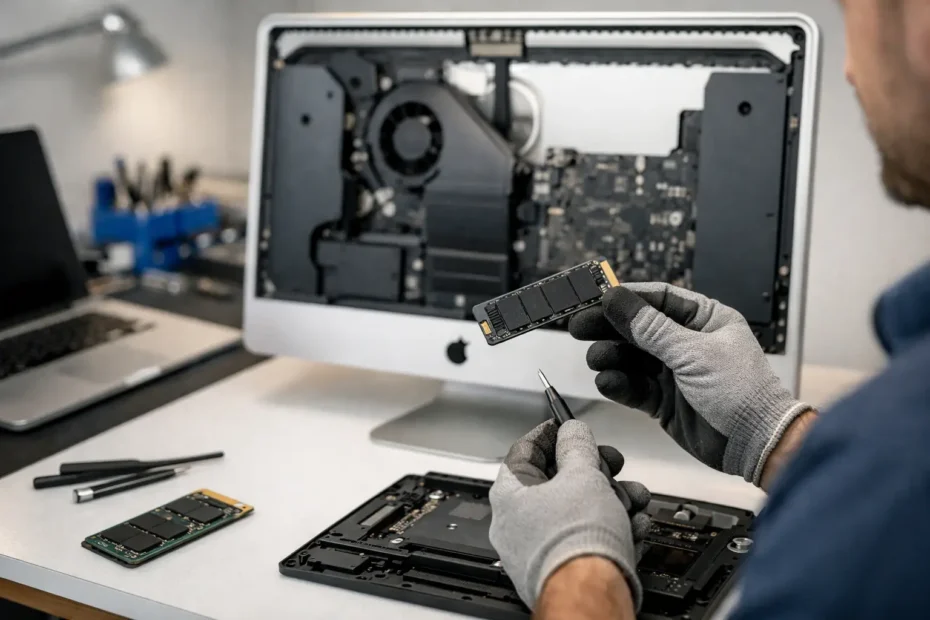
A slow iMac usually does not need a funeral. It usually needs storage that belongs in this decade. If you are looking for an iMac SSD upgrade service, the real question is not just whether an SSD is faster. It is whether the upgrade makes sense for your exact model, your data, and the way you use the machine every day.
For many older iMacs, the hard drive or Fusion Drive is the single biggest reason the computer feels tired. Apps bounce in the Dock, beachballs show up during simple tasks, startup takes forever, and even basic updates feel like a chore. Replacing that drive with a solid-state drive can change the machine from frustrating to genuinely usable again.
Why an iMac SSD upgrade service matters
On paper, SSD upgrades sound simple. In practice, an iMac is not built like a desktop tower with an easy side panel. Many models require the display to be carefully removed, internal components disconnected, storage hardware replaced, and the machine resealed correctly. That is why iMac SSD upgrade service is less about the part itself and more about doing the whole job properly.
The risk is not only physical damage during disassembly. There is also the question of drive compatibility, thermal behavior, fan control on certain older models, data migration, and whether the machine should stay on its current macOS version or move to something newer. A good upgrade service looks at the full picture, not just the storage capacity.
What actually improves after an SSD upgrade
The biggest gain is responsiveness. Startup times drop, apps open faster, file searches complete sooner, and the machine feels less hesitant under normal use. If your iMac still has a mechanical hard drive, the difference can feel dramatic. If it has a Fusion Drive that is beginning to fail or is simply underperforming, the improvement can still be substantial.
For work-from-home users, students, and small business owners, that speed translates into fewer interruptions. You spend less time waiting for email, browser tabs, spreadsheets, or creative apps to catch up. Older iMacs that were almost written off can often return to daily-duty status with the right SSD and a clean installation or proper data transfer.
That said, storage is not magic. If your iMac also has failing RAM, a thermal problem, liquid damage, or a logic board issue, an SSD alone will not solve everything. This is where honest diagnosis matters. A trustworthy technician should tell you when the drive is the main bottleneck and when it is only one part of the story.
Which iMacs benefit most from an SSD upgrade
Older Intel iMacs are usually the strongest candidates, especially systems that shipped with 5400 RPM or 7200 RPM hard drives and Fusion Drive configurations. These machines often still have enough processor power for office work, school, browsing, media, and even light creative work. Their main weakness is storage speed.
Some newer iMacs already use fast flash storage, so the benefit depends on what is currently installed. In other cases, the internal design makes the job more labor-intensive, which affects price and turnaround. There is no one-size-fits-all answer because Apple changed the internal architecture over multiple generations.
This is also why model identification matters. Screen size alone is not enough. Year, processor family, current storage type, and intended use all affect the recommendation. A technician with real Apple hardware experience will usually want the serial number or exact model information before quoting the best path forward.
iMac SSD upgrade service vs replacing the computer
Sometimes replacement is the better financial move. If the iMac has multiple major failures, very limited software support, or a repair cost that approaches the value of a better replacement machine, that should be said plainly.
But many owners are pushed toward replacement too quickly. If the screen is good, the board is healthy, and the machine still fits your workload, an SSD upgrade can be the most cost-effective way to extend its life. That is especially true if you have a desktop setup you already like and do not want the cost or hassle of moving to a new system right now.
There is also the data factor. People often come in thinking they need a newer Mac when what they really need is reliable access to their files and a machine that stops lagging. Keeping the same iMac can be the simpler choice if the upgrade is done correctly and the data is handled with care.
What a proper upgrade service should include
A real service is more than swapping one drive for another. It should start with confirming that the drive is the problem or that the upgrade is worth doing. Then it should cover safe disassembly, quality storage installation, and either data migration or a clean macOS setup depending on what is healthiest for the system.
It should also address practical details. Will your files, apps, and user accounts transfer? Is the current drive failing, which changes the recovery strategy? Does the machine need internal cleaning while open? Is the adhesive and display reassembly being handled carefully? These details separate a specialist repair from a quick parts job.
In some cases, customers also benefit from combining services while the iMac is already open. Internal cleaning, thermal compound replacement, or diagnosis of heat-related issues can make sense at the same time. Not every machine needs that extra work, but sometimes it is the smart move while access is available.
The biggest trade-offs to think about
Cost is the obvious one. An iMac SSD upgrade service includes labor that reflects the difficulty of opening and reassembling the machine safely. The larger or more delicate the model, the more that matters.
Storage size is another trade-off. Some users need a simple speed upgrade and can work comfortably with moderate capacity. Others keep large photo libraries, audio sessions, or business archives and need more space. Going too small saves money up front but can become frustrating fast.
Then there is the software question. After the upgrade, some iMacs perform best with a fresh system install. Others can be cloned or migrated successfully. If the current macOS installation has years of clutter, crashes, or corruption, carrying that over to a new SSD may preserve problems you were hoping to leave behind.
Data safety should be part of the conversation
This matters more than speed for many customers. If the old drive is unstable, every extra power cycle or failed clone attempt can increase risk. An experienced technician should know when to treat the job as an upgrade and when to treat it partly as data recovery.
That distinction is important because the process changes. A healthy source drive can often be copied directly. A failing drive may require a slower, more careful approach. If your iMac contains business records, school work, creative projects, or family photos, the service should be planned around protecting that data first.
This is one reason many Mac owners prefer direct communication with the technician doing the work. You get a clearer answer about what is routine, what is uncertain, and what the safest next step looks like.
Choosing the right shop for an iMac SSD upgrade service
Ask how often they open and repair iMacs, not just laptops in general. Ask whether they handle advanced board-level issues too, because shops with deeper hardware experience usually diagnose more accurately instead of assuming the drive is always the problem. Ask what happens to your data, how the system will be configured after the upgrade, and whether they will tell you honestly if the machine is not worth the investment.
That last point matters. Good service is not about saying yes to every repair. It is about giving a fair recommendation based on the condition of the machine and your goals. At YourMac.Repair, that direct, specialist-first approach is a big part of why customers bring in Macs that other places gave up on.
If your iMac has become painfully slow, an SSD upgrade may be the fix that makes it enjoyable again. The smart move is not rushing to buy a part online. It is getting a clear diagnosis, a realistic quote, and a repair plan that respects both the machine and the data you cannot afford to lose. A good upgrade should leave you with an iMac that feels useful again, not just newly opened.
Need Mac or iPhone repair in Winter Garden / Orlando?
YourMac.Repair — board-level Apple repair with honest diagnosis and fast turnaround. We say YES when Apple says NO.
- Mac Logic Board Repair — liquid damage specialist
- Mac Screen Repair
- Mac Battery Replacement
- Mac & PC Data Recovery
- iPhone Screen Repair — same-day service
📞 (407) 580-9965 · WhatsApp · 819 Marsh Reed Dr, Winter Garden, FL 34787