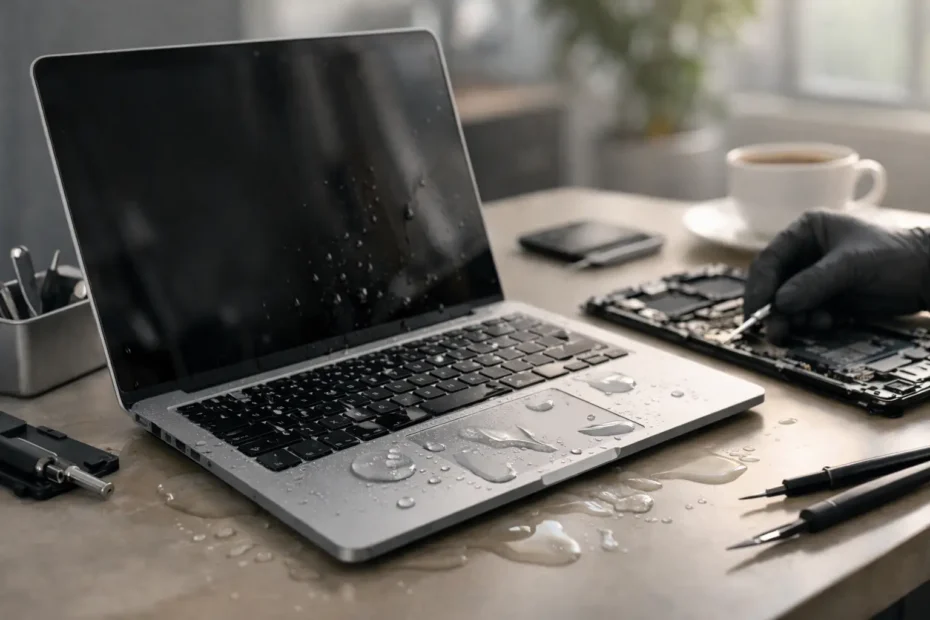
Coffee tips into the keyboard. A water bottle leaks in your bag. The Mac shuts off, and now every minute feels expensive. If you are asking can water damaged Mac be saved, the honest answer is yes, often it can – but the outcome depends heavily on what happened next.
Liquid damage is one of the few Mac problems where early decisions matter almost as much as the repair itself. The wrong move in the first ten minutes can turn a repairable board into a much bigger failure. The right move can preserve the machine, the storage, or at least your data.
Can water damaged Mac be saved after a spill?
In many cases, yes. A spilled-on Mac is not automatically dead, and it is not automatically safe just because it powers back on. That distinction matters.
MacBooks and desktop Macs fail from liquid in different ways. On a MacBook, liquid often enters through the keyboard, trackpad, vents, or side openings. On an iMac, Mac Mini, or Mac Studio, the problem is usually less dramatic but still serious if liquid reaches the power supply or logic board. Once moisture gets inside, corrosion can start quickly. Minerals and contaminants in the liquid create conductive paths where they should not exist, and that can lead to short circuits, unstable power rails, or delayed failure days later.
This is why a Mac that “still works” after a spill may still need service. If corrosion begins under chips, around connectors, or near backlight and charging circuits, the damage can spread quietly until the machine stops charging, loses image, refuses to power on, or starts randomly crashing.
What actually determines whether a water damaged Mac can be saved
The type of liquid matters. Clean water is bad, but coffee, soda, wine, juice, and pet-related accidents are usually worse because they leave residue behind. Sugar and acids create a more aggressive cleanup job and can eat away at tiny components over time.
The amount and location matter too. A few drops on a palm rest is very different from a full spill into the keyboard or a soaked bag. If the liquid reached the logic board, battery area, USB-C ports, display circuitry, or SSD-related components, the repair becomes more complex.
Time matters most. A Mac brought in quickly often has a better chance than one left sitting for days, repeatedly powered on, or charged after the spill. Electricity plus liquid damage is where minor contamination becomes burned components.
Then there is the question most owners care about most: the data. Even when the Mac itself is not economical to fully restore, data recovery may still be possible. That depends on the storage design, the condition of the board, and whether a technician can stabilize the system enough to access the drive.
What to do immediately after a Mac gets wet
First, turn it off. If it is already off, leave it off. Do not test it again. Do not plug in the charger “just to see.” Do not connect accessories. Current moving through a wet board is what causes some of the worst damage.
If it is a MacBook and you can safely disconnect power accessories, do that right away. Wipe the exterior dry with a clean cloth. Place it in a stable position so excess liquid can drain out rather than deeper into the machine. There is a lot of bad advice online about tents, towels, and odd drying positions. The real goal is simple: stop use, limit movement, and get it opened and inspected by someone who does liquid damage work at board level.
Skip the rice. It does not clean corrosion, remove sticky residue, or protect the logic board. It mainly wastes time.
Also skip hair dryers, ovens, heaters, or aggressive compressed air. Heat can warp parts, move liquid further inside, and make a bad situation worse. The issue is not only moisture. It is contamination and corrosion on extremely small components.
Why DIY drying rarely solves the real problem
A Mac is not damaged only because it is wet. It is damaged because liquid leaves conductive residue and starts corrosion in places you cannot see from the outside. Drying the surface does not mean the board is clean. In fact, many machines arrive after a day or two of “drying out” and then fail the moment power is applied.
Professional liquid damage treatment is not just about opening the machine and letting it sit. A proper process may involve board removal, ultrasonic cleaning when appropriate, microscope inspection, testing for shorted rails, replacing damaged components, checking charging and power circuits, and verifying that the machine is stable under load afterward.
That is why one shop may call a unit dead while a specialist in logic board repair sees a repairable board. Board-level diagnosis is very different from replacing large assemblies and giving up when the machine does not respond.
Signs your Mac may still be recoverable
No single symptom guarantees success, but some signs are more encouraging than others. If the Mac was shut down quickly, if the spill was limited, or if the machine has not been repeatedly powered on, the odds are generally better.
Even a no-power Mac can often be saved if the fault is isolated to specific damaged components in the power or charging circuits. A keyboard that types incorrectly after a spill does not necessarily mean the logic board is gone. A black screen may point to backlight damage while the computer itself is still functioning. A machine that chimes, charges inconsistently, or shows signs of intermittent behavior may still be a strong repair candidate.
On the other hand, extensive corrosion, burned pads, multilayer board damage, or liquid that reached multiple major areas can make full restoration less realistic. In those cases, the goal may shift from full repair to data recovery or selective salvage.
Repair versus replacement after liquid damage
This is where honest diagnosis matters. Some liquid-damaged Macs are worth repairing. Some are worth repairing only if the data is critical. Some are better replaced after recovery of the files.
The right answer depends on the Mac model, age, overall condition, repair cost, and what is on the machine. A newer MacBook Pro with business files and years of use left in it is a very different decision from an older machine with multiple unrelated issues. The cheapest answer is not always the best answer, and the most expensive quote is not always the most thorough repair.
A repair-first shop should be able to explain what failed, what is repairable, what is uncertain, and whether there is a path to recover your data if full restoration is not practical. That kind of transparency matters a lot with spill damage because the condition inside the machine can vary from light corrosion to severe board damage.
How professionals approach water damaged Mac repair
A serious liquid damage evaluation starts with inspection, not guessing. The machine is opened, affected areas are identified, and the board is checked for corrosion, shorts, and damage to key circuits. If needed, the logic board is cleaned and tested at component level.
From there, the repair path depends on findings. Sometimes the fix is localized and straightforward. Other times it involves replacing tiny damaged components, restoring power lines, repairing backlight or charging circuits, replacing the keyboard or trackpad, or addressing corrosion in connectors and cable ends. On some units, the machine can be stabilized enough to recover data first, then the owner can decide whether to continue with a full repair.
That specialist approach is exactly why shops with micro-soldering and board-level experience can often save Macs that standard service routes write off. At YourMac.Repair, that work is handled directly by Eduardo, which means you are not getting filtered updates through a front desk. You are getting a real diagnostic path from someone who has spent decades working on Apple hardware.
When to seek help right away
If your Mac got wet and now shows no power, no image, no charging, fan spin without startup, keyboard failure, random shutdowns, or a burning smell, stop using it immediately. Those are not wait-and-see symptoms.
The same goes for any Mac that seems fine after a spill. If the machine contains important work, business records, photos, school files, or project data, early inspection is usually smarter than gambling on delayed corrosion. Waiting can turn a cleanable board into a board with missing pads, failed chips, and fewer recovery options.
For Mac owners in Central Florida, getting a liquid-damaged machine to a specialist quickly can make a real difference in both repair success and data recovery potential.
A water-damaged Mac is not a lost cause just because it got wet. The real question is whether it is handled correctly before the damage spreads further. Fast action, honest diagnostics, and board-level repair experience give you the best chance to save the machine, the data, or both.
Need Mac or iPhone repair in Winter Garden / Orlando?
YourMac.Repair — board-level Apple repair with honest diagnosis and fast turnaround. We say YES when Apple says NO.
- Mac Logic Board Repair — liquid damage specialist
- Mac Screen Repair
- Mac Battery Replacement
- Mac & PC Data Recovery
- iPhone Screen Repair — same-day service
📞 (407) 580-9965 · WhatsApp · 819 Marsh Reed Dr, Winter Garden, FL 34787