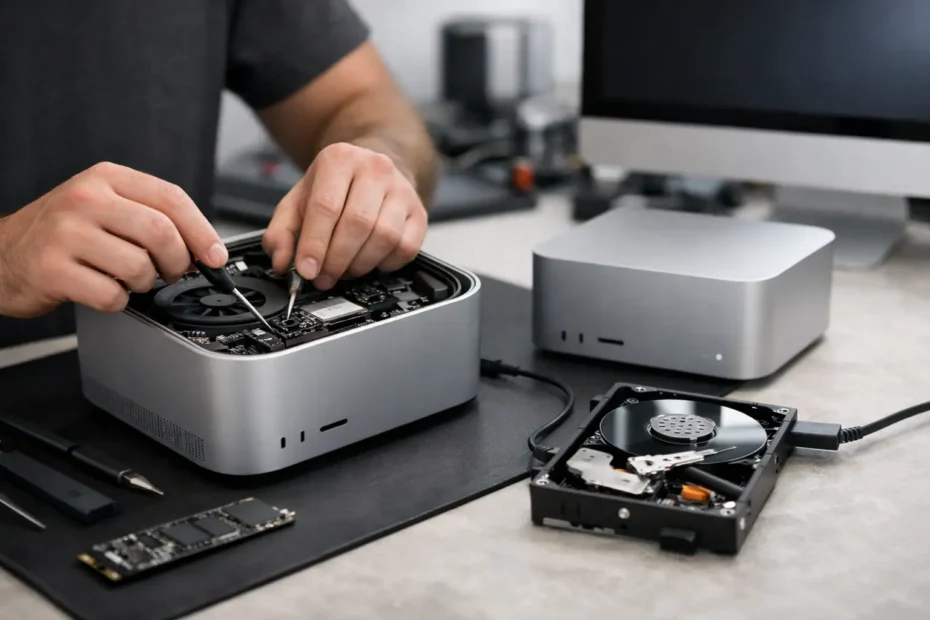
A Mac Studio that will not turn on is more than an inconvenience. For a designer facing a deadline, a business owner with local project files, or a remote professional whose setup depends on that machine, a no-power failure can stop work immediately. Mac Studio power issue repair should begin with careful diagnosis, not an automatic recommendation to replace the computer or erase its storage.
The Mac Studio is a compact, powerful desktop with densely packed components, an internal power supply, and Apple silicon architecture that changes how repair and data recovery must be approached. A machine with no light, no chime, no display, and no response to the power button may have a simple external cause. It may also have a damaged power rail, a failed component on the logic board, liquid contamination, or a problem that looks like no power but is actually no video output.
That distinction matters. The right repair path can save money, preserve data, and keep a capable Mac in service.
Start by Confirming It Is Truly a Power Failure
Before assuming the Mac Studio itself has failed, rule out the parts of the setup that can mimic a dead computer. Test the unit directly at a known-good wall outlet, preferably without a power strip or surge protector in the chain. Try another compatible power cable if one is available. Then disconnect every accessory, including displays, USB hubs, external drives, Ethernet adapters, audio interfaces, and Thunderbolt devices.
A faulty peripheral can occasionally interfere with startup or create symptoms that make the Mac appear unresponsive. Leave the Mac Studio unplugged for at least 30 seconds, reconnect only the power cable, and try the power button again.
Also separate a no-power condition from a no-display condition. If a connected display remains black, the Mac may still be starting normally. Listen for fans, check whether an external drive receives power, and test a different display cable or monitor. A failed display, cable, USB-C port, or monitor input is a very different repair from a board-level power fault.
If the Mac Studio has no signs of life with a verified outlet and cable, do not keep cycling power for hours. Repeated attempts rarely fix an electrical fault, and they can complicate diagnosis if there is liquid residue or a short on the board.
What Causes Mac Studio Power Issues?
There is no single answer because the visible symptom is the same: the Mac does not start. The cause can range from a failed internal power supply to damage in a tiny component that regulates voltage on the logic board.
A power surge is one possibility. Surge protectors reduce risk, but they are not a guarantee, especially after storms, utility interruptions, or a failed power strip. Internal power supply components can fail with age or after an electrical event, preventing proper voltage from reaching the rest of the machine.
Liquid exposure is another common cause, even when the spill did not happen directly on the Mac Studio. A drink near the desk, humidity, a leaking roof, or moisture entering through connected accessories can create corrosion or a short. The Mac may work for days or weeks before corrosion causes a no-power condition. That delay often leads people to overlook the original exposure.
Damaged USB-C or Thunderbolt ports can also matter. Bent pins, debris, or electrical damage from an accessory may affect nearby circuitry. In more complex cases, a failed power-management circuit or shorted capacitor prevents the board from completing its startup sequence.
Heat can contribute as well. The Mac Studio is designed to manage demanding work, but dust buildup, blocked ventilation, and long periods under heavy rendering or production loads can raise component stress. Heat alone does not explain every failure, but it can expose a weak component that was already close to failing.
Why Board-Level Diagnosis Makes a Difference
Many service channels treat a no-power Mac as a replacement problem. If the unit does not start, the quoted solution may be a complete logic board replacement. That can be expensive, and it may not be the most practical answer when the actual failure is isolated to a repairable component.
Board-level diagnosis looks for the reason power is not moving through the system correctly. A qualified technician measures power rails, checks for shorts, inspects the board for corrosion and heat damage, and traces the fault to the affected circuit. This is specialized work. It requires the right tools, experience reading board behavior, and the ability to perform precise component-level repairs when appropriate.
A repaired charging or power-management circuit can cost far less than replacing a major assembly. However, repairability depends on the exact damage. Severe corrosion, multiple damaged layers of the logic board, or a failed processor-related section may make replacement the more realistic option. Honest diagnosis means explaining that difference before work proceeds.
At YourMac.Repair, customers work directly with Eduardo, a specialist with more than 30 years of Apple experience. That direct access is useful when the problem is not simple. You can discuss the symptoms, the history of the machine, the repair options, and the importance of the data with the person diagnosing it.
Data Concerns Are Different on Apple Silicon Macs
When an older desktop Mac would not power on, it was sometimes possible to remove the drive and access the files elsewhere. That approach does not apply cleanly to modern Apple silicon Macs. Mac Studio storage is closely tied to the logic board and protected by hardware-based security.
That means a logic board repair can be more than a way to revive the computer. It may be the most realistic route to recovering local files that were not backed up. Replacing the board can restore a working machine, but it may not preserve the data that was stored on the original board.
This is why the repair goal should be clear from the beginning. If the files matter, say so before authorizing service. A technician can prioritize a conservative diagnostic and repair approach designed to preserve the original board whenever possible. No one should promise data recovery before the fault is identified, but protecting that possibility should shape the repair decision.
What Not to Do With a Dead Mac Studio
A few actions can turn a repairable failure into a more expensive one:
- Do not open the enclosure unless you are trained to work around internal power components and sensitive logic board connections.
- Do not use a questionable third-party power cable, damaged extension cord, or unstable power strip to test the machine.
- Do not repeatedly connect accessories that may have been involved when the failure started.
- Do not approve a board replacement before asking whether the existing board can be diagnosed and repaired, especially if your files are important.
If there was any chance of liquid exposure, disconnect power and arrange service promptly. Corrosion continues over time, even when the Mac is left off.
When Fast Professional Repair Is Worth It
A Mac Studio deserves a serious repair evaluation when it is central to your work, contains files that are not fully backed up, or has a failure that occurred suddenly after a surge, spill, or accessory issue. It is also worth checking when a replacement quote seems disproportionate to the age and value of the computer.
Bring the power cable and explain what happened just before the failure. Did the unit shut down during a storm? Did it stop after a new dock or display was connected? Was there a spill nearby? Did it begin restarting, running hot, or losing ports before it went dead? Those details can shorten the diagnostic process and point toward the right circuit.
A dead Mac Studio does not automatically mean the end of the machine or the end of your data. With transparent diagnosis and component-level repair where it makes sense, the next step can be a targeted fix rather than an unnecessary replacement.
Need Mac or iPhone repair in Winter Garden / Orlando?
YourMac.Repair — board-level Apple repair with honest diagnosis and fast turnaround. We say YES when Apple says NO.
- Mac Logic Board Repair — liquid damage specialist
- Mac Screen Repair
- Mac Battery Replacement
- Mac & PC Data Recovery
- iPhone Screen Repair — same-day service
📞 (407) 580-9965 · WhatsApp · 819 Marsh Reed Dr, Winter Garden, FL 34787