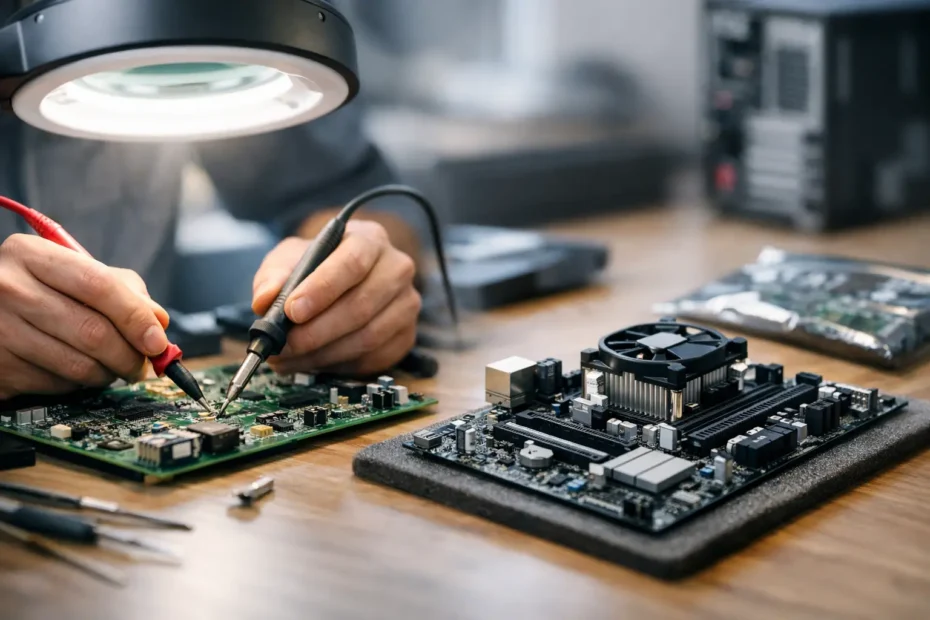
When a Mac suddenly stops powering on, shows no backlight, or starts acting erratically after a spill, the first question is usually simple: what is the board repair versus replacement cost? The answer is rarely one flat number, because logic board problems can range from a single failed component to damage that affects multiple power, charging, or storage circuits.
That is exactly why generic repair quotes can be misleading. A board-level issue is not the same as a screen swap or battery replacement. The right decision depends on what failed, what data is at risk, how old the Mac is, and whether replacing the board creates a bigger bill than repairing the original one.
Board repair versus replacement cost: what changes the price?
On paper, replacement sounds easier. Remove the damaged board, install another one, test the machine, and move on. In real life, Apple logic boards are expensive assemblies, and on many models they are tied closely to your storage, Touch ID functions, and overall device value.
Repair is more precise. Instead of replacing the full assembly, a technician isolates the failed section and repairs only what is bad. That could mean replacing a burned capacitor, fixing a corroded backlight circuit, rebuilding a power rail, or addressing liquid damage under the microscope. If the fault is localized, repair is often far more cost-effective than replacing the entire board.
The total cost usually comes down to five things: the Mac model, the extent of damage, whether liquid is involved, whether the SSD or onboard storage is affected, and how much labor is required to diagnose the failure correctly. A 13-inch MacBook Air with one shorted line is a very different job from a newer MacBook Pro with severe spill damage across multiple circuits.
Why board replacement is often the more expensive option
A full board replacement usually includes the cost of the board itself, installation labor, and sometimes additional programming or compatibility steps depending on the model. On newer Macs, the board can represent a large percentage of the machine’s total value. That makes replacement hard to justify unless the Mac is relatively new or the damage is too widespread for a reliable repair.
There is another factor customers do not always hear upfront. On many Apple devices, replacing the board can affect data access because storage may be soldered to the original board. If the original board contains the only copy of your files, a replacement may solve the hardware problem while doing nothing for the data problem.
That matters for business owners, students, photographers, and anyone with a machine full of work. The cheaper-looking option on a quote sheet is not always the cheaper outcome when lost data, downtime, and setup time are part of the real cost.
When board repair makes more financial sense
Board repair tends to make sense when the fault is limited, the machine still has strong resale or work value, or the customer needs to preserve data from the original board. It is especially worth considering in no-power cases, charging issues, backlight failures, and liquid damage where the board is recoverable.
A good example is a Mac that took a small spill and now will not turn on. One shop may immediately recommend full board replacement or declare the device not worth fixing. A specialist doing component-level diagnostics may find corrosion around a charging circuit or one failed power IC. Repairing that section can cost dramatically less than replacing the entire board.
This is also why repair-first shops often save Macs that larger service channels decline. They are not limited to swapping major parts. They are looking for the exact failure, not replacing everything around it.
When replacement is the better choice
Repair is not always the right answer. If the board has severe multilayer damage, extensive corrosion in multiple areas, prior failed repair attempts, or damage that affects too many critical systems, replacement may be the more stable path.
The same is true if the cost of labor to chase several unrelated faults starts approaching the value of a working replacement board. In those cases, continuing to repair can become false economy. You may spend money on one section only to discover another unstable area later.
A trustworthy technician should say that clearly. Sometimes the honest answer is that replacement offers better long-term reliability. Sometimes the honest answer is that neither repair nor replacement makes financial sense compared with putting that money toward a newer Mac. Good diagnostics protect you from spending emotionally instead of rationally.
The hidden costs people forget to include
Most people compare only the visible price on the estimate, but the real board repair versus replacement cost includes more than the repair line item.
Downtime is one hidden cost. If your Mac is used for client work, school, accounting, or content production, every extra day matters. A precise board repair can be faster than sourcing and installing a full replacement board, especially for less common models.
Data risk is another. If your original board contains soldered storage, preserving that board may be the best path to protecting irreplaceable files. A replacement board may restore the machine, but not your documents, photos, project files, or business records.
Age and overall condition matter too. If the battery is weak, the keyboard has issues, and the display is already damaged, even a successful board repair may not be the smartest place to invest. On the other hand, if the Mac is in excellent condition and the board fault is isolated, repair can extend its life for a fraction of replacement cost.
Why accurate diagnosis matters more than early pricing
Customers understandably want a price right away. The problem is that honest board-level work starts with diagnosis, not guessing. Two Macs with the same symptom can need completely different solutions. One no-power Mac may have a failed USB-C power circuit. Another may have CPU rail failure, liquid damage under several chips, or storage-related board faults.
That is why the most useful quote is not always the fastest one. A rushed estimate may sound attractive, but if it is based on assumptions instead of testing, it can lead to wasted time and surprise charges.
A proper diagnostic process should identify whether the issue is repairable, whether replacement is more realistic, what the likely reliability outcome is, and whether data recovery should be part of the plan. That clarity is what allows you to make a smart decision instead of reacting to the stress of a dead Mac.
How to decide if your Mac is worth repairing
Start with the machine’s role in your life or business. If replacing it means reinstalling software, restoring accounts, recovering files, and losing productive time, the value of repair is higher than the hardware cost alone suggests.
Next, consider the model and age. A newer Mac with a board fault is often worth serious repair consideration because replacement cost for the entire device is high. An older model can still be worth repairing if the issue is contained and the machine fits your daily needs. That is especially true when the alternative is spending far more on a new system than you really need to.
Then look at the damage type. Minor liquid exposure, charging failures, no backlight, and single-rail shorts are often strong repair candidates. Heavy corrosion, burned board layers, and repeated prior repair attempts create more uncertainty.
If data matters, that should move higher on your priority list than the lowest possible quote. In many real cases, saving the original board is not just about fixing the computer. It is about saving what is on it.
At YourMac.Repair, that repair-first mindset matters because customers are often deciding under pressure. They need a clear explanation, a fair price, and direct access to someone who actually understands the board, not a scripted intake process.
The best question to ask a technician
Instead of asking only, “How much is it?” ask, “What failed, and why are you recommending repair or replacement?” That question usually tells you whether the shop is doing real board-level diagnosis or just defaulting to part swapping.
A good technician should be able to explain the likely fault, the risk level, the trade-offs, and whether your money is better spent repairing the board you have or replacing it. That kind of transparency is usually a better predictor of a good outcome than the lowest number on the first estimate.
If your Mac has a board problem, the goal is not simply to spend less today. It is to make the smartest repair decision for the machine, your data, and the time you cannot afford to lose.
Need Mac or iPhone repair in Winter Garden / Orlando?
YourMac.Repair — board-level Apple repair with honest diagnosis and fast turnaround. We say YES when Apple says NO.
- Mac Logic Board Repair — liquid damage specialist
- Mac Screen Repair
- Mac Battery Replacement
- Mac & PC Data Recovery
- iPhone Screen Repair — same-day service
📞 (407) 580-9965 · WhatsApp · 819 Marsh Reed Dr, Winter Garden, FL 34787