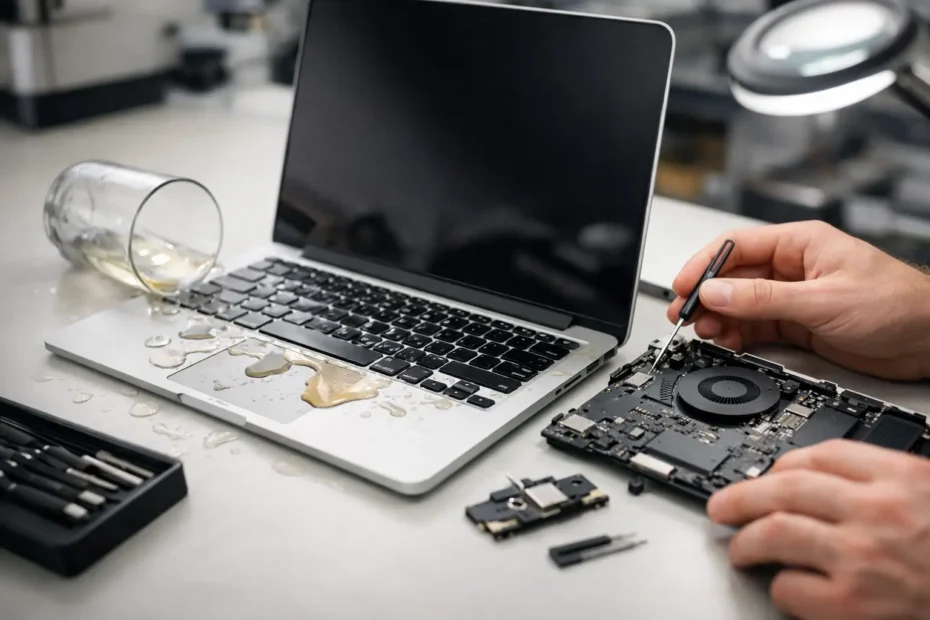
A splash of coffee near a MacBook is not automatically a disaster. Continuing to type, plugging it in to see whether it still charges, or waiting overnight to “see if it dries out” can turn a repairable spill into a failed logic board. This Mac liquid damage repair guide explains the first decisions that protect your Mac, your data, and your repair options.
Liquid damage is not just about visible moisture. Once liquid reaches internal connectors, it can carry minerals, sugar, acids, and contaminants across circuits that were never meant to be connected. Even when a Mac seems normal after a spill, corrosion can continue underneath shields, connectors, and chips.
What to Do Immediately After a Spill
First, disconnect power. Unplug the charger, remove any USB-C hubs, external drives, displays, and other accessories. If the Mac is on, shut it down normally if it responds right away. If it is frozen or will not shut down, hold the power button until it turns off. Do not keep testing keys, charging ports, or speakers.
For a MacBook, place it keyboard-side down on a clean towel so liquid can drain away from the keyboard and display area. Avoid aggressively shaking it. Shaking can move liquid deeper into the logic board, screen, trackpad, battery area, or speaker assemblies.
Do not put the Mac in rice. Rice does not remove residue from the board, and its dust can create another cleanup problem. A hair dryer is also a bad idea. High heat can warp components, push moisture into areas it had not reached, and accelerate damage to delicate plastics and adhesives.
If the spill involved a sticky or acidic drink, such as soda, juice, wine, a sweetened coffee, or an energy drink, treat it as urgent even if the Mac still works. Plain water can cause corrosion too, but sugary liquids leave conductive residue behind after the moisture evaporates. That residue can create intermittent failures weeks later.
Why a Mac Can Fail Days After Liquid Damage
A Mac has extremely small electrical pathways, particularly on the logic board. When liquid bridges two points that should remain isolated, it may cause an immediate short. In other cases, the Mac survives the initial spill but begins to corrode over time.
Corrosion often appears around power circuits, keyboard connectors, display circuits, charging components, and data lines. It can cause symptoms that seem unrelated to a spill: a Mac that will not charge, a flickering or dark screen, random shutdowns, a nonworking keyboard, no trackpad response, distorted audio, or a machine that will not turn on at all.
This is why simply waiting for a Mac to dry is unreliable. Drying removes water, not the contamination left behind. A board-level technician can inspect the affected areas, clean corrosion properly, test circuits, and determine whether a damaged component can be replaced instead of replacing the entire logic board.
The biggest mistake: applying power too soon
Power is what turns moisture and residue into an electrical event. Charging a wet Mac can energize damaged circuits that were not active when the spill happened. The same applies to repeatedly pressing the power button to check whether it is “back.”
If the Mac is already off, leave it off. If important files are stored on it, resist the understandable urge to boot it one more time. A careful diagnosis offers a better chance of preserving data than repeated power attempts.
What a Proper Liquid Damage Diagnosis Involves
A real liquid damage diagnosis goes beyond checking whether a Mac powers on. The technician should inspect for liquid indicators, residue, corrosion, damaged connectors, and affected components. The battery is disconnected before powered testing begins, and the internal areas exposed to liquid need careful evaluation.
The next steps depend on where the liquid traveled and how long it remained inside. Some Macs need professional cleaning and targeted replacement of parts such as a keyboard, trackpad, battery, speakers, or charging board. More serious cases may require component-level logic board repair, including work on charging circuits, power rails, backlight circuits, or data-related components.
There is a meaningful difference between replacing a full assembly and repairing a board at the component level. Full replacement can be faster in some situations, but it may be costly, unavailable for an older model, or a poor option when data matters. Board-level repair takes specialized diagnostic equipment and micro-soldering skill, yet it can save Macs that are otherwise labeled uneconomical to repair.
Repair decisions should be based on findings, not assumptions. A corroded keyboard does not always mean the logic board is damaged. On the other hand, replacing a keyboard without inspecting the board can leave the root issue behind. Transparent diagnosis matters because liquid damage can range from a localized cleanup to multiple affected systems.
Can Your Data Be Recovered After a Spill?
Often, yes, but it depends on the Mac model and the nature of the failure. Older Macs with removable storage may allow direct access to the drive in certain situations. Many newer MacBooks have storage integrated into the logic board, which means the board may need to be repaired enough to boot before files can be recovered.
That is why a liquid-damaged Mac should not be erased, restored, or repeatedly restarted before it is assessed. If the machine reaches the login screen, do not assume it is safe to continue using. Backing up critical files may be possible, but only if the Mac is stable and there is no ongoing risk of a short. A technician can advise whether a controlled backup is sensible or whether the device should remain powered off.
For business owners, students, creatives, and remote workers, data recovery should be part of the first conversation. The value of a project folder, client records, photos, or accounting files can be far greater than the value of the hardware itself.
When Repair Makes Sense and When It May Not
Liquid damage repair is not a one-size-fits-all decision. A newer MacBook with a moderate spill may be an excellent repair candidate, especially if the issue is isolated and the machine has years of useful life left. An older Mac with extensive corrosion, a damaged display, battery concerns, and a failed board may require a more careful cost-benefit discussion.
The key factors are the model, the liquid involved, the time since the spill, the affected components, the condition of the battery, and the importance of the data. A fair repair shop will explain the likely path, identify uncertainties, and avoid promising a result before the device has been inspected.
Be cautious with any service that immediately recommends a complete logic board replacement without discussing component-level options or data needs. Apple-authorized service routes often replace large assemblies rather than repair them. That approach has its place, but it is not the only path for a Mac that has been exposed to liquid.
Choosing a Specialist for Mac Liquid Damage Repair
Look for a repair provider that works on Mac logic boards, not only external parts. Ask whether they inspect and clean corrosion, whether they perform component-level repair, and how they handle data-sensitive cases. You should also know whether the diagnosis is transparent and whether you can speak directly with the person evaluating the device.
For Central Florida Mac owners, YourMac.Repair provides direct access to Eduardo, a specialist with more than 30 years of Apple experience. That direct communication is especially valuable after a spill, when the right repair path depends on the actual condition inside the Mac, not a generic checklist.
A spill creates urgency, but it does not require panic. Power the Mac down, keep it disconnected, avoid home drying tricks, and have it evaluated before corrosion gets more time to spread. The first careful decision after liquid contact is often the one that keeps a repair, a recovery, or both within reach.
Need Mac or iPhone repair in Winter Garden / Orlando?
YourMac.Repair — board-level Apple repair with honest diagnosis and fast turnaround. We say YES when Apple says NO.
- Mac Logic Board Repair — liquid damage specialist
- Mac Screen Repair
- Mac Battery Replacement
- Mac & PC Data Recovery
- iPhone Screen Repair — same-day service
📞 (407) 580-9965 · WhatsApp · 819 Marsh Reed Dr, Winter Garden, FL 34787