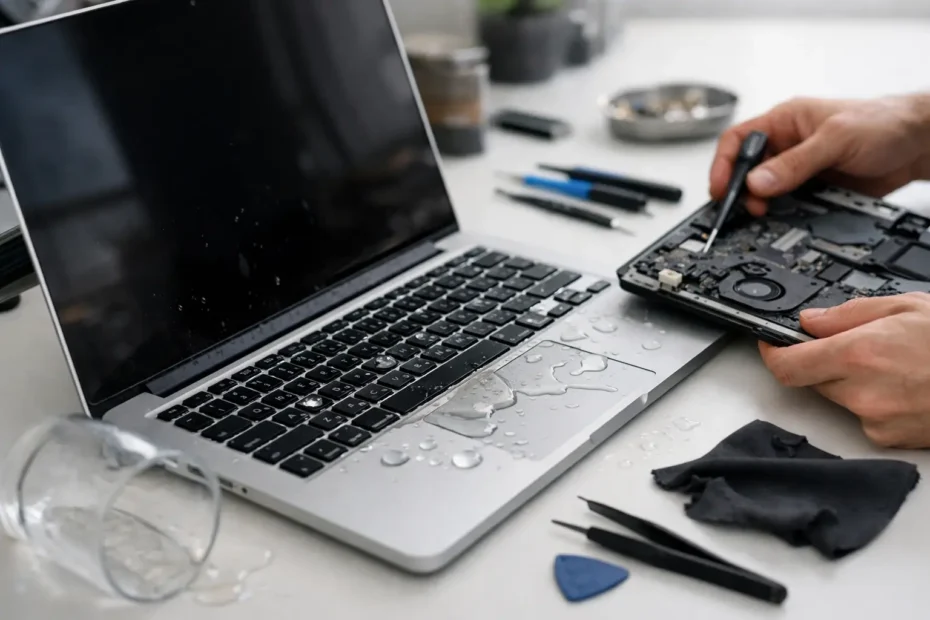
A few drops of coffee near a MacBook can become a much bigger problem by the next morning. The computer may still turn on, but the keyboard starts acting strangely, the battery will not charge, or the screen stays black. That delay is exactly why people ask, is Mac liquid damage repair worth it? The honest answer is usually yes when the Mac, the data, and the actual damage justify the repair – but it depends on a few facts that a proper diagnosis needs to uncover.
A spill does not automatically mean your Mac is finished. It also does not mean a quick keyboard replacement will solve the problem. Liquid can travel beneath shields, connectors, and components on the logic board. The visible damage may be minor while corrosion continues underneath. The right decision comes from assessing the device before treating it as either an easy fix or a total loss.
Is Mac Liquid Damage Repair Worth It for Your Device?
Liquid damage repair is often worth it when the Mac is relatively current, has a quality display and battery, or holds files that are difficult or impossible to replace. It can also make financial sense when the damaged area is isolated and can be repaired at the component level instead of replacing an entire logic board.
This is where repair options vary dramatically. Apple and many general repair shops commonly quote a complete logic board replacement after a spill. That can be expensive enough to make replacement seem more practical. A specialist who performs board-level diagnostics may find that only a charging circuit, power rail, backlight circuit, keyboard connector, or a small number of corroded components need attention. Repairing the failed circuit can cost far less than replacing the board and preserves the original storage and data whenever possible.
The age and configuration of the Mac matter. A recent MacBook Pro with a high-resolution display, Apple silicon processor, and significant memory or storage is usually a strong candidate for repair. A MacBook Air that is several years old may still be worth repairing if it is otherwise in good condition and the cost is reasonable compared with a replacement. An older Intel model with multiple existing problems, however, may be better served by data recovery and replacement.
The question is not simply, “What will the repair cost?” A better question is, “What will it cost to restore my work, replace this Mac with an equivalent machine, and get back to normal?”
What Determines the Cost After a Spill?
No honest technician can provide an exact liquid-damage price based only on a photo of the spill or a description of what happened. The same glass of water can cause a minor cleanup in one Mac and a severe board failure in another. Liquid type, quantity, the location of the spill, whether the Mac was powered on, and how long it remained wet all affect the outcome.
Plain water is not harmless. Once it reaches powered circuitry, it can cause shorts. Coffee, soda, wine, sports drinks, and other liquids are often worse because sugar, acids, and minerals leave conductive residue behind. Even if the Mac appears to recover after drying, that residue can attract moisture and create corrosion over time.
A thorough evaluation typically checks for damage to the logic board, keyboard, trackpad, battery, display connectors, charging system, and USB-C or MagSafe ports. The technician should also inspect whether corrosion has reached critical circuits that control power, charging, display output, or storage access.
The cost generally falls into three broad situations. A limited spill may require internal cleaning, corrosion treatment, and replacement of a damaged keyboard or cable. Moderate damage may require component-level logic board repair along with cleaning or part replacement. Severe damage can involve multiple affected areas, which may push the cost beyond the sensible value of the computer.
Transparent diagnosis matters here. You should know what failed, what is being repaired, what parts may be needed, and whether the quote includes a realistic assessment of the Mac’s remaining condition.
Data Can Change the Value Calculation
For many owners, the files are more valuable than the hardware. A photographer may have client sessions on a MacBook. A student may have a thesis, a remote worker may have local project files, and a small business owner may rely on financial records or design assets stored on the machine.
Modern Macs can make data recovery more complicated than older models. On many newer systems, storage is integrated with the logic board and protected by hardware-based encryption. If the board cannot be powered and repaired enough to access the data, simply removing a drive is not an option. That makes a repair-first approach especially valuable when the information has not been fully backed up.
If your Mac turns on after a spill, back it up immediately if you can do so safely. Then shut it down. Continuing to use a wet or corroding Mac can turn a repairable problem into a larger failure.
What to Do Immediately After Liquid Hits Your Mac
Your first actions can make a real difference. Shut the Mac down as quickly as possible. Disconnect the charger and every accessory. Do not keep testing it, do not plug it in “just to see,” and do not attempt to charge it.
Avoid the common rice remedy. Rice does not remove residue under chips, connectors, or shields, and it does not reverse corrosion. Hair dryers and heaters are also risky because heat can push moisture deeper into the device or damage sensitive components.
Place the Mac on a dry towel with the keyboard facing down if that can be done without forcing the screen or device. Then arrange professional inspection as soon as possible. Fast action is especially important if the liquid was sugary, acidic, or spilled directly through the keyboard.
When Repair Is Usually a Good Investment
Repair tends to be a good investment when the device has a strong replacement value, the board damage is repairable, and the rest of the Mac remains healthy. It is also worthwhile when a repair can preserve irreplaceable data or prevent the cost and disruption of setting up a replacement machine.
A repaired Mac should not be treated as automatically unreliable. If corrosion is properly removed, damaged components are replaced, and the machine passes functional testing, it can continue serving you well. The key is doing more than surface cleaning. Liquid damage requires careful inspection under magnification and testing of the circuits affected by the spill.
At YourMac.Repair, customers work directly with Eduardo, a specialist with more than 30 years of Apple experience, for honest evaluation of logic board and liquid-damage problems. That means no pressure to approve an expensive replacement when a targeted repair makes more sense – and no false promise when the numbers do not add up.
When Replacement May Be the Better Choice
There are cases where repair is not the best use of your money. If an older Mac has extensive corrosion, a failing battery, a damaged display, and limited future software support, several repairs can exceed its practical value. The same applies when a replacement machine will provide a meaningful jump in performance, battery life, and compatibility for your work.
Replacement may also be wiser if liquid damage has affected too many major systems at once. A fair repair shop should tell you that directly rather than selling an uncertain repair with little long-term value.
Still, do not confuse a high quote for a complete board replacement with proof that the Mac cannot be repaired. A second opinion from a technician experienced in micro-soldering and component-level diagnostics can give you a more accurate picture of the options.
The Best Next Step Is a Real Diagnosis
The decision to repair a liquid-damaged Mac should be based on evidence, not panic. A proper diagnosis identifies the affected parts, the likelihood of stable repair, the condition of your data, and the true cost compared with replacement. That clarity is what lets you make a smart call.
If the Mac contains important files or is otherwise a device you rely on every day, do not wait for symptoms to worsen. Power it off, keep it disconnected, and have a specialist examine it while a targeted repair may still be possible.
Need Mac or iPhone repair in Winter Garden / Orlando?
YourMac.Repair — board-level Apple repair with honest diagnosis and fast turnaround. We say YES when Apple says NO.
- Mac Logic Board Repair — liquid damage specialist
- Mac Screen Repair
- Mac Battery Replacement
- Mac & PC Data Recovery
- iPhone Screen Repair — same-day service
📞 (407) 580-9965 · WhatsApp · 819 Marsh Reed Dr, Winter Garden, FL 34787