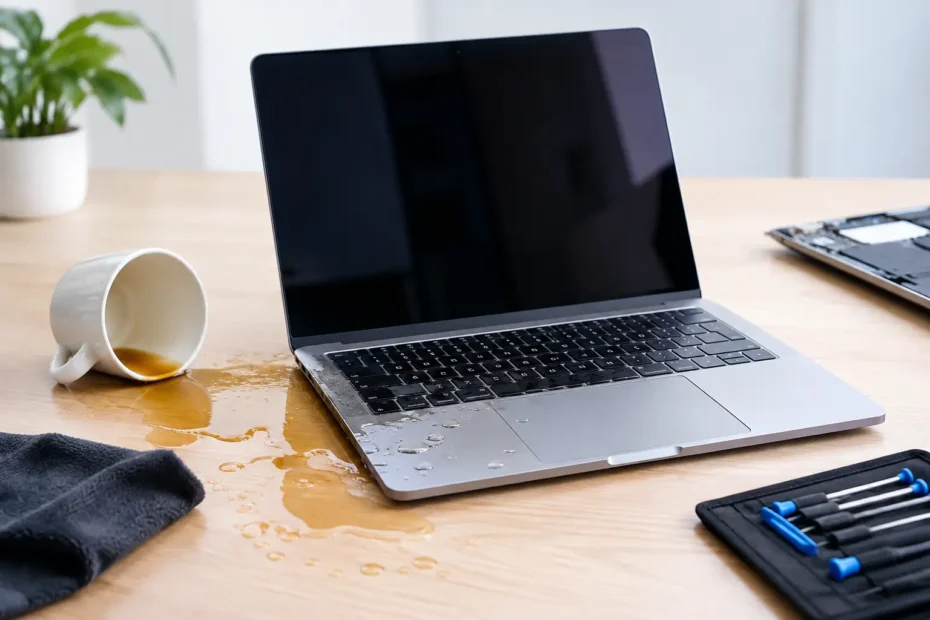
A coffee spill does not need to be large to take down a MacBook. In this MacBook liquid damage repair example, a customer’s MacBook Pro stopped charging and would not turn on after a few ounces of sweetened coffee entered the keyboard. The screen was dry, the exterior looked fine, and the customer initially hoped the battery had simply run down. Inside, however, the spill had reached the logic board.
This is where liquid damage becomes more than a cleanup job. A Mac can fail immediately after a spill, but it can also appear normal for a day or two while corrosion quietly develops around tiny board components. The right repair depends on what liquid entered the machine, how far it traveled, whether power was applied afterward, and whether the files are still accessible.
The MacBook Liquid Damage Repair Example
The customer brought in a 13-inch MacBook Pro used for remote work. Coffee had spilled near the left side of the keyboard. The Mac was shut down soon afterward, but it was connected to a charger before it arrived for diagnosis. That detail matters: when liquid is present, charging or attempting to power on the Mac can create a short circuit in an area that may have been recoverable.
The immediate symptoms were no power, no charging sound, and no response from the trackpad. The customer’s priority was not simply getting the Mac to start. Important project files were stored locally, so data preservation was part of the repair decision from the beginning.
After opening the MacBook, the first step was disconnecting the battery. The internal inspection showed dried coffee residue under part of the keyboard and corrosion on the logic board near power-management circuitry. Sugar and milk residue can be especially troublesome because they leave conductive, corrosive material behind after the visible moisture evaporates.
A quick visual inspection can identify obvious damage, but it cannot prove which circuits still work. That requires a board-level diagnosis using magnification, controlled power testing, voltage measurements, and inspection of affected components. Replacing the entire logic board may be Apple’s standard path, but it is not always the only practical option.
What the Diagnosis Found
The charging circuit was receiving power, but the board was not creating the stable power rails needed to begin startup. A corroded component in the power section had failed, and nearby connections needed cleaning and inspection before any replacement part could be installed.
This is an important distinction. If a shop only tests whether the Mac turns on, it may miss damage that causes a later failure. A proper liquid damage repair involves finding the path of the spill, cleaning residue, removing corrosion, checking affected circuits, and testing the machine after repair under normal operating conditions.
In this case, the SSD was integrated into the logic board, as it is on many newer MacBooks. That meant data recovery could not be handled by simply removing a separate drive and placing it in an enclosure. Restoring stable board operation was the best path to accessing the customer’s files.
Repairing the board instead of replacing it
The affected area was cleaned using methods appropriate for electronic assemblies, then inspected again under magnification. The failed component was replaced at the board level, and surrounding circuitry was tested for shorts and correct voltage behavior.
This approach has a real advantage when the damage is limited. Component-level repair can cost far less than replacing a complete logic board, and it can preserve the original storage and data. It is also not a promise that every liquid-damaged Mac can be saved. If corrosion has spread through multiple layers of the board or damaged critical chips, replacement may be the safer recommendation.
The customer received a transparent explanation before major work moved forward: what had failed, what could be repaired, what data risks remained, and what further damage might appear after testing. Liquid damage cases need that honesty because no technician can responsibly guarantee a board that has been exposed to corrosive liquid without first seeing how it behaves over time.
The Result After Repair
After the board repair, the MacBook powered on, charged normally, and completed repeated startup and shutdown tests. The keyboard, trackpad, display, Wi-Fi, ports, camera, speakers, and battery communication were checked. The system was also tested while running on battery and while connected to power, because charging-related failures can hide until the Mac is under load.
The customer was able to access the files that mattered most and create a current backup before returning to regular work. The MacBook remained a usable machine without the immediate cost of a full board replacement.
There was one trade-off: the keyboard had been exposed to coffee, even though it was functioning after cleaning and testing. Liquid under a keyboard can create later issues such as sticking keys, repeated characters, or a key that stops responding. Replacing the keyboard assembly immediately would have increased the repair cost, so the customer chose to monitor it after being given a clear explanation of the risk.
That is often the right conversation in a spill repair. A repair should fit the condition of the Mac and the customer’s priorities. For someone with critical files, the first goal may be data access. For a newer MacBook with limited damage, a comprehensive repair may make good financial sense. For an older model with widespread corrosion, putting money toward a replacement can be the more sensible choice.
What to Do Right After a MacBook Spill
The first few minutes can make a major difference. Shut the MacBook down as soon as possible. Do not plug it in, charge it, press the power button repeatedly, or use a hair dryer. Heat can push moisture further inside, and electricity can turn a small contaminated area into a damaged circuit.
If it is safe to do so, disconnect accessories and place the Mac with the keyboard facing downward at an angle so liquid can drain away from internal components. Do not rely on rice. Rice does not remove sugar, minerals, or acidic residue from a logic board, and it can delay the cleaning that actually matters.
Then arrange a professional inspection promptly. Time matters most when residue is still wet and corrosion has not had days to develop. A technician should inspect the interior, disconnect the battery, assess the affected components, and give you a realistic recommendation before treating the repair as routine.
When Repair Is Worth It
MacBook liquid damage repair is often worth considering when the Mac is relatively recent, the data is valuable, the board damage is localized, or the cost is clearly below a comparable replacement. It is especially worth getting a real diagnosis before accepting a blanket statement that the Mac needs a new logic board.
At YourMac.Repair, customers speak directly with Eduardo, a specialist with more than 30 years of Apple experience. That direct access matters in complex cases because you can discuss the actual symptoms, the repair options, and the condition of your data with the person evaluating the machine.
A fair diagnosis may still lead to a recommendation not to repair. Severe corrosion, multiple failed circuits, or an older Mac with several unrelated issues can change the economics. The value of a professional assessment is knowing the difference before spending money on a guess.
If liquid has reached your MacBook, treat it as an urgent repair issue even when it seems to work. Turning it off and getting it inspected early gives the device, your data, and your budget the best chance of a good outcome.
Need Mac or iPhone repair in Winter Garden / Orlando?
YourMac.Repair — board-level Apple repair with honest diagnosis and fast turnaround. We say YES when Apple says NO.
- Mac Logic Board Repair — liquid damage specialist
- Mac Screen Repair
- Mac Battery Replacement
- Mac & PC Data Recovery
- iPhone Screen Repair — same-day service
📞 (407) 580-9965 · WhatsApp · 819 Marsh Reed Dr, Winter Garden, FL 34787