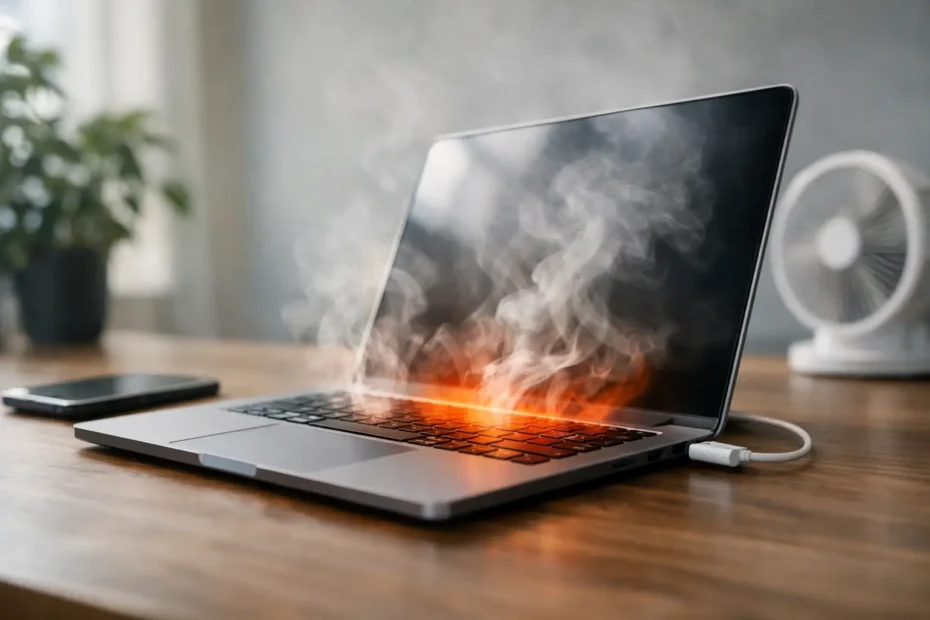
A Mac that gets hot enough to slow down, blast its fans, or shut itself off is not just annoying. It is usually telling you something specific. The right mac overheating fix depends on whether the heat is coming from normal workload, blocked airflow, failing cooling parts, battery trouble, or deeper logic board issues.
A lot of people get bad advice here. They are told to “just reset it,” stop using Chrome, or accept that Macs run hot. Sometimes that is partly true. Often it is not. If your Mac used to run quietly and now feels hot during simple tasks, there is a reason, and guessing can waste time or make the problem worse.
Start with what kind of heat problem you have
Not every hot Mac is overheating in the same way. Some systems get warm under video editing, gaming, or large photo exports and then cool down normally. That can be expected behavior. A real problem usually shows up when the fans stay loud during light use, the Mac becomes sluggish, the bottom case gets unusually hot, or the machine shuts down, freezes, or dims the display.
Battery behavior matters too. If the Mac is hot mostly while charging, or if the bottom case feels unevenly warm near the battery area, swelling or battery failure may be part of the issue. If the heat is concentrated near the back vent or hinge area and performance drops hard, the cooling system may not be moving heat out properly.
The pattern tells you where to look next.
The easiest mac overheating fix you can try first
Before assuming hardware failure, reduce the obvious causes. Quit apps you are not using and check Activity Monitor for runaway processes. A single browser tab, sync service, or indexing task can keep CPU usage high for hours. If one app is using a disproportionate amount of CPU or memory, force quitting it may bring temperatures down quickly.
Then look at the physical environment. Soft surfaces like beds, couches, or even your lap can block vents on some MacBook models and trap heat underneath. Move the Mac to a hard, flat surface and see whether fan noise settles after a few minutes. Room temperature also matters more than people think. A Mac that behaves fine in a cool office can struggle in a hot room or near a sunny window.
Restarting can help if the cause is software stuck in a loop, but it is not a cure for recurring overheating. If the issue comes back every day, keep going.
Dust buildup is more common than most people think
One of the most effective mac overheating fix options is internal cleaning, especially on Intel MacBooks and iMacs that are a few years old. Dust collects on fan blades, heatsinks, and vents. Once airflow drops, the system cannot move heat out as designed, so fans work harder while temperatures stay high.
This is especially common in homes with pets, carpet, or regular indoor dust. It also shows up in businesses where Macs stay powered on for long stretches. From the outside, the computer may look clean. Inside can be a different story.
A light external dusting is safe. Opening the machine is where caution matters. On newer Macs, the wrong tool, static discharge, or a damaged connector can turn a cleaning job into a repair. If you are not comfortable working inside Apple hardware, this is a good place to stop and let a specialist handle it.
Thermal paste can be the hidden problem
If your Mac is several years old and temperatures rise fast under even moderate load, dried or degraded thermal compound may be part of the problem. Thermal paste sits between the processor and heatsink and helps transfer heat efficiently. Over time, it can harden, crack, or lose effectiveness.
When that happens, the CPU or GPU heats up more quickly, fans ramp sooner, and the machine may throttle performance to protect itself. Replacing thermal paste is not a routine DIY task for most users. It requires careful disassembly, correct cleaning methods, and proper reassembly pressure. Done wrong, it can create worse heat transfer than before.
On the right machine, though, thermal compound replacement can make a noticeable difference in both temperatures and fan behavior.
Software can cause heat, but not always for the reason people assume
Background activity is a real cause of heat. macOS updates, Spotlight indexing, photo library processing, cloud syncing, antivirus scans, and browser extensions can all keep the processor busy. That is why a Mac may run hot after a system update or when you first restore a large amount of data.
The key question is whether the heat is temporary or constant. Temporary high temperatures during setup, indexing, or exporting are usually normal. Constant heat at idle is not. If Activity Monitor looks busy all the time and you cannot identify why, the issue may be corrupted software, a failing login item, bad sensor data, or even malware.
Older Macs can also run hotter after major macOS changes if the system is under strain from unsupported or inefficient software setups. That does not mean the Mac is finished. It means the software side needs to be evaluated realistically, model by model.
Fan problems and sensor failures need real diagnosis
Sometimes the best mac overheating fix is not cleaning or software adjustment. It is replacing a failed part. Mac fans can wear out, lose efficiency, or stop responding correctly. Temperature sensors can send bad readings. A logic board issue can interfere with fan control and cause either excessive heat or fans running at full speed all the time.
This is where generic advice stops being useful. If a sensor fails, the Mac may think a component is dangerously hot when it is not, or the opposite. If a board-level fault affects power delivery, the machine can generate abnormal heat in one area while symptoms look random elsewhere.
That is why overheating should not be diagnosed by temperature alone. Where the heat is, when it starts, what the fans do, and how the system performs all matter.
Battery issues can mimic or worsen overheating
A failing battery can create extra heat, especially during charging and heavier workloads. In some cases, the battery is not just affected by the heat – it is helping cause it. If your Mac drains unusually fast, charges slowly, feels hot near the battery area, or shows battery service warnings, do not ignore that combination.
Swollen batteries are a separate safety issue. They can press against internal components, trackpad assemblies, or the case itself. If the bottom panel looks uneven, the trackpad feels stiff, or the palm rest area seems raised, stop using the machine until it is inspected.
Heat and battery failure often show up together, and separating cause from effect takes hands-on evaluation.
When DIY is reasonable and when it is not
There is a practical middle ground here. You can safely check Activity Monitor, remove obvious software load, improve airflow, update misbehaving apps, and test the Mac on a hard surface in a cooler room. Those steps cost nothing and sometimes solve the problem.
What you should not do casually is open the machine with improvised tools, blast compressed air blindly into sensitive internals, replace thermal paste without experience, or assume every hot Mac needs a fan app. Manual fan control tools can mask symptoms without fixing the cause. In some cases, they just keep a struggling system barely usable while a deeper issue gets worse.
If your Mac overheats during basic tasks, shuts down, gets too hot to touch, or has a history of liquid exposure, professional diagnosis makes more sense than trial and error.
What professional repair changes
A proper overheating diagnosis goes beyond “it needs cleaning.” The goal is to identify whether the root issue is airflow restriction, weak thermal transfer, battery degradation, fan failure, software load, sensor error, or board-level damage. Those are very different repairs with very different costs.
This is where working with a specialist matters. A shop that regularly handles Mac internals, thermal service, board-level diagnostics, and component repair can tell you whether your machine needs basic maintenance or something more serious. At YourMac.Repair, that kind of work is handled directly by Eduardo, which means you are not getting a front-desk guess. You are getting an actual diagnosis from someone who works on these failures every day.
That matters most when other places jump straight to expensive replacement recommendations. Some overheating Macs need a fan, cleaning, or battery. Some need thermal service. Some have recoverable logic board faults. Those are not the same outcome.
If your Mac is overheating, do not wait too long
Heat problems usually get more expensive when ignored. Constant high temperature stresses batteries, fans, connectors, and the logic board over time. Performance drops first. Reliability problems often follow.
If the issue is minor, a simple fix can restore normal behavior quickly. If it is not minor, early diagnosis gives you more repair options and a better chance of avoiding data loss or a no-power situation later. The smartest move is not to panic or guess. It is to pay attention to the pattern, rule out the safe basics, and get the machine properly evaluated before heat turns into a bigger failure.
Need Mac or iPhone repair in Winter Garden / Orlando?
YourMac.Repair — board-level Apple repair with honest diagnosis and fast turnaround. We say YES when Apple says NO.
- Mac Logic Board Repair — liquid damage specialist
- Mac Screen Repair
- Mac Battery Replacement
- Mac & PC Data Recovery
- iPhone Screen Repair — same-day service
📞 (407) 580-9965 · WhatsApp · 819 Marsh Reed Dr, Winter Garden, FL 34787