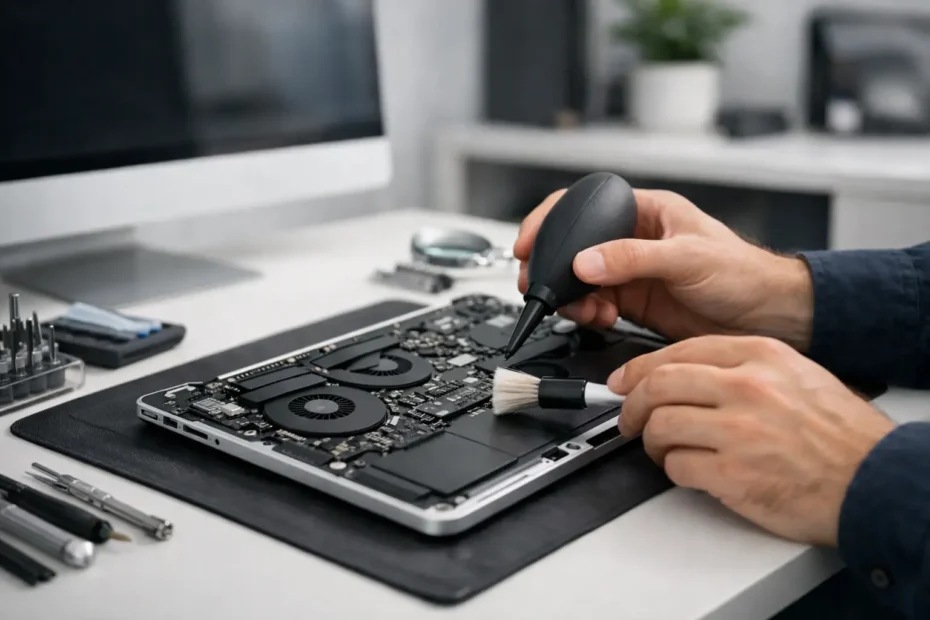
A Mac that suddenly runs hot, sounds louder than usual, or slows down during simple tasks often has a basic problem hiding inside – dust, lint, and blocked airflow. A proper mac internal cleaning service is not cosmetic maintenance. It is one of the simplest ways to reduce heat stress, improve fan behavior, and help your Mac last longer.
People usually wait until the symptoms are obvious. The fans stay on, the palm rest feels warmer, performance drops during video calls, or the machine shuts down when it should not. By that point, the buildup inside may already be affecting cooling efficiency, battery health, and in some cases the logic board itself.
What a mac internal cleaning service actually does
Internal cleaning means opening the Mac safely, inspecting the cooling system, removing packed dust from fans and vents, and checking whether heat-related wear is already present. On many models, especially MacBook Pro, MacBook Air, iMac, and Mac Mini systems that have been used daily for years, the amount of debris inside can be far worse than owners expect.
This is not the same as wiping down the keyboard or spraying compressed air into the vents. External cleaning can improve appearance. It does almost nothing for dust that is trapped on the fan blades, packed into the exhaust path, or sitting across sensitive internal components.
A good service also looks at context. If the Mac is overheating because of dried thermal compound, battery swelling, liquid residue, or fan failure, cleaning alone will not solve it. That is where experience matters. You want someone who can tell the difference between a maintenance issue and a deeper hardware problem before you spend money twice.
Signs your Mac may need internal cleaning
The most common warning sign is heat that feels out of proportion to the workload. If your Mac gets hot while browsing, sending email, or attending a Zoom meeting, something may be restricting airflow. Fan noise is another clue. Fans are supposed to ramp up under pressure, but constant fan activity during light use usually points to either heat buildup or a failing thermal system.
Performance can also suffer. Modern Macs protect themselves by reducing speed when temperatures climb too high. That can look like beachballs, lag during multitasking, choppy video, or apps that feel heavier than they used to. Some users assume the machine is simply old. Sometimes it is. Sometimes it just cannot cool itself properly anymore.
There are also quieter warning signs. Dust buildup can hold moisture, trap residue, and contribute to corrosion in humid environments. For Macs used in homes with pets, near kitchens, or in workspaces with fabric fibers and drywall dust, contamination builds faster than most people realize.
Why heat matters more than most owners think
Heat is not just a comfort issue. Over time, elevated internal temperatures can shorten the life of multiple components. Batteries degrade faster when exposed to repeated heat stress. Fans wear out sooner when they have to run harder for longer. In more serious cases, prolonged thermal strain can contribute to solder fatigue and logic board problems.
This is one reason repair-first shops take internal cleaning seriously. It is preventive, but it is also diagnostic. A Mac that is constantly overheating may be giving early warning before the failure becomes expensive. Catching the problem while the machine still works is always better than waiting for a no-power situation.
That said, not every warm Mac needs to be opened. Some workloads naturally run hot, especially video editing, 3D work, large photo libraries, and software development tasks. The question is whether the temperature behavior matches the work being done. If the machine sounds like it is rendering a film while you have five browser tabs open, that is not normal.
Mac internal cleaning service vs DIY cleaning
A lot of Mac owners are tempted to handle this themselves, and sometimes that works out. On older or more accessible models, a careful owner with the right tools can remove dust from fans and vents without causing damage. But there are real risks.
Macs are not designed like generic laptops. Some have delicate connectors, tightly packed cables, adhesive-secured batteries, or fan assemblies that are easy to damage if removed incorrectly. Static discharge, stripped screws, punctured cells, and broken clips are all common DIY mistakes. The job also gets more complicated when internal cleaning turns into thermal paste replacement, corrosion inspection, or fan testing.
The bigger issue is misdiagnosis. Many people clean the inside, reassemble the Mac, and assume the problem is fixed because it runs quietly for a day. Then the heat returns because the root cause was never dust to begin with. A proper inspection can catch a failing fan, liquid damage, clogged vents, dried compound, or sensor-related issues at the same time.
When cleaning alone is enough – and when it is not
Sometimes internal cleaning makes a dramatic difference. If the fans are physically blocked and the rest of the thermal system is healthy, temperatures can drop and performance can stabilize right away. This is especially common in older Intel MacBooks and iMacs that have gone years without being opened.
But cleaning is not magic. If the thermal compound between the processor and heatsink has dried out, the Mac may still run hot after dust removal. If there has been liquid exposure, sticky residue can continue causing trouble even if the system looks cleaner. If the battery is swollen, that issue needs direct attention, not just maintenance.
This is why a real service should be honest about trade-offs. Some machines only need cleaning. Others benefit more from combining cleaning with thermal compound replacement or fan replacement. In severe cases, overheating is just the symptom of board-level damage that requires a different repair path.
How often should a Mac be cleaned internally?
It depends on the environment and the model. A Mac used in a clean office may go years before internal dust becomes a real issue. A Mac used daily in a home with pets, carpeting, candles, cooking residue, or heavy air conditioning can collect debris much faster.
As a practical rule, many users benefit from inspection every one to two years. If the Mac runs hot, makes persistent fan noise, or is part of a business workflow where downtime hurts, earlier service makes sense. Waiting for failure is usually the most expensive maintenance plan.
For students, remote workers, and creatives who depend on one machine every day, internal cleaning can be part of keeping that Mac reliable through another semester, client deadline, or production cycle. It is not glamorous, but it is often cheaper than replacing heat-damaged components later.
Why experience matters with Mac maintenance
Not every repair shop treats Mac internals with the same level of care. Some shops offer basic cleanouts but stop there. Others push replacement before proper diagnosis. The difference is whether the technician understands the whole system, not just the dust.
An experienced Mac specialist looks for what caused the symptoms, what the cleaning changed, and what risks remain. That matters if your Mac has a history of spills, battery issues, power problems, or previous repair attempts. It also matters if your data is valuable and you cannot afford trial-and-error service.
For owners in Central Florida, especially around Winter Garden and Orlando, local access to a technician who works directly on advanced Mac repairs can make the process much easier. At YourMac.Repair, internal cleaning is approached as part of the machine’s overall health, not a quick add-on with no real inspection behind it.
What to expect after service
After a proper cleaning, you may notice quieter fans, lower surface temperatures, and more stable performance under load. You may also learn that your Mac needs more than cleaning, and that is still a good outcome if it prevents a bigger failure.
The best result is clarity. Either the dust was the problem, or it was revealing a deeper one. In both cases, you are in a better position than before because you are no longer guessing.
If your Mac has been getting hotter, louder, or less dependable, internal cleaning is one of the smartest places to start. Sometimes the fix is simple. Sometimes the cleaning opens the door to a more precise repair. Either way, your Mac usually tells the truth through heat long before it quits completely.
Need Mac or iPhone repair in Winter Garden / Orlando?
YourMac.Repair — board-level Apple repair with honest diagnosis and fast turnaround. We say YES when Apple says NO.
- Mac Logic Board Repair — liquid damage specialist
- Mac Screen Repair
- Mac Battery Replacement
- Mac & PC Data Recovery
- iPhone Screen Repair — same-day service
📞 (407) 580-9965 · WhatsApp · 819 Marsh Reed Dr, Winter Garden, FL 34787