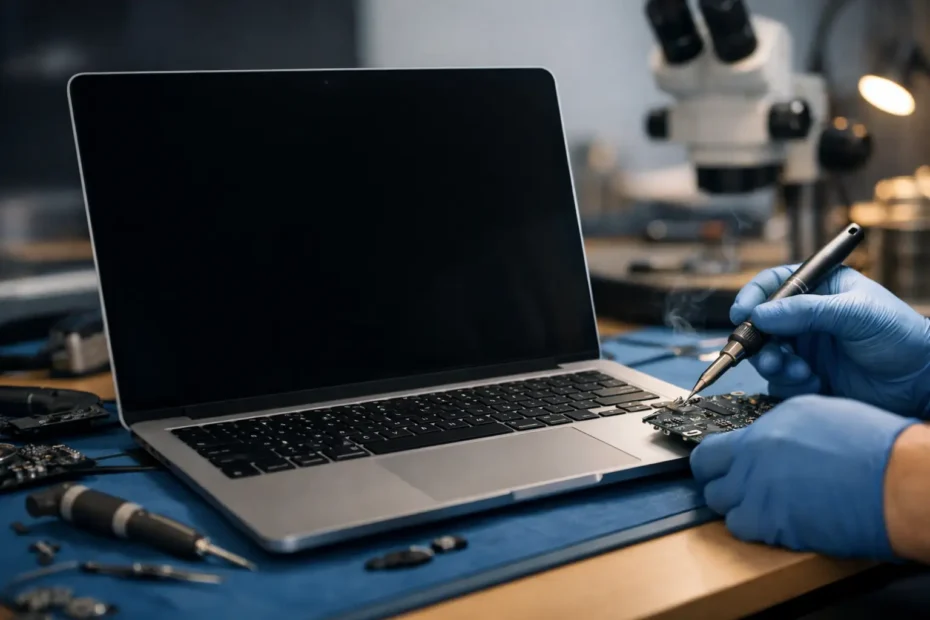
A MacBook that still turns on but shows a very dim image under a flashlight is a different kind of failure than a dead screen. That distinction matters, because macbook no backlight repair is often a logic board, display power, or liquid damage issue – not automatically a full screen replacement.
What “no backlight” actually means
When a MacBook has no backlight, the display may still be producing an image. You might hear the startup sound, see the keyboard respond, or notice that the screen faintly shows the desktop only when light hits it at the right angle. In plain terms, the LCD is working, but the light source that makes the image visible is not.
That is why this problem gets misdiagnosed so often. Some shops jump straight to “bad screen.” Sometimes they are right. Many times they are not. On a MacBook, backlight failure can come from the display assembly, the flex cable path, a damaged connector, a blown backlight circuit, liquid corrosion, or a shorted component on the logic board.
The difference is not academic. It affects the repair cost, the turnaround time, and whether your machine can be saved without replacing major parts.
Why MacBook no backlight repair needs real diagnosis
Backlight problems sit in the category of faults that look simple from the outside and get expensive when guessed at. If a shop replaces the display first and the real fault is on the board, you have paid for a part you may not have needed. If they replace the board entirely, you may lose a repairable machine and spend far more than necessary.
A proper diagnosis starts with behavior, not assumptions. Does the Mac chime or boot? Is there a faint image? Did the problem happen after a spill, a drop, or a previous repair attempt? Does the backlight flash briefly and then shut off? Those details point the technician toward the right section of the circuit.
From there, the work becomes technical very quickly. Board-level testing may involve checking power rails, fuses, filters, boost circuitry, display connector condition, and whether a short is pulling the backlight line down. This is where component-level experience matters.
Common causes of no backlight on a MacBook
Liquid damage is one of the biggest causes. Even a small spill can wick into the display connector or the backlight circuit area on the board. The Mac may continue working for days or weeks before corrosion creates an open line or a short.
Physical damage is another common reason. A drop can crack the display, damage the internal cable path, or stress the connector. On some models, repeated opening and closing of the lid can also contribute to cable failure over time.
Board-level failure is also common, especially after charger issues, short circuits, or failed third-party repair attempts. A blown backlight fuse, damaged driver circuit, or burned trace can all produce the same symptom: a machine that appears to work, but with a dark screen.
Then there are cases where the display assembly itself is the problem. LED backlight failure inside the screen does happen. The point is not that screens never fail. The point is that the symptom alone does not prove the screen is bad.
Signs the problem may be on the logic board
If you can still make out a faint image, that is a strong clue that the graphics system and LCD panel are at least partially working. It does not guarantee a board fault, but it does narrow the field.
If the issue appeared after liquid exposure, even minor exposure, logic board damage moves much higher on the list. The same is true if another shop already tried a display and the symptom did not change.
A backlight that works briefly and then cuts out can also suggest a board-level issue, particularly if the circuit is going into protection because of a short or unstable voltage. In those cases, replacing the whole screen without testing the circuit first is a gamble.
When a screen replacement really is the right fix
There are times when the display assembly is clearly the problem. If the panel is cracked, if the cable is integrated into the assembly on that model, or if testing with a known-good display confirms the board is fine, replacing the screen may be the most sensible route.
This is where honest repair advice matters. A trustworthy shop should tell you when a board-level repair is justified and when a display replacement is the cleaner answer. Good repair is not about forcing every issue into microsoldering. It is about choosing the fix that makes sense for the machine, the cost, and the customer.
The repair process should be transparent
A proper no backlight job usually starts with inspection and measurement, not parts ordering. The technician should verify whether the machine is booting, whether an image is present, whether the display connector shows damage, and whether the board is generating the correct backlight voltage.
If corrosion is found, cleaning alone may not solve it. Corroded pads, damaged components, and broken lines often need further repair. If a fuse is blown, the reason it blew should be identified before simply replacing it. If a short exists, it has to be traced. Otherwise the symptom can return.
This is one reason many customers prefer a repair-first shop over a retail counter. You want someone who can explain what failed, what is repairable, and what the trade-offs are before you commit money to the job.
Cost depends on the cause, not just the symptom
Customers often ask for a no backlight price before diagnosis. That is understandable, especially when the Mac holds work files, client projects, or school deadlines. But no backlight is a symptom, not a single repair category.
A relatively simple board repair, connector repair, or fuse replacement may cost much less than a full display replacement. On the other hand, a liquid-damaged machine with multiple affected areas may take more labor. If the display itself is damaged and the board also has corrosion, the repair path can become a mix of board work and parts replacement.
The honest answer is that it depends. What should stay consistent is the process: diagnose first, explain clearly, and avoid replacing expensive assemblies unless testing supports it.
Why experience changes the outcome
MacBook backlight faults are not the best jobs for trial-and-error repair. The board is dense, the components are small, and a poor attempt can damage pads, connectors, or surrounding circuits. Once that happens, what could have been a straightforward repair may become more complicated.
An experienced Apple specialist approaches the job differently. They know the common failure patterns by model, recognize signs of previous bad repairs, and understand when a no backlight issue overlaps with charging, battery, or liquid damage problems. They also know when data protection should shape the repair decision.
That matters if the Mac contains business records, creative work, school files, or years of personal data. Sometimes the best repair is the one that restores visibility quickly so the customer can access what matters, even before any larger restoration plan is discussed.
What to do before bringing it in
If your MacBook screen is dark, do not keep forcing shutdowns, reconnecting random chargers, or attempting DIY board work from internet videos. If liquid was involved, stop using the machine and do not assume “it dried out” means it is safe. Corrosion keeps working after the visible moisture is gone.
You can do one simple check: shine a flashlight at the display from an angle while the Mac is on. If you see a faint image, mention that during intake. It is useful diagnostic information. Beyond that, the safest next step is professional testing.
For customers in Central Florida, this is the kind of issue where direct access to a real technician makes a difference. At YourMac.Repair, Eduardo handles advanced Mac faults personally, including board-level and no backlight cases that many shops decline or misdiagnose.
Don’t let a dark screen push you into replacement
A MacBook with no backlight can look worse than it is. Plenty of machines with this symptom are still repairable at the board level, and many do not need a full replacement computer or an unnecessary screen assembly. The right answer comes from careful diagnosis, honest communication, and a technician who knows how to repair the cause instead of guessing at the symptom.
If your screen is dark but the Mac still seems alive, that is not the time to write it off. It is the time to get a precise answer from someone who knows where backlight failures actually start.
Need Mac or iPhone repair in Winter Garden / Orlando?
YourMac.Repair — board-level Apple repair with honest diagnosis and fast turnaround. We say YES when Apple says NO.
- Mac Logic Board Repair — liquid damage specialist
- Mac Screen Repair
- Mac Battery Replacement
- Mac & PC Data Recovery
- iPhone Screen Repair — same-day service
📞 (407) 580-9965 · WhatsApp · 819 Marsh Reed Dr, Winter Garden, FL 34787