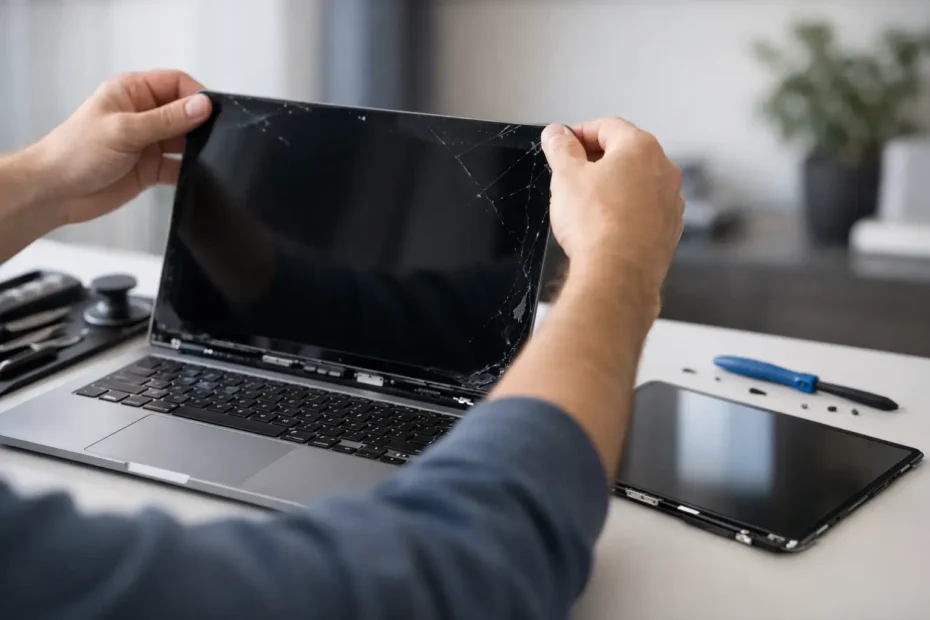
A cracked MacBook display changes your day fast. One drop, one bag mishap, or one pressure point on the lid, and suddenly you are working around black spots, colored lines, flicker, or no image at all. This MacBook screen replacement guide is here to help you figure out what actually failed, what your repair options look like, and when replacing the screen is the right move.
What counts as a screen problem?
Not every display issue means the LCD panel itself is broken. That matters, because the right diagnosis can save you from paying for the wrong repair.
If you see visible cracks, ink-like blotches, vertical or horizontal lines, or a section of the screen that stays black while the rest still works, the display panel is usually damaged. If the image is extremely dim but still faintly visible with a flashlight, the issue may be backlight related. If the Mac powers on but the built-in display stays black while an external monitor works, the problem could be the screen assembly, the display cable, or the logic board.
This is where many people get stuck. From the outside, several very different failures can look the same. A proper inspection matters more than guessing.
MacBook screen replacement guide – first decide if it is the display or the board
A full screen replacement makes sense when the display assembly is physically damaged or electronically failed. But if the real issue is no backlight, a damaged connector, liquid corrosion, or board-level failure, replacing the entire screen may not fix the machine.
That is especially true on newer MacBook Air and MacBook Pro models, where the display system is tightly integrated and more sensitive than older designs. A bad flex cable, corrosion near the display circuit, or an impact that also affected the lid angle sensor can create symptoms that look like a simple cracked screen problem.
Good repair shops do not start with a parts order. They confirm the failure first.
When a screen replacement is the right repair
A MacBook screen replacement is usually the correct path if the glass or LCD is cracked, the panel has pressure damage, the colors are distorted across part of the screen, or the image cuts out because the display assembly itself has failed. It is also common after drops, backpack pressure, or closing the lid on a small object like a charging cable or webcam cover.
On many MacBook models, the practical repair is replacing the full display assembly rather than just the bare panel. That is not always because shops want to oversell. In many cases, it is the more reliable repair because the panel, housing, camera, antennas, and backlight layers are built as a unit.
There are exceptions, and this is where experience matters. Some assemblies can be repaired at the component level. Some cannot be repaired cost-effectively without increasing risk. The best answer depends on the exact model and the exact type of damage.
What affects MacBook screen replacement cost?
The biggest factor is model year and screen type. A Retina display costs more than older non-Retina panels, and newer MacBook Pro and MacBook Air assemblies often carry significantly higher parts cost. Screen size also matters, but not as much as the generation and design.
Condition matters too. A machine with only display damage is usually more straightforward than one with display damage plus hinge issues, top case bends, liquid exposure, or board damage. If the MacBook took a hard hit, it is worth checking whether the lower case, lid alignment, or internal connectors were affected at the same time.
Part quality is another variable. There is a real difference between an original pull, a high-quality replacement, and the cheapest available part. Price alone does not tell the whole story. Lower-grade screens can have brightness inconsistency, poor color, camera issues, fitment problems, or shorter lifespan.
Should you replace the screen or replace the MacBook?
This depends on age, model, and how you use it.
If your MacBook is otherwise healthy, screen replacement is often the smarter financial decision. Many people assume a broken display means the laptop is done, but that is rarely true. If the battery, keyboard, logic board, and storage are all in good shape, replacing the screen can buy years of additional life for far less than a new Mac.
If the machine also has liquid damage, battery swelling, major case damage, or an aging Intel system with multiple issues, the math changes. At that point, you want a realistic estimate based on the full condition of the computer, not just the display. Honest repair advice should include both possibilities.
DIY MacBook screen replacement – possible, but not simple
Some people search for a MacBook screen replacement guide because they plan to do the repair themselves. That can work on certain models, but it is not a casual project.
Modern MacBooks are delicate. The display assembly includes thin cables, tight tolerances, and components that are easy to damage during disassembly. A repair that looks straightforward in a video can become expensive if a flex cable tears, a connector gets misaligned, or the logic board is damaged during installation.
There is also the issue of calibration, compatibility, and part sourcing. Not every screen sold online is equal. Some are salvaged originals, some are aftermarket, and some are poor-quality parts represented as equivalent. If the replacement is wrong or defective, you may have to reopen the machine and start over.
DIY makes the most sense if you already have precision repair experience, the correct tools, and a clear understanding of your exact model. If your Mac contains important business files, client work, school projects, or irreplaceable data, a trial-and-error repair may not be worth the risk.
Why some shops quote screen replacement when the issue is something else
Because screen symptoms are easy to misread.
A black screen can be a display assembly failure, but it can also be a backlight circuit issue on the board. Lines on the display can come from panel damage, but they can also appear with cable or board faults. Flicker can be caused by impact damage, but also by corrosion or intermittent electrical problems.
This is where working directly with a specialist has real value. A technician with deep Mac experience can separate a simple parts replacement from a more advanced repair path. In some cases, that means confirming you really do need a screen. In other cases, it means saving you from replacing a good screen when the fault is elsewhere.
What to expect during professional MacBook screen replacement
A good repair process starts with model identification and symptom confirmation. The technician checks whether the machine boots, whether an external display works, whether backlight is present, and whether there are signs of impact or liquid damage. After that comes part matching and a clear estimate.
On many repairs, the damaged display assembly is removed, the new one is installed, and the Mac is tested for image quality, camera function, brightness control, True Tone behavior where applicable, lid alignment, and sleep-wake function. If the hinges are too tight or the housing is bent, that should be addressed before the new screen is put under stress.
Turnaround varies by model and part availability. Some repairs are same-day or next-day. Others take longer if the exact assembly needs to be sourced. The right shop will tell you that upfront instead of making vague promises.
How to protect your MacBook after screen replacement
Once the new display is installed, a few habits make a big difference. Do not close the lid with anything on the keyboard or palm rest area, including camera covers, pens, or cables. Avoid carrying the MacBook in an overstuffed bag where the lid can be pressured from the outside. Open and close the screen from the center rather than one corner, especially on thinner models.
Be careful with keyboard covers and thick screen protectors. Some accessories marketed as protective can create extra pressure between the screen and keyboard when the lid is closed. That pressure is a common cause of cracked or marked displays.
If you travel often or commute with your laptop, a properly fitted sleeve is usually more useful than cosmetic add-ons.
The best repair choice is the one based on real diagnosis
The most useful MacBook screen replacement guide is not the one that says every broken display needs a new assembly. It is the one that helps you slow down long enough to verify the failure, understand the trade-offs, and protect the value of the machine you already own.
If your screen is cracked, flickering, black, or showing lines, the goal is not just to swap parts. The goal is to get the Mac back to stable, reliable use without paying for work you do not need. That is why experienced diagnosis matters so much, especially on newer Macs where screen issues and board issues can overlap.
For Mac owners who rely on their computers for work, school, or creative projects, the smartest next step is usually simple: get a precise answer before you commit to the repair. A good technician should make that part easier, not harder.
Need Mac or iPhone repair in Winter Garden / Orlando?
YourMac.Repair — board-level Apple repair with honest diagnosis and fast turnaround. We say YES when Apple says NO.
- Mac Logic Board Repair — liquid damage specialist
- Mac Screen Repair
- Mac Battery Replacement
- Mac & PC Data Recovery
- iPhone Screen Repair — same-day service
📞 (407) 580-9965 · WhatsApp · 819 Marsh Reed Dr, Winter Garden, FL 34787