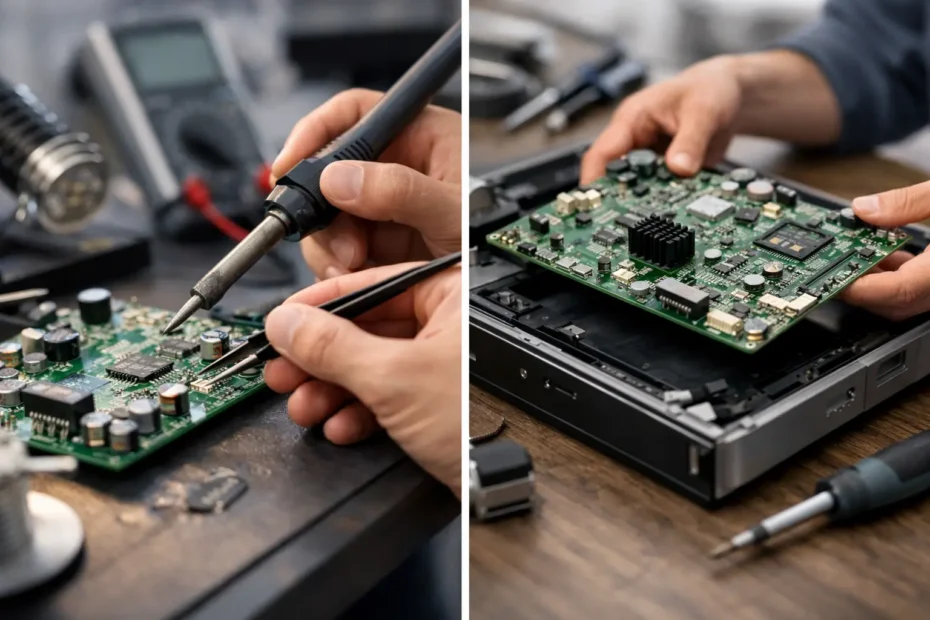
A Mac that will not turn on, has no backlight, or stopped charging after a spill often gets a fast verdict: replace the logic board. That can be the right call in some cases, but it is not the only call. Component repair versus whole board swap is a decision about more than getting a machine to boot again. It can affect your files, your budget, the reliability of the repair, and whether a perfectly capable Mac gets retired too soon.
For Mac owners who rely on one machine for work, school, photos, music production, or a small business, the right question is not simply, “What is the fastest repair?” It is, “What actually failed, and what is the most sensible way to fix it?”
What component-level repair actually means
A logic board is a densely packed system made up of hundreds of individual parts: power-management chips, charging circuits, display circuits, capacitors, resistors, filters, connectors, memory, storage, and more. Component-level repair identifies the failed part or damaged circuit, then repairs that specific area instead of replacing the complete board.
This work requires board-level diagnostics and micro-soldering equipment. A technician may measure power rails, trace a short circuit, inspect corrosion under a microscope, replace a damaged charging IC, rebuild a corroded connector area, or correct a failed backlight circuit. The visible symptom may be simple – no power, no image, battery not charging – but the underlying cause can be very specific.
A proper diagnosis matters because symptoms overlap. A MacBook that appears dead could have a bad USB-C charging controller, a shorted capacitor, liquid damage near the trackpad connector, a failed power-management circuit, or a problem outside the logic board entirely. Replacing the board before testing these possibilities can turn a repairable issue into an expensive replacement.
Component repair is especially valuable after liquid exposure. Water, coffee, soda, and other liquids can leave contamination that continues corroding components after the Mac initially seems fine. The goal is not just to make it power on for a moment. The affected area needs to be cleaned, inspected, and repaired so the failure does not return because hidden corrosion was left behind.
When a whole board swap makes sense
A whole board swap means removing the original logic board and installing another complete board, usually new, refurbished, or pulled from a compatible donor Mac. It is a valid repair path when the original board has extensive physical damage, multiple severely damaged layers, unavailable components, or repair labor that would exceed the practical value of the computer.
It can also make sense when time is the only priority and a verified replacement board is immediately available. For a business with a supported backup system and a Mac that needs to return to service right away, a board swap may be a reasonable operational decision.
Still, “swap the board” should not be treated as a universal answer. Replacement boards must match the Mac model and configuration. Depending on the generation, there can be considerations involving serial information, activation, Touch ID, display behavior, or other paired hardware. A used board is not automatically a bargain if its history is unknown or if it introduces different problems.
There is also a major data issue. On many newer Macs, internal storage is soldered to the original logic board or integrated into the system architecture. If the original board is replaced, the data on that board may not move with it. If the Mac has not been backed up, the difference between repairing the original board and replacing it can be the difference between recovering important files and losing access to them.
Component repair versus whole board swap: the real trade-offs
The best choice depends on the failure, the Mac’s age and value, and the importance of the data. Neither option is automatically better in every situation.
Component repair often costs less because it targets the failed section rather than replacing an entire high-value assembly. That is particularly true for issues such as no backlight, charging faults, damaged ports, power faults, and localized liquid damage. It also preserves the original board, which can preserve internal data and avoid configuration complications.
The trade-off is that component work is specialized. It cannot be responsibly quoted from a symptom alone. A qualified technician needs to inspect the Mac, test the board, and determine whether the damage is isolated or widespread. A fair diagnosis should explain what failed, whether the repair is durable, and when a board replacement would be the more sensible option.
A whole board swap can be more predictable when the original board is beyond economical repair. The price is usually easier to estimate because the replacement part has a fixed cost. But the total can be high, especially for newer MacBook Pro, Mac Studio, and high-spec configuration boards. It may also be a poor investment for an older Mac that has other looming needs, such as a worn battery, failing display, or damaged keyboard.
The key is to compare the complete outcome, not just the first quote. A lower-cost used board with unknown history may offer less confidence than a targeted repair to the original board. On the other hand, spending hours rebuilding a board with broad corrosion may not serve the customer if a quality replacement board is available at a reasonable price.
Data preservation should shape the decision
When a Mac has important files and will not boot, repair strategy should start with data preservation. Avoid repeated charging attempts after a liquid spill. Do not keep trying to power on a Mac that is cycling, getting hot, or showing signs of a short. Repeated power can make corrosion damage worse and can turn a recoverable situation into a more complicated one.
If the data is important, say so before repair begins. That changes the priority. The technician may focus first on restoring enough board function to access the original storage, rather than treating the machine as a simple hardware replacement job.
This is especially relevant for Apple silicon Macs and many later Intel models. Storage recovery is not always as simple as removing a drive and connecting it elsewhere. Encryption and integrated storage design can make the original board essential to accessing the files. A logic board repair may be the only practical route to recovery.
Of course, data recovery is not guaranteed. Severe liquid damage, fire damage, broken board layers, and damaged storage circuits can limit what is possible. But assuming the files are gone before a board-level assessment leaves options unexplored.
Questions worth asking before approving either repair
You do not need to understand circuit diagrams to make an informed repair decision. You do need clear answers. Ask what failed, whether the issue was confirmed through testing, whether liquid damage or corrosion was found, and whether the repair will keep the original logic board in place.
Ask how the option affects your data, especially if the Mac will not boot. If a board swap is recommended, ask whether the replacement is new, refurbished, or used, and whether it carries a repair warranty. It is also reasonable to ask whether the total investment makes sense for the age and condition of your Mac.
Be cautious with shops that quote a full board replacement immediately for every no-power or liquid-damage Mac. Some failures genuinely require it. Many do not. A repair-first diagnosis gives you the information needed to choose rather than pushing you toward the most expensive assembly by default.
Repair first does not mean repair at any cost
A trustworthy technician should be willing to say when a component repair is not the best value. A Mac with severe corrosion across multiple areas, damage from an electrical surge, or a board that has already had unsuccessful repair attempts may be a poor candidate. So may an older model with a repair cost close to the price of a newer replacement.
But the opposite is just as true: a single failed chip, fuse, capacitor, charging circuit, or backlight circuit should not automatically condemn an otherwise excellent Mac. These are exactly the situations where advanced diagnostics can save money and extend the useful life of the device.
At YourMac.Repair, customers work directly with Eduardo, a specialist with more than 30 years of Apple experience. That direct conversation matters when a decision involves valuable data, a liquid-damaged MacBook, or a repair other shops have declined.
The best repair is the one that fits the actual failure and your priorities. Before approving a whole board replacement, get a clear diagnosis, understand what happens to your files, and find out whether the original board can be repaired. A few careful tests can turn a costly replacement decision into a practical fix that keeps your Mac – and the work stored on it – moving forward.
Need Mac or iPhone repair in Winter Garden / Orlando?
YourMac.Repair — board-level Apple repair with honest diagnosis and fast turnaround. We say YES when Apple says NO.
- Mac Logic Board Repair — liquid damage specialist
- Mac Screen Repair
- Mac Battery Replacement
- Mac & PC Data Recovery
- iPhone Screen Repair — same-day service
📞 (407) 580-9965 · WhatsApp · 819 Marsh Reed Dr, Winter Garden, FL 34787