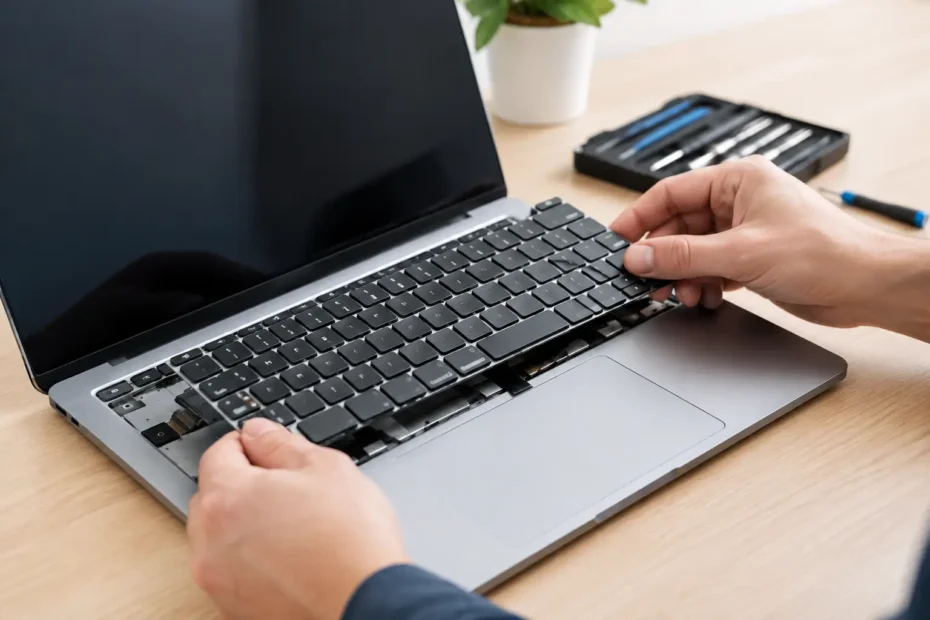
A Mac keyboard failure can stop work faster than a cracked screen. One repeating key can ruin spreadsheets and passwords. A dead row can make a laptop nearly unusable. And after a spill, the keyboard may be the first visible symptom of damage that reaches much further. Professional mac keyboard replacement repair starts by determining whether the keyboard itself is the problem or whether the Mac is reporting a deeper issue.
For many Mac owners, especially those working remotely or carrying a MacBook between school, meetings, and home, the right repair is not simply the fastest part swap. It is the repair that restores reliable typing without putting your data, battery, trackpad, or logic board at risk.
When Does a Mac Keyboard Need Replacement Repair?
A keyboard can fail gradually or all at once. Common signs include keys that do not respond, characters that repeat, keys that feel sticky, backlighting that no longer works, or an entire section of the keyboard going dead. Some failures are mechanical. Others are caused by liquid residue, a damaged keyboard cable, corrosion, or a fault on the logic board.
The pattern matters. If one or two keys feel physically different, there may be contamination or damage under those keys. If several keys in a column fail together, the issue may involve the keyboard matrix or its connection. If the keyboard and trackpad both stop working, a technician should look beyond the keys themselves before recommending replacement.
A temporary external keyboard can help you keep working, but it is not a diagnosis. It also does not resolve liquid damage or corrosion that may continue to affect the Mac over time.
Butterfly keyboards and newer scissor keyboards
Many 2015 through 2019 MacBook and MacBook Pro models used Apple’s butterfly keyboard design. These keyboards are known for keys that stick, double-type, or stop responding when dust or debris enters the mechanism. Even a careful cleaning may not provide a lasting fix once the mechanism is worn or damaged.
Later MacBook Air and MacBook Pro models generally use a scissor-switch design that is more dependable, but it is not immune to spills, impact, wear, or electrical failure. The repair approach depends on the exact model, year, keyboard layout, and the condition of the surrounding components.
Why Mac Keyboard Replacement Is More Involved Than It Looks
On many MacBooks, the keyboard is integrated into the top case, the aluminum assembly that also supports the trackpad, battery, speakers, and internal cabling. That design makes the laptop thin and rigid, but it can make a basic keyboard job far more involved than replacing a desktop keyboard.
A full top-case replacement may be appropriate when the keyboard has broad physical damage or when related parts are compromised. It can also raise the price because it may involve transferring the logic board, display connections, ports, and other components into a new assembly.
There is another option for certain models: replacing the keyboard itself at the component level. This requires careful disassembly and reassembly, including removing a large number of small fasteners and protecting delicate cables. It is labor-intensive, but it can avoid replacing good parts just because the keyboard failed. Whether this is the better value depends on the Mac’s model, its overall condition, and the source of the failure.
That is why a fair diagnosis matters. A shop should explain whether it recommends a keyboard-only repair, a top-case assembly, cleaning after contamination, or logic board testing. A vague recommendation to replace major assemblies without testing can turn a repairable Mac into an unnecessarily expensive job.
Liquid Damage Changes the Repair Decision
If coffee, water, soda, or another liquid reached the keyboard, do not keep testing keys to see if they come back. Shut the Mac down, disconnect power, and avoid charging it. Liquid can bridge circuits while the computer has power, creating more damage than the original spill.
The keyboard may be the obvious casualty, but the important question is what happened underneath it. Liquid can reach the battery, trackpad, display connectors, and logic board. Sugary or acidic drinks are especially troublesome because residue remains after the surface appears dry.
A proper spill assessment includes opening the Mac, inspecting for corrosion, cleaning affected areas, and testing the system before and after repair. Replacing only the keyboard may restore typing while leaving corrosion inside the computer. That can lead to intermittent shutdowns, charging issues, no backlight, or a no-power condition weeks later.
If the Mac still turns on after a spill, back up critical files as soon as it is safe to do so. If it does not power on, do not assume the data is gone. In many cases, component-level diagnosis and repair can restore access without erasing the internal storage.
What a Good Mac Keyboard Replacement Repair Process Looks Like
The first step should be a clear conversation about what happened. Was there a spill? Did keys fail after an update, a drop, or a battery swelling issue? Is an external keyboard working normally? These details help separate a hardware keyboard failure from a macOS setting, accessibility feature, or broader hardware fault.
Next comes hands-on testing. A technician should verify key response, trackpad operation, backlight behavior, charging, battery condition, and signs of liquid exposure. On models where the keyboard connects through the top case, inspection should include the relevant cables and connectors. If symptoms point to a board-level problem, the diagnosis should move in that direction rather than forcing a keyboard repair that will not solve it.
Before disassembly, data protection should be part of the plan. A keyboard repair does not normally require erasing a Mac, but unexpected issues can arise with any hardware service. If the machine boots, make a current backup. If it does not, ask about data recovery options before authorizing work.
After replacement or repair, the Mac should be tested as a complete system. That means checking every key, the keyboard backlight, trackpad, speakers, charging, sleep and wake behavior, Wi-Fi, and ports affected during disassembly. A repair is not finished just because the letter A works again.
Repair or Replace the Mac? The Answer Depends
A keyboard problem does not automatically mean it is time for a new laptop. A MacBook with a healthy screen, sound battery, adequate storage, and several years of useful software support may be well worth repairing. This is especially true when the computer holds project files, business records, music sessions, photos, or software configured for your workflow.
Replacement may make more sense when the keyboard damage is part of a larger list of expensive problems, such as severe liquid corrosion, a failing display, a worn-out battery, and an older model that no longer meets your needs. Even then, a diagnostic result gives you a real choice instead of a guess.
Age alone is not the deciding factor. Some older Macs can remain highly useful with an SSD upgrade, a battery replacement, internal cleaning, or a supported macOS solution. Conversely, a newer Mac with liquid damage may require more careful evaluation because its data and hardware are more valuable.
Choosing a Specialist for Mac Keyboard Repair
The best repair experience is usually direct and specific. You should be able to describe the symptoms to the person diagnosing the Mac and receive a plain-English explanation of the findings. Ask whether the quoted repair addresses the cause of the failure, whether liquid or board damage was found, and what parts are being replaced.
For Central Florida Mac owners, YourMac.Repair provides direct access to Eduardo, a specialist with more than 30 years of Apple experience. That matters when a keyboard symptom may actually involve corrosion, a damaged connector, battery pressure, or a logic board issue. The goal is a transparent diagnosis and the right repair, not pushing a full replacement when a targeted solution is possible.
Do not let a failed keyboard turn into an avoidable loss of work or data. Stop using a Mac after a spill, make a backup if the computer still starts, and get a qualified diagnosis before deciding whether to repair, replace, or retire it.
Need Mac or iPhone repair in Winter Garden / Orlando?
YourMac.Repair — board-level Apple repair with honest diagnosis and fast turnaround. We say YES when Apple says NO.
- Mac Logic Board Repair — liquid damage specialist
- Mac Screen Repair
- Mac Battery Replacement
- Mac & PC Data Recovery
- iPhone Screen Repair — same-day service
📞 (407) 580-9965 · WhatsApp · 819 Marsh Reed Dr, Winter Garden, FL 34787