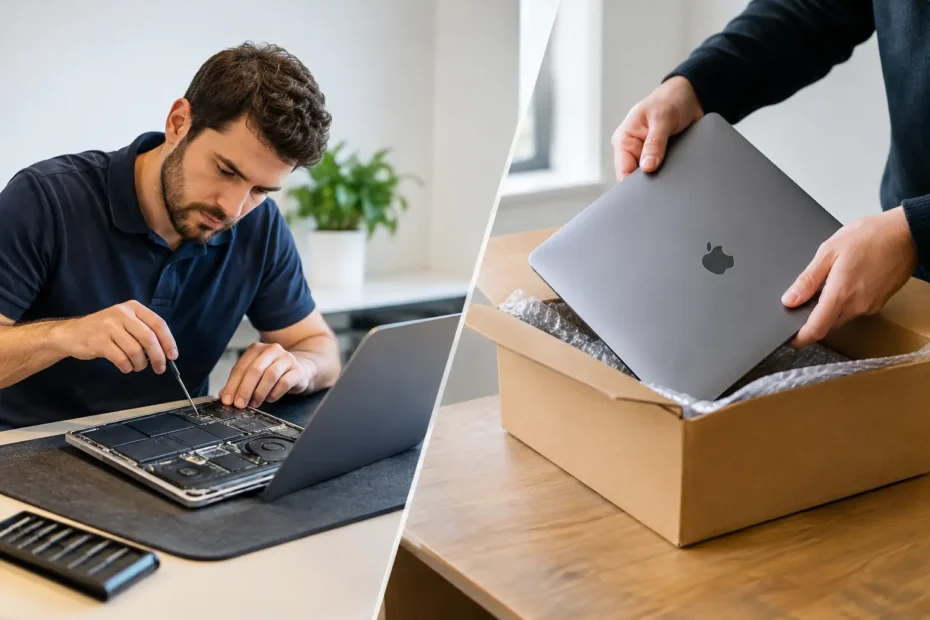
A Mac that will not turn on before a client meeting, a MacBook with coffee under the keyboard, or an iMac holding years of photos creates the same immediate question: where should it go? The choice between local Mac repair versus mail-in is not only about convenience. It affects turnaround time, communication, data risk, repair options, and whether anyone actually examines the failure closely enough to save the machine.
Mail-in repair can be the right answer in specific situations. So can a local shop. The better choice depends on what failed, how urgently you need the Mac, and whether the provider has the technical skill to repair rather than simply replace expensive assemblies.
Local Mac Repair Versus Mail-In: The Real Differences
The biggest difference is access. With a local specialist, you can bring in the Mac, explain what happened, show the symptoms, and ask questions before the work begins. A good repair provider can inspect the device, explain the diagnosis in plain language, and tell you whether repair is practical before you commit to a major expense.
Mail-in service places more distance between you and the person doing the work. You package the Mac, describe the issue through an online form, ship it, wait for intake, and then wait again for a diagnosis. That process is reasonable for a rare specialty service or when there is no qualified local option. But it can be frustrating when the issue is urgent or when the written description does not capture what the Mac is doing.
For Central Florida Mac owners, a local repair option also removes shipping from the equation. A laptop does not need to spend days in transit when it has a battery issue, cracked display, failed keyboard, or a problem that may be resolved after a proper hands-on inspection.
Turnaround time is more than the repair bench
A mail-in company may advertise a fast repair time, and that may be true once the device reaches its bench. The full timeline still includes packing, shipping, intake, approval, repair, return shipping, and delivery. Even a simple repair can turn into a week or longer if weekends, carrier delays, or parts availability are involved.
Local repair is often faster because the process begins when you walk in or schedule the drop-off. Some jobs, such as certain battery replacements, screen replacements, internal cleaning, or software troubleshooting, may be completed the same day when parts and scheduling allow. Complex board-level work takes longer, but you are not adding two shipping legs and a remote intake queue.
Speed should not mean rushing. A technician who immediately calls every liquid spill a total loss, or every no-power Mac a logic board replacement, is not necessarily saving time or money. The goal is an accurate diagnosis followed by the right repair.
Direct communication can prevent expensive misunderstandings
A failed Mac often has a story. Maybe it began charging only at a certain angle. Maybe the screen flickered after a minor spill. Maybe it worked after a macOS update and then began restarting. Those details can matter.
With local service, you can usually speak with the person evaluating the machine. That is especially valuable when the problem is intermittent or when your priorities are specific. For example, you may care most about data recovery, need to keep an older Mac compatible with a particular application, or want to know whether a repair is worthwhile before authorizing it.
At YourMac.Repair, customers work directly with Eduardo, a Mac specialist with more than 30 years of Apple experience. That direct contact matters when a device needs logic board diagnostics, liquid-damage treatment, micro-soldering, or an honest discussion about repair cost versus replacement value.
When Local Repair Is Usually the Better Choice
Local service makes the most sense when time, data, or accurate diagnosis matters. A MacBook that will not power on, has no backlight, shows signs of liquid exposure, overheats, or fails to charge may have an issue far more specific than a bad “main board.” Component-level diagnosis can identify damaged circuits, connectors, power rails, or corrosion that a replacement-only provider may not address.
It is also a stronger option for people who need to see the condition of their device before leaving it. If a Mac has a swollen battery, physical impact damage, or evidence of a spill, a local technician can inspect it with you and explain what is visible. That transparency is difficult to duplicate through a shipping label and an online ticket.
Local support is particularly useful for these situations:
- You need the Mac back quickly for work, school, or a business deadline.
- The device contains important files and you want to discuss data recovery before any major work.
- The failure may require board-level repair instead of an entire logic board replacement.
- You want clear approval before parts are ordered or repair work proceeds.
- You have an older Mac that may benefit from an SSD upgrade, thermal service, or a supported path to a newer macOS version.
A local specialist should still set realistic expectations. Corrosion can continue to cause failures after a spill. A damaged display may reveal additional issues after testing. Data recovery is never guaranteed. Honest repair service means explaining those possibilities upfront, not promising a perfect outcome before the Mac has been examined.
When Mail-In Repair Can Make Sense
Mail-in repair is not automatically a bad choice. It can be useful when you live far from a qualified Mac specialist, when the repair is highly unusual, or when a provider has a specific capability unavailable in your area. It can also work for non-urgent repairs when you are comfortable with the process and have a backup computer.
The key is to evaluate the provider, not just the shipping option. Look for a clear diagnostic process, a defined approval policy, realistic turnaround estimates, and an explanation of what happens if the repair cannot be completed. Ask whether diagnostics are performed at the component level or whether the standard answer is replacement of the entire logic board or display assembly.
Before shipping, back up the Mac if it still works. Remove it from Find My if the provider requires that for testing, but only after verifying who you are sending it to. Photograph the device and its serial number, use protective packaging, and understand the carrier’s insurance terms. Never mail a Mac with a swollen battery without confirming the carrier and repair provider can accept it safely.
Cost: Compare the Whole Repair, Not the First Number
A low mail-in price can look attractive until shipping, insurance, diagnostic fees, return shipping, and replacement-part recommendations appear. On the other hand, a local shop may charge more than a mail-in quote for a simple service because it provides in-person testing, faster access, or a higher-quality part. Neither price is meaningful without knowing what is included.
Ask what happens after diagnosis. Is the quoted price firm? Is there a separate fee if you decline repair? Will the technician attempt board-level repair, or will the only option be a full assembly replacement? Are there lower-cost options, such as repairing a charging circuit instead of replacing a logic board?
For older Macs, the best value is not always the cheapest repair. A well-chosen SSD upgrade, battery replacement, internal cleaning, and fresh macOS installation can extend the useful life of a dependable machine for years. Conversely, putting significant money into a Mac with multiple major failures may not be sensible. A trustworthy technician should be willing to tell you that.
Data Privacy and Device Safety
Your Mac can hold more than files. It may contain saved passwords, financial records, client material, private photos, and access to business systems. Whether you choose local or mail-in service, ask how the provider protects customer data and whether they need your login password for the work requested.
For software troubleshooting, a password may be necessary. For a screen replacement or logic board repair, it may not be. If you must provide access, create a temporary account when possible, log out of sensitive services, and make a backup if the Mac is functioning. Do not erase a Mac that contains unrecovered data simply because it has a hardware failure.
Physical safety matters too. Shipping adds opportunities for loss or transit damage. Local drop-off avoids those risks, although you should still use a reputable repair business that documents the device’s condition and communicates clearly throughout the job.
Choose the Repair Path That Keeps You in Control
The right choice is not always local, and it is not always mail-in. If your problem is routine, your schedule is flexible, and you have found a proven remote specialist, mail-in service may be perfectly reasonable. If you need fast answers, direct communication, careful data handling, or advanced hardware diagnostics, local repair is usually the stronger path.
Before handing over your Mac, ask who will diagnose it, what repair options will be considered, how approval works, and what the total timeline looks like. A good repair experience starts with clear answers, not a shipping label or a vague promise. Your Mac deserves a technician who treats the device, your data, and your time as worth protecting.
Need Mac or iPhone repair in Winter Garden / Orlando?
YourMac.Repair — board-level Apple repair with honest diagnosis and fast turnaround. We say YES when Apple says NO.
- Mac Logic Board Repair — liquid damage specialist
- Mac Screen Repair
- Mac Battery Replacement
- Mac & PC Data Recovery
- iPhone Screen Repair — same-day service
📞 (407) 580-9965 · WhatsApp · 819 Marsh Reed Dr, Winter Garden, FL 34787