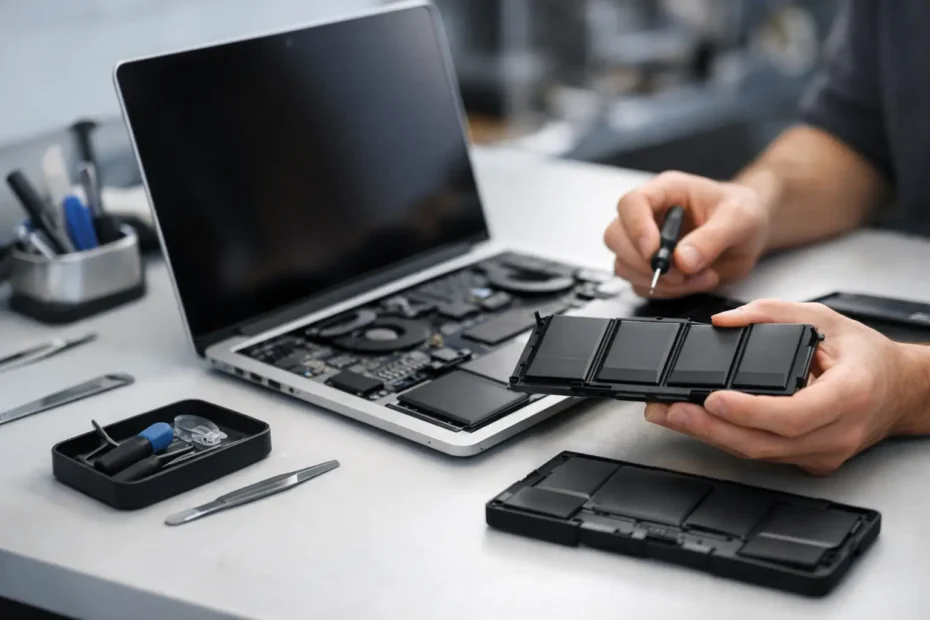
A MacBook that only feels usable when it is plugged in stops being a laptop and starts acting like a desk appliance. If you are searching for a macbook battery replacement service, you are usually already dealing with real frustration – fast battery drain, random shutdowns, swelling, or a machine that reports service warnings in macOS. The good news is that battery problems are often fixable. The better news is that the right repair approach can save both money and the rest of the computer.
When you actually need a MacBook battery replacement service
Not every battery complaint means the battery is bad. Some MacBooks lose power quickly because of heavy background processes, outdated software, failing charging circuits, or heat issues. But there are a few signs that strongly point to the battery itself.
If your MacBook shows a Service Recommended or Replace Soon message, that matters. If the charge percentage jumps around, the computer dies with 20 or 30 percent still showing, or the trackpad starts clicking strangely because the bottom case is under pressure, that matters even more. Swelling is the biggest red flag. A swollen battery can push against the trackpad, keyboard, and case, and it should be addressed quickly.
Cycle count is part of the picture, but not the whole story. Some batteries age out because of time and heat before they hit their expected cycle limit. Others can have a high cycle count and still perform reasonably well. Real diagnosis comes from battery health data, physical inspection, charging behavior, and overall system condition.
What causes MacBook batteries to fail
Lithium-ion batteries wear down with normal use. That part is unavoidable. Every charge and discharge cycle reduces total capacity a little, and heat speeds up that decline.
In real-world use, the biggest battery killers are constant heat, cheap chargers, liquid exposure, and leaving the machine at extreme charge states for long periods. A MacBook that spends years running hot during video editing, design work, or heavy multitasking may need a battery sooner than a lightly used system. The same goes for machines that have had previous repair issues or charging port problems.
There is also a difference between a worn battery and a deeper hardware fault. A MacBook that will not charge may have a battery issue, but it could also have a bad USB-C circuit, MagSafe problem, logic board fault, or corrosion from a spill. That is why diagnosis matters before any part gets replaced.
Why proper diagnosis matters before battery replacement
A lot of shops treat battery work like a quick parts swap. Sometimes that is fine. Sometimes it misses the real problem.
A proper macbook battery replacement service should confirm battery health, charging behavior, and whether the system has related damage. For example, if the battery is replaced but the charging circuit on the logic board is unstable, the new battery will not solve the problem. If a machine has liquid damage, battery failure may only be one piece of a larger repair.
This is especially important on newer MacBook models where battery assemblies, top cases, keyboard components, and trackpads can be closely integrated. Careless work can create new issues that did not exist before the repair. A specialist who works on Macs every day will usually catch those details before they turn into expensive surprises.
Apple, big-box shops, and independent specialists
You have a few options when the battery is failing, and each one has trade-offs.
Apple or an authorized provider may be the right choice if your MacBook is relatively new, under coverage, and otherwise healthy. The process is standardized, and that works well for straightforward cases. The downside is that the repair path is often limited. If the machine has liquid damage, board issues, or anything outside a narrow service workflow, you may be steered toward larger and more expensive replacements.
Big-box repair chains can be convenient, but quality varies. Some locations do solid work. Others rely on general technicians who handle every brand and every device type. MacBooks are not hard to damage when opened incorrectly, especially models with delicate display cables, adhesive battery cells, and tightly packed internals.
An independent Mac specialist is often the best fit when you want direct answers, honest diagnosis, and repair-first thinking. That matters even more if your MacBook has more than one problem. A battery replacement may be simple, or it may overlap with trackpad pressure, heat buildup, charging faults, or internal contamination. Working directly with a specialist can save time because the diagnosis is more precise from the start.
What a good MacBook battery replacement service should include
Good service is not just the installation of a new battery. It is the quality of the diagnosis, the care taken during disassembly, and the honesty of the recommendations.
A strong repair process usually starts with battery health verification and inspection for swelling or related damage. From there, the technician should check the charging system, inspect internal condition, and verify whether anything else is affecting performance. Dust buildup, thermal issues, and past liquid exposure are common findings.
After replacement, the MacBook should be tested for stable charging, normal power behavior, and proper fitment. On models where swelling has already affected the trackpad or lower case, that should be discussed clearly. Transparency matters here. If a battery replacement is all you need, that should be the recommendation. If there are additional concerns, you should hear that before the job moves forward.
How much battery replacement costs and why prices vary
Battery replacement pricing depends on the exact model, battery design, part quality, and whether the repair is truly standalone.
An older MacBook Air may cost less to service than a newer MacBook Pro with a more complex internal layout. Some batteries are easier to replace cleanly. Others require more labor because of stronger adhesive, tighter tolerances, or top-case integration. If the battery has swollen enough to affect surrounding components, labor may increase because extra care is needed.
The cheapest quote is not always the best value. If a low price means poor-quality parts, rushed installation, or no real testing, you may end up paying twice. A fair quote should reflect the model, the work involved, and whether the shop is actually diagnosing the Mac instead of guessing.
Should you replace the battery or replace the MacBook?
This depends on the age of the machine, what shape it is in overall, and how you use it.
If the MacBook is otherwise reliable, battery replacement is often the smarter move. Many people replace a perfectly capable Mac just because battery life has become miserable. That is not always necessary. A quality battery service can restore portability and extend the useful life of the system by years.
If the MacBook also has severe liquid damage, major logic board faults, a failing display, and an aging battery, the decision gets more complicated. In those cases, the honest answer is that it depends on repair cost versus replacement value. A trustworthy shop should not force the repair if the numbers no longer make sense.
Still, many Macs that look “finished” are not finished at all. This is where an experienced repair specialist earns trust – by separating fixable wear from true end-of-life hardware.
Choosing a local specialist you can trust
When you hand over a MacBook, you are usually handing over work files, personal photos, business records, or school projects too. That is why trust matters as much as technical skill.
Look for a shop that can explain the problem in plain English, gives you a clear diagnosis, and does not push replacement before repair options are considered. Ask whether they work on Mac hardware specifically, how they handle swollen batteries, and whether they check for charging or board-level issues if symptoms suggest more than basic wear.
Direct access to the technician is a major advantage. It reduces miscommunication and gives you a better sense of whether the person handling your Mac actually understands the issue. That is one reason many Central Florida customers prefer specialist repair shops over larger intake-driven operations. At YourMac.Repair, customers work directly with Eduardo, a Mac specialist with decades of hands-on Apple repair experience, which makes diagnosis more personal and more accountable.
How to get more life out of a new battery
Once the battery is replaced, a few habits can help it last longer. Heat control matters most. If your MacBook runs hot all the time, that should be addressed. Sometimes internal cleaning and fresh thermal compound make a real difference.
Use a proper charger, keep the software current when appropriate, and avoid treating the battery like it has to stay at 100 percent all day forever. Modern battery management is better than it used to be, but constant heat and poor charging habits still take a toll. If your workflow keeps the Mac plugged in most of the time, occasional normal battery use is healthy.
A good battery replacement should make your MacBook feel portable again, not just operational. If your current battery is swollen, draining fast, or making the computer unreliable, waiting usually does not improve anything. The best next step is a real diagnosis from someone who knows Macs well enough to tell you whether the fix is simple, whether there is more going on, and whether your machine is still worth saving.
Need Mac or iPhone repair in Winter Garden / Orlando?
YourMac.Repair — board-level Apple repair with honest diagnosis and fast turnaround. We say YES when Apple says NO.
- Mac Logic Board Repair — liquid damage specialist
- Mac Screen Repair
- Mac Battery Replacement
- Mac & PC Data Recovery
- iPhone Screen Repair — same-day service
📞 (407) 580-9965 · WhatsApp · 819 Marsh Reed Dr, Winter Garden, FL 34787