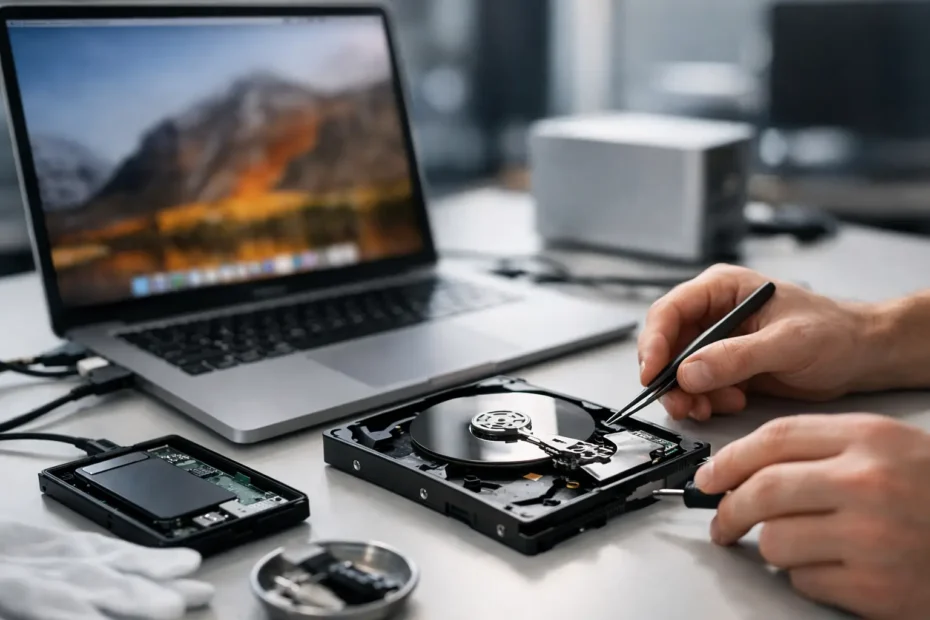
A Mac that won’t boot is stressful. A Mac with years of client files, family photos, project archives, or bookkeeping on it is a different level of problem. That’s where a mac data recovery service matters – not as a generic add-on, but as a specialized process that depends on what failed, how the storage is built, and whether the machine itself still has a path to the data.
Many people assume data recovery means plugging in a drive and copying files off. Sometimes it is that simple. Often, it is not. On modern Macs, especially newer MacBook Pro, MacBook Air, iMac, and Mac Studio models, recovery can involve board-level diagnostics, power issues, liquid damage assessment, storage access challenges, and decisions about whether the best first move is repair, extraction, or both.
What a mac data recovery service actually includes
A real recovery service starts with diagnosis, not guesses. If a Mac is slow, failing to boot, stuck on a progress bar, showing a folder with a question mark, or completely dead, those symptoms do not all point to the same solution. A corrupted file system, failed SSD, bad power rail, damaged logic board, liquid intrusion, and failed NAND components can all present in similar ways from the outside.
That is why the first step is identifying where the failure lives. Sometimes the data is intact and the operating system is the problem. Sometimes the storage is healthy, but the Mac cannot power on because of logic board damage. In those cases, a repair-first approach can be the fastest and most cost-effective path to getting the data back. Other times, powering a damaged machine repeatedly can make things worse, and extraction becomes the safer route.
The difference matters. A shop that only swaps parts may tell you the machine is not repairable and stop there. A specialist with component-level experience can often go further, especially when the issue involves power, charging, no image, liquid damage, or a board fault that prevents access to an otherwise recoverable drive.
When recovery is straightforward and when it gets complicated
If you have an older Mac with a removable drive and the storage itself is healthy, recovery can be fairly direct. The drive may be removed, connected to a known-good system, checked for damage, and copied in a controlled way. That is the easy version most people picture.
Modern Apple hardware changed that picture. In many newer Macs, storage is soldered to the logic board or tied into security systems that make casual extraction impossible. If the board is dead, the recovery path may require restoring enough board function to allow proper access to the data. That is not a standard bench job. It calls for experience with Apple board architecture, power sequencing, and component-level fault finding.
Liquid damage adds another layer. A spill does not always kill a Mac instantly. Corrosion can continue after the event, and users often keep trying to power the machine on because it still worked for a while. Sometimes the data is still there and recoverable. Sometimes the damage has spread into storage-related circuits. The sooner a damaged Mac is assessed properly, the better the odds.
Physical drops, failed updates, erased partitions, and repeated failed boot attempts all create different recovery conditions. There is no honest way to quote every case the same or promise the same outcome. Recovery success depends on the type of failure, the storage condition, whether the Mac has been handled carefully since the issue started, and whether any prior repair attempts caused additional damage.
Why repair and recovery often overlap
One of the biggest misconceptions about data recovery is that it is always separate from repair. On Macs, that is often false. If a logic board issue is the only barrier between you and your files, repairing the board enough to regain storage access may be the smartest move. You are not repairing the Mac for cosmetic reasons or to make it sale-ready. You are restoring a path to the data.
This is especially relevant for customers who were already told the machine is “dead” or “not worth fixing.” Those statements may only mean the shop does not perform board-level work, or they rely on full board replacement instead of diagnosis. For a customer who cares more about the files than the hardware, that distinction is huge.
A good technician knows when to stabilize the machine, when to avoid powering it, when to image data before any software attempts, and when a board repair is really a data recovery step in disguise. That judgment is what separates a real specialist from a counter-service workflow.
What to do before you bring in a failed Mac
If your Mac contains important data and something has gone wrong, your next move matters. Repeated restarts, internet advice followed in a panic, or random utility tools can reduce recovery chances. That is especially true if the drive is failing physically or the board has liquid damage.
The safest move is to stop using the Mac if it is making unusual noises, freezing during file access, failing to detect the startup disk, or behaving erratically after a spill or electrical issue. Do not keep forcing updates. Do not reinstall macOS unless you are sure your data is backed up. Do not erase the drive because someone online said it might fix the startup problem.
If the Mac still powers on, note what you see. Error symbols, progress bars, login behavior, screen output, and whether an external drive appears can all help narrow the issue quickly. If the machine is completely dead, share that too, along with whether it was dropped, exposed to liquid, or showing battery or charging issues beforehand.
Choosing the right Mac data recovery service
Not every recovery case needs a lab-level process, but every serious case needs honest diagnosis. That should include a clear explanation of what failed, what the likely recovery path is, what the risks are, and whether recovery depends on repairing something first.
Ask practical questions. Does the technician work directly on Macs or send everything out? Can they handle logic board faults in-house? Do they understand how newer Apple storage designs affect recovery options? Will they explain whether your issue is software corruption, storage failure, or a board-level access problem?
You should also pay attention to how the conversation feels. If the answer is immediate and generic before anyone has diagnosed the machine, that is a red flag. Serious recovery work is case-specific. Good shops will be direct, but they will not pretend every failure has the same fix or the same odds.
This is where working directly with a specialist helps. When you can speak to the person actually diagnosing the Mac, the process becomes clearer and faster. You are not relaying technical details through a front desk, and you are less likely to get a scripted answer that misses what is actually going on.
Recovery timelines and cost – what affects both
Everyone wants two answers right away: how long will it take, and how much will it cost? The honest answer is that both depend on the failure.
A software issue with healthy storage may be resolved quickly. A dead Mac that needs board-level work before the data can even be accessed will take longer. Liquid damage can go either way. If corrosion is limited and key circuits are restorable, recovery may move fast. If multiple areas are damaged or the storage path is compromised, the process becomes more involved.
Cost follows the same logic. A simple file extraction is not priced like a board repair-assisted recovery. That does not mean the more complex option is unreasonable. In many cases, recovering critical business files, photo libraries, legal documents, or years of creative work is far less expensive than recreating what was lost – if that is even possible.
The right service will explain the likely path before moving forward and keep the pricing tied to the actual technical work, not fear.
Why local expertise matters in urgent cases
If your Mac is central to your work, waiting days just to ship it out is frustrating. Local service is not only about convenience. It can mean faster diagnosis, fewer handoffs, and direct communication when time matters.
For Mac owners in Central Florida, especially those dealing with dead MacBooks, spill damage, or startup failures on machines containing important files, working with a specialist who handles advanced Apple repairs and recovery in-house can save both time and unnecessary replacement costs. At YourMac.Repair, customers speak directly with Eduardo, a technician with more than 30 years of Apple experience, which makes a real difference when the issue is technical and urgent.
The best recovery outcome usually starts with one decision: stop guessing, and get the Mac assessed by someone who understands both the hardware and the data sitting behind the failure. Your files may still be there. The key is not making the problem worse before the right person sees it.
Need Mac or iPhone repair in Winter Garden / Orlando?
YourMac.Repair — board-level Apple repair with honest diagnosis and fast turnaround. We say YES when Apple says NO.
- Mac Logic Board Repair — liquid damage specialist
- Mac Screen Repair
- Mac Battery Replacement
- Mac & PC Data Recovery
- iPhone Screen Repair — same-day service
📞 (407) 580-9965 · WhatsApp · 819 Marsh Reed Dr, Winter Garden, FL 34787