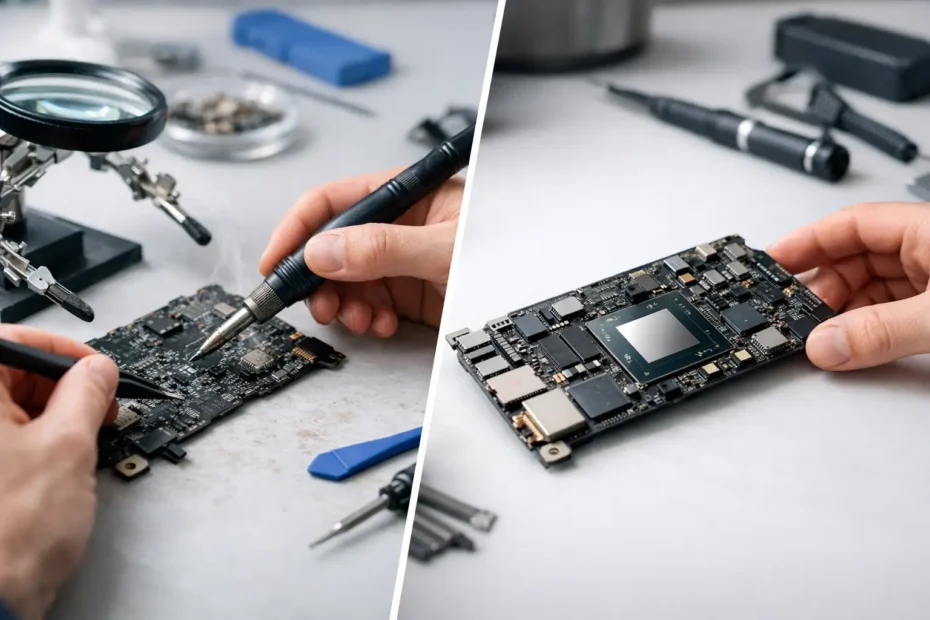
When your Mac suddenly stops turning on, loses backlight, won’t charge, or starts acting strangely after a spill, the real question usually isn’t just what broke. It’s logic board repair vs replacement, and that decision can change the cost, turnaround time, and even your chances of keeping the data already on the machine.
A lot of shops jump straight to replacement because it’s simpler for them. Diagnose less, swap more, move on. But with Macs, that approach can be expensive fast, especially when the actual fault is limited to a charging circuit, a shorted line, a corroded area from liquid damage, or a failed component that can be repaired at the board level.
Why logic board repair vs replacement matters
On a Mac, the logic board is the core of the system. It handles power, storage communication, display output, charging, and a long list of other functions. When it fails, symptoms can look dramatic even if the actual damage is relatively contained.
That’s why logic board repair vs replacement should never be treated like a simple yes-or-no choice. A proper answer depends on the model, the type of failure, the extent of board damage, the value of the Mac, and how important your data is.
For many customers, the biggest mistake is assuming that a dead Mac automatically needs a new board. In plenty of cases, it does not. A component-level repair may restore full function for far less than the cost of replacing the entire board.
When repair is the better option
Repair usually makes the most sense when the problem is isolated and the board is otherwise healthy. That often includes liquid damage caught before corrosion spreads too far, power issues caused by failed chips or shorted capacitors, backlight failures, charging problems, and some no-boot conditions.
This is where board-level diagnostics matter. If a technician can trace the fault to a specific circuit and confirm that the rest of the board is stable, repair can be the smarter move both financially and practically. You’re addressing the actual failure instead of replacing a much larger assembly.
Repair can also be the better option when data matters. On many newer Macs, storage is tied closely to the logic board architecture. Replacing the board may complicate data access or make recovery much harder if the machine is not fully functional before replacement. Saving the original board, even if it needs component work, may offer the best path to getting the Mac running again with the existing data intact.
There’s also the issue of value. If your Mac is a few years old but still meets your needs, a targeted repair can extend its life without forcing you into a much larger expense. That matters to students, business owners, creatives, and remote workers who need their system back, not a sales pitch for a different machine.
When replacement makes more sense
Sometimes replacement is the right call. If the board has widespread liquid damage, severe corrosion across multiple areas, physical breakage, prior bad repair attempts, or damage that affects too many interconnected systems, repair may no longer be cost-effective.
The same goes for situations where the board has multiple major failures and the labor to chase each one would approach or exceed the value of the Mac. In those cases, replacement may be faster, more predictable, or simply the only reliable path.
There are also cases where the specific board is unavailable for practical repair because of missing donor parts, unusual chipset failures, or damage that extends beyond what can be restored safely. Good repair work is not guesswork. If the odds are poor, a trustworthy technician should say so.
That honesty matters. The right answer is not always repair-first at any cost. It’s repair-first when repair is reasonable.
The cost question most people really mean
When people ask about logic board repair vs replacement, they usually mean one thing: which one saves me money without creating a bigger problem later?
In many cases, repair is less expensive than full replacement because you are fixing the failed section rather than buying and installing an entire board assembly. That difference can be significant on MacBook Pro, MacBook Air, iMac, and Mac Mini models where board prices are high.
But cheap is not the same as cost-effective. If a board has deep corrosion and multiple unstable circuits, a low repair quote can become a repeat failure later. On the other hand, a replacement board that costs far more than the current value of the Mac may not be the smart choice either.
A fair diagnosis should explain what failed, what can be repaired, what the risks are, and whether the investment makes sense for your specific model. That is much more useful than hearing, “You need a board,” with no real detail.
Repair quality depends on diagnosis, not just soldering
A lot of people hear “logic board repair” and think it only means micro-soldering. Micro-soldering is part of it, but the real skill is diagnosis.
A technician needs to understand power rails, charging behavior, board schematics, common failure points, thermal patterns, liquid damage paths, and how one bad component can create symptoms that look unrelated. A Mac that won’t turn on may have a different root cause than one that turns on but has no image, and both are different from a machine that boots only on battery or fails after an update because of underlying hardware instability.
Without that level of diagnosis, repair becomes trial and error. That is where customers lose time and money.
What Apple and many general shops do differently
Apple and many general repair shops usually do not perform component-level board repair. Their process often centers on replacing assemblies. That works for some cases, but it can leave a lot of repairable Macs labeled as uneconomical or unfixable.
For customers, that creates a false choice: replace the whole board, replace the whole Mac, or give up on the data. In reality, there is often a fourth option – have the board evaluated by a specialist who works at the component level and can determine whether the fault is truly isolated and repairable.
That difference is one reason advanced Mac owners, small businesses, and people with liquid-damaged machines often look for a specialist instead of a general counter service.
How to decide what is right for your Mac
The best decision starts with a few practical questions. What model is the Mac, and what is it worth to you right now? Is the issue likely isolated, or does the board show broad damage? Is your data still on the machine and important to recover quickly? Has anyone else already attempted repair? And if the Mac is older, does it still fit your workload well enough to justify the investment?
If the machine is newer, holds important files, and shows signs of a contained board fault, repair is often worth serious consideration. If the damage is widespread and the board cost would still leave you with a strained machine that no longer fits your needs, replacement may be the cleaner answer.
The key is getting a real evaluation instead of a blanket recommendation.
A good repair shop should tell you the trade-offs
A trustworthy technician should be comfortable explaining what they found in plain English. Not vague language, not pressure, and not a one-size-fits-all recommendation.
You should know whether the issue appears isolated or systemic, whether the board has liquid damage or corrosion, whether repair is expected to be stable, and whether replacement would affect cost, timing, or data recovery options. If the answer is uncertain, that should be stated clearly too.
That direct approach is especially important when you rely on your Mac for work. Downtime costs money. Guessing costs more.
At a specialist shop like YourMac.Repair, that repair-first mindset matters because the goal is not to sell the largest ticket. It’s to save the machine when it makes sense, be honest when it does not, and give you a practical path forward either way.
The better question to ask
Instead of asking only whether your Mac needs logic board repair or replacement, ask this: what failed, what is the most reliable fix, and what option gives me the best outcome for the money?
That shifts the conversation from fear to facts. Sometimes the answer will be a precise board repair that saves the Mac and avoids a major expense. Sometimes it will be replacement because the damage is too extensive. Both can be valid.
What matters is having the problem diagnosed by someone who knows the difference and is willing to tell you the truth. If your Mac is worth saving, the right repair path should be based on evidence, not convenience.
Need Mac or iPhone repair in Winter Garden / Orlando?
YourMac.Repair — board-level Apple repair with honest diagnosis and fast turnaround. We say YES when Apple says NO.
- Mac Logic Board Repair — liquid damage specialist
- Mac Screen Repair
- Mac Battery Replacement
- Mac & PC Data Recovery
- iPhone Screen Repair — same-day service
📞 (407) 580-9965 · WhatsApp · 819 Marsh Reed Dr, Winter Garden, FL 34787