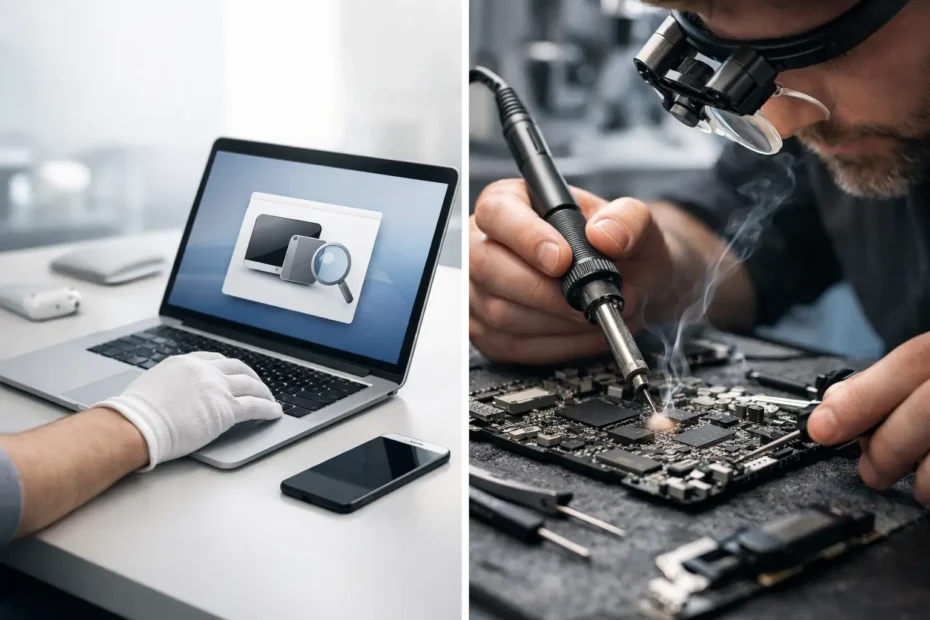
A Mac can fail in a way that looks simple from the outside: no power, a black screen, a flashing folder, random shutdowns, or charging that works only when the cable is held a certain way. The real question is often Apple diagnostics versus board repair: is the problem something a standard test can identify, or does the Mac need a deeper component-level inspection?
For Mac owners, that difference can mean the difference between replacing an entire logic board, recovering the existing machine at a fair price, or losing access to files that were never backed up. Apple’s built-in diagnostics have value. They are not, however, a final answer for every hardware failure.
What Apple Diagnostics Is Designed to Do
Apple Diagnostics is a built-in testing tool available on many Macs. It checks certain major hardware systems and may return a reference code pointing to areas such as memory, battery, power, wireless hardware, or sensors. It can be useful when a failure is broad enough, consistent enough, and visible enough to the test.
For example, a failing battery may trigger a result that supports what the user is already seeing: rapid percentage drops, an unexpected shutdown, or a service warning. A memory issue on an older Intel-based Mac may also be detected. In those cases, diagnostics can provide a helpful starting point.
The limitation is that diagnostics generally evaluates whether a system is behaving within expected parameters at the moment of testing. It does not perform the same kind of circuit-by-circuit investigation a board repair specialist performs. A Mac can pass Apple Diagnostics and still have a serious logic board issue.
That is especially common after liquid exposure, a power surge, a drop, an overheating event, or gradual component failure. A damaged resistor, corroded capacitor, failed charging chip, broken backlight circuit, or shorted power rail may not generate a clear diagnostic code. The computer may simply refuse to turn on or may behave inconsistently.
Apple Diagnostics Versus Board Repair: The Key Difference
Apple Diagnostics is a screening tool. Board repair is a repair process based on evidence.
A technician performing logic board repair does not stop at a pass or fail result. The process begins with symptom history and a visual inspection, then moves into measurements and testing at the board level. That can include checking for corrosion, identifying missing voltage rails, tracing a short circuit, testing charging behavior, inspecting connectors, and evaluating communication between critical chips.
This matters because a logic board is not one single part in the practical sense. It is a complex network of tiny components and circuits. If one part of that network fails, replacing the entire board may restore the Mac, but it is not always necessary.
Component-level repair targets the failed area when it is practical and reliable to do so. Rather than treating a whole board as disposable, the technician determines whether the underlying fault can be corrected. That may involve micro-soldering, corrosion cleanup, connector repair, replacing a damaged component, or restoring a compromised circuit.
Not every board is repairable, and an honest diagnosis should say so. Severe corrosion, extensive physical damage, prior poor-quality repair attempts, or failure in certain integrated components can make replacement the more sensible option. But a board-level inspection gives you facts before you commit to the most expensive path.
When a Diagnostic Test May Miss the Problem
A diagnostic test is most likely to miss failures that are intermittent, localized, or outside the systems it is programmed to report. Those failures are common in real-world Mac repairs.
No power does not always mean a dead logic board
A MacBook that will not turn on may have a bad logic board, but it may also have a damaged USB-C charging circuit, a faulty power button or keyboard-related signal, liquid damage near a power rail, or a short that prevents startup. The battery, charger, charging ports, and board all need to be considered.
A standard test cannot help much if the Mac does not stay powered on long enough to run it. Board-level diagnosis can often identify whether the machine is receiving power, where that power stops, and whether repair is realistic.
A black screen can be a backlight issue
If a Mac appears to power on but the display remains black, the problem may be the screen itself. It may also be a backlight circuit issue on the logic board. In some cases, an image is still present but only visible with a flashlight held at the right angle.
Replacing a display without checking the board can be an expensive guess. Conversely, assuming every black screen is a board failure can lead to unnecessary repair work. Proper diagnosis separates the display, cable, connector, and backlight circuit before recommending a solution.
Liquid damage can develop slowly
Spills do not always cause an immediate failure. A Mac may continue working for days or weeks after liquid enters the keyboard, ports, or internal components. Corrosion can continue spreading after the visible moisture is gone, eventually causing charging issues, keyboard problems, audio failures, boot loops, or no power.
Apple Diagnostics may show no fault at all during the early stages. A close internal inspection can reveal residue and corrosion that explain the symptoms. Fast treatment matters because cleaning and repairing localized damage is usually more feasible before corrosion spreads.
Intermittent problems need hands-on testing
A Mac that restarts only under load, loses Wi-Fi randomly, shuts down when moved, or charges inconsistently may pass a quick test. Those symptoms require patient testing, not just a single automated scan.
An experienced specialist looks for patterns: Does the issue happen on battery power only? Does it appear after the Mac warms up? Does one USB-C port behave differently from another? Is there a history of a spill, a low-quality charger, or a previous repair? Those details direct the technical work and prevent guesswork.
Why Apple Often Recommends Replacement
Apple and many authorized service providers typically operate on a module-replacement model. Their process is designed for consistency, speed, standardized parts, and warranty handling. When a logic board has a fault, the approved remedy is often to replace the board rather than repair individual components on it.
That approach is understandable, but it may not fit every customer’s situation. A full logic board replacement can be costly, particularly on newer MacBooks with storage integrated into the board. It can also affect data access when the original board is no longer usable.
For an older Mac that otherwise meets your needs, full board replacement may exceed the machine’s value. For a newer Mac with important local files, a replacement recommendation may not address the most urgent concern: getting the data back.
Independent board repair is not a shortcut or a promise that every machine can be saved. It is a different level of service. It asks whether the specific failure can be repaired before declaring the entire board beyond help.
When Board Repair Is Worth Considering
Board repair is especially worth a conversation when your Mac has no power after liquid exposure, will not charge, has a black screen with signs of life, has failed after a power event, or has been quoted for a costly logic board replacement. It is also a smart option when your files are valuable and the machine cannot be backed up normally.
The age and condition of the Mac matter. A ten-year-old Mac with multiple unrelated issues may be better served by a practical upgrade plan. A recent MacBook Pro with a localized charging or power fault is often a stronger candidate for board-level work. The right recommendation depends on the specific device, the damage found, the repair cost, and what is stored on it.
Ask for a transparent diagnosis. You should know what symptoms were confirmed, whether liquid or corrosion was found, whether the issue appears isolated or widespread, what repair options exist, and what the realistic risks are. A trustworthy technician will not promise a miracle before inspecting the machine.
Protect Your Data Before the Next Failure
No diagnostic result can replace a current backup. If your Mac still starts, back it up before a small problem becomes a no-power problem. If it does not start, avoid repeatedly forcing it on, charging it overnight after a spill, or taking it apart without the right tools. Those actions can worsen a short or turn recoverable damage into a more complicated repair.
For Central Florida Mac owners dealing with an unclear hardware failure, direct evaluation by a board-level specialist can save time and prevent an unnecessary replacement. YourMac.Repair approaches these cases by finding the actual fault, explaining the options plainly, and focusing on the repair that makes practical sense for your Mac and your data.
A diagnostic code can be useful information. When the symptoms and the code do not match, or there is no code at all, that is the moment to look beyond the automated test and get a real answer from the board.
Need Mac or iPhone repair in Winter Garden / Orlando?
YourMac.Repair — board-level Apple repair with honest diagnosis and fast turnaround. We say YES when Apple says NO.
- Mac Logic Board Repair — liquid damage specialist
- Mac Screen Repair
- Mac Battery Replacement
- Mac & PC Data Recovery
- iPhone Screen Repair — same-day service
📞 (407) 580-9965 · WhatsApp · 819 Marsh Reed Dr, Winter Garden, FL 34787