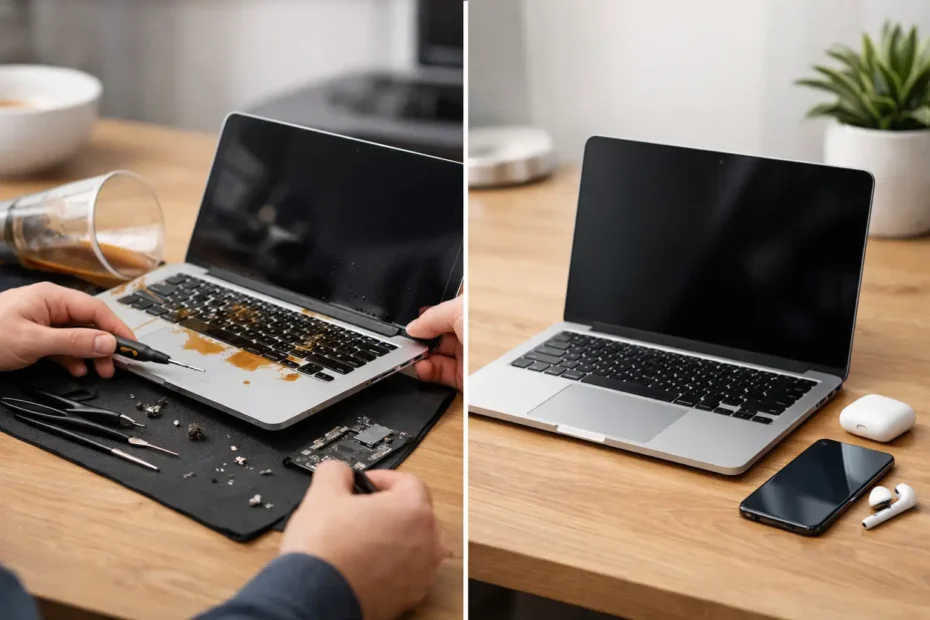
A drink hits a MacBook, the screen flickers, and the first question is usually not technical: “Should I repair this, or just replace it?” The choice between repairing a spill-damaged Mac versus replacing it depends on more than whether it turns back on. The type of liquid, how quickly power was removed, which components were affected, the age of the Mac, and the value of the data all matter.
A spill does not automatically mean a Mac is finished. It also does not mean it is safe to keep using because it appears normal after drying. Liquid residue can continue corroding connections and components long after the initial accident. A proper decision starts with an honest diagnosis, not a guess based on a temporary recovery.
What Happens Inside a Mac After a Spill
Water is bad enough, but coffee, soda, wine, juice, and sports drinks are usually worse. They leave behind sugars, acids, minerals, and other contaminants. Even after visible moisture evaporates, that residue can create corrosion or electrical paths where they do not belong.
On a MacBook, liquid can reach the keyboard, battery, trackpad, display circuitry, charging circuit, logic board, and connectors. The damage may be concentrated in one area, or it may spread under shields and components on the board. A Mac that will not power on may have a repairable charging or power issue. A Mac that powers on but has no backlight, no keyboard response, or intermittent shutdowns may also have board-level damage that requires closer inspection.
This is why putting the computer in rice, using a hair dryer, or repeatedly trying to start it can make a bad situation worse. Rice does not remove residue. Heat can push moisture deeper or damage sensitive parts. Powering a wet or contaminated device can turn a limited repair into a larger logic board failure.
If a spill just happened, shut the Mac down if possible, disconnect power and accessories, and avoid charging it. Do not keep testing it. Getting it assessed quickly gives the best chance of preventing corrosion from spreading.
Repairing Spill-Damaged Mac Versus Replacing: The Real Factors
The repair-or-replace decision should be based on the Mac in front of you, not a generic rule. Some older machines are not worth a major repair. Some newer Macs are absolutely worth saving, especially when their internal storage holds files that are not backed up.
The extent of the damage
A spill limited to a keyboard, trackpad, or a small section of the logic board can often be repaired at a reasonable cost. Component-level repair may address damaged chips, corroded connectors, power rails, backlight circuits, or charging circuits without replacing every major assembly.
The calculation changes when several expensive systems are affected at once. For example, a MacBook with a severely damaged logic board, display, battery, and keyboard may approach the practical value of replacement. That does not mean repair is impossible. It means the owner deserves a clear explanation of the cost, expected reliability, and alternatives before approving the work.
The age and specifications of the Mac
A 2019 or newer MacBook Pro, MacBook Air, Mac mini, iMac, or Mac Studio often has plenty of useful life remaining. Replacing it can be expensive, particularly if it has upgraded memory, storage, or a larger display. Repairing a newer machine can be the more sensible financial choice when the issue is isolated.
An older Intel Mac may still be worth repairing if it meets your needs, supports the software you use, or can be upgraded. For a basic spill repair, keeping a familiar machine in service can make perfect sense. But if an older Mac needs extensive liquid-damage work and is already limited by performance, battery condition, or software compatibility, replacement may be the better long-term move.
Your data may be worth more than the Mac
For many people, the most valuable part of a spill-damaged Mac is not the hardware. It is the client files, photos, accounting records, creative projects, messages, or years of personal documents stored inside it.
This matters especially with many modern Apple silicon Macs. Their internal storage is integrated with the logic board, so simply removing an SSD and reading it in another computer is generally not an option. If the Mac will not start, data recovery may require repairing the original board enough to access the encrypted storage.
If your files are not confirmed in a current backup, do not rush into replacement or authorize a wipe. Ask whether data recovery is possible before any repair path that could affect the remaining data.
The quality of the repair option
Not every repair quote reflects the same level of work. Some providers only replace complete assemblies. That can be appropriate when an assembly is clearly beyond repair, but it can also produce an unnecessarily high quote for a problem isolated to a few board components.
A technician who performs liquid-damage cleaning, detailed diagnostics, and component-level logic board repair can sometimes save a Mac that has been labeled non-repairable elsewhere. The goal should not be to sell a repair at any cost. It should be to identify what failed, what can be repaired, and whether the result represents good value for you.
When Repair Is Usually the Better Choice
Repair is often the right move when the Mac is relatively current, the damage is limited, and the repair cost is well below the cost of a comparable replacement. It is also a strong choice when the computer has a configuration that would be costly to replace, such as higher storage capacity or a larger-screen MacBook Pro.
Repair can also be the better path when you need your existing environment back quickly. Replacing a Mac means buying hardware, setting it up, reinstalling applications, signing back into accounts, transferring data, and dealing with missing files if the backup is incomplete. A successful repair preserves the machine you already know and the work already on it.
For Central Florida Mac owners, a direct diagnosis with a specialist can remove much of the uncertainty. At YourMac.Repair, customers work directly with Eduardo, a technician with more than 30 years of Apple experience, to understand whether a spill has created a practical repair or a poor investment.
When Replacing the Mac Makes More Sense
Replacement is reasonable when the machine has widespread damage and the total repair cost approaches the price of a substantially newer Mac with a warranty. It may also be the better choice if the Mac was already struggling with low storage, an aging battery, outdated software support, or performance limitations before the spill.
There is also a reliability question. A thorough liquid-damage repair can be highly successful, but corrosion-related damage is different from replacing a battery or screen. If liquid reached many areas and has caused extensive deterioration, a responsible technician should explain the risk rather than promise that every affected part will behave like new forever.
A replacement decision does not eliminate the need for diagnostics if the data matters. The damaged Mac may still need board work or recovery services before you can move your files to the new computer.
Do Not Let a Temporary Recovery Decide for You
One of the most misleading spill scenarios is the Mac that works after a day or two. It may boot, charge, and appear completely normal. Then weeks later, the keyboard fails, the battery stops charging, the screen loses backlight, or the Mac begins shutting down without warning.
That does not mean every Mac needs expensive work after a minor splash. It means visible symptoms are not the whole story. A professional inspection can identify residue and corrosion before they become a larger failure, especially when the spill reached the keyboard, ports, vents, or trackpad area.
Make the Decision With a Clear Diagnosis
The best answer to repairing spill-damaged Mac versus replacing is usually found after the Mac is opened, inspected, and tested properly. Ask for a transparent explanation of the affected components, the recommended work, the expected cost, and whether your data can be protected or recovered.
Do not let a generic “liquid damage” label force you into an unnecessary replacement. A careful diagnosis may reveal a repairable issue and save a Mac that still has years of useful work ahead of it. And if replacement truly is the smarter option, knowing the condition of the original machine and the status of your data lets you move forward without leaving important files behind.
Need Mac or iPhone repair in Winter Garden / Orlando?
YourMac.Repair — board-level Apple repair with honest diagnosis and fast turnaround. We say YES when Apple says NO.
- Mac Logic Board Repair — liquid damage specialist
- Mac Screen Repair
- Mac Battery Replacement
- Mac & PC Data Recovery
- iPhone Screen Repair — same-day service
📞 (407) 580-9965 · WhatsApp · 819 Marsh Reed Dr, Winter Garden, FL 34787