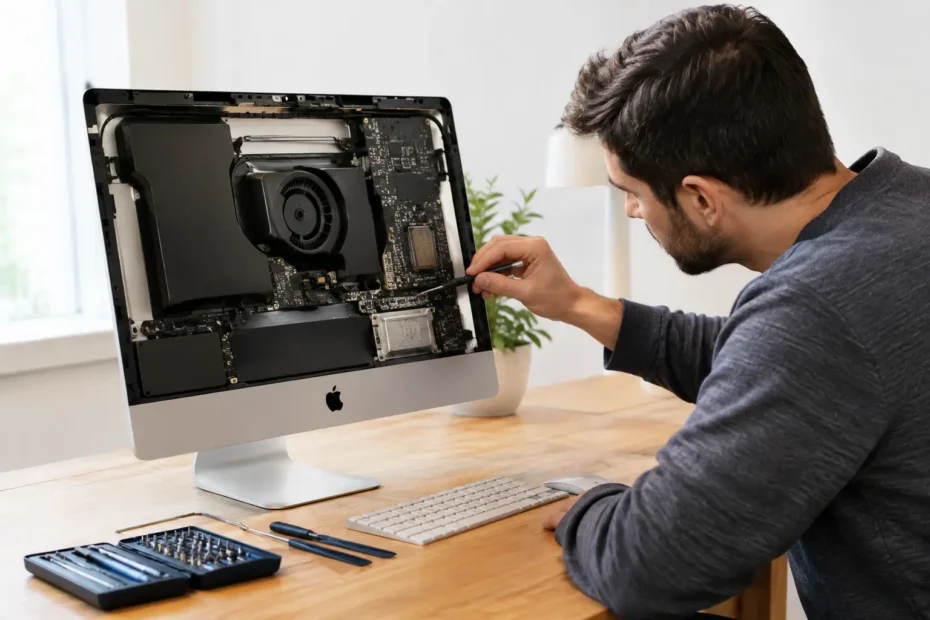
A dead iMac can stop far more than a computer session. It can interrupt a client deadline, leave family photos inaccessible, or take a small business workstation offline without warning. iMac power issue repair starts with separating a true no-power failure from a display, startup, or software problem – because those issues can look nearly identical from across the room.
If pressing the power button produces no chime, no fan activity, no screen light, and no response from connected USB devices, the fault may be inside the power delivery path. That does not automatically mean the iMac is beyond repair. Many no-power Macs have a failed power supply, damaged power button circuit, corroded connector, shorted component, or logic board issue that can be diagnosed and repaired without replacing the entire computer.
First, identify what “won’t turn on” actually means
The phrase “my iMac won’t power on” covers several very different conditions. A completely dead iMac does nothing when the button is pressed. An iMac with power but no image may have fan activity, startup sounds, keyboard backlighting, or an external display signal while its built-in screen remains black. A Mac that reaches an Apple logo and shuts down is receiving power, but it may have a storage, macOS, thermal, or board-level problem.
This distinction matters because the repair path and cost can change significantly. Replacing a screen will not fix a failed power supply. Reinstalling macOS will not solve a short on the logic board. A proper diagnosis checks the symptom before recommending parts.
Before assuming internal damage, verify the simple external factors. Plug the iMac directly into a known-working wall outlet rather than a power strip or surge protector. Inspect the power cable for damage and make sure it is firmly seated. Disconnect external drives, hubs, printers, and other USB accessories, then try again. A failed peripheral can occasionally hold up startup or cause unusual behavior.
If there is still no response, avoid repeated rapid power-button presses. They rarely revive a hardware fault and can make it harder to notice changes in behavior during testing.
Common causes of iMac power failures
Power supply problems
The internal power supply converts wall current into the voltages the iMac needs. On many older and Intel-based iMac models, it is a common point of failure. Age, heat, electrical events, and worn components can cause the supply to fail completely or work intermittently.
An iMac with a failing power supply may start only after sitting unplugged, shut off under load, or refuse to start after a storm or power fluctuation. Power supply replacement can be the right repair when testing confirms that the board is not receiving the required voltage. It should not be a guess, especially because a logic board short can sometimes cause similar symptoms.
Logic board damage
The logic board controls power sequencing: the chain of events that takes a Mac from an off state to startup. If a tiny component in that circuit fails, the iMac may appear completely dead even when the power supply is healthy.
Liquid exposure, corrosion, power surges, dust buildup combined with heat, and simple component aging can all damage this area. The challenge is that Apple and many general repair shops often treat the logic board as one replaceable module. That can be expensive, unavailable for older models, or not worthwhile when the Mac contains valuable data.
Component-level logic board repair takes a different approach. A specialist traces the affected power rail, identifies shorts or failed components, and repairs only what is necessary when the board is otherwise recoverable. The right solution depends on the model, the damage, and whether prior corrosion has made long-term reliability questionable.
Liquid damage that shows up later
An iMac does not need to be submerged to suffer liquid damage. A small spill near the lower edge, a drink splashed during cleaning, or moisture entering through vents can reach internal connectors or the board. The computer may keep working for days or weeks before corrosion causes a no-power condition.
That delay often creates confusion. Owners may not connect a current failure to an old spill because the iMac seemed fine afterward. During diagnosis, signs of oxidation and corrosion around connectors, power circuits, and display areas can reveal the real source of the problem.
Power button, cable, and connector faults
Not every power issue begins on the board. A worn power button, damaged internal cable, loose connector, or failed outlet-side connection can interrupt the startup signal. These are usually less involved repairs, but they still require opening the iMac correctly and testing the circuit rather than replacing parts at random.
Heat and neglected maintenance
Dust does not usually cause an iMac to die overnight, but years of restricted airflow can accelerate component wear. Heat stresses power circuitry, storage devices, and other internal parts. Older iMacs that have never been cleaned or had thermal compound serviced can run much hotter than their owners realize.
Preventive internal cleaning is not a cure for a no-power iMac, yet it can be valuable after repair. If the machine is opened for service, inspecting fans, removing dust, and addressing deteriorated thermal compound may help protect the investment.
Safe checks you can try before bringing it in
A few basic checks are reasonable. After unplugging the iMac for at least 15 seconds, reconnect it directly to a verified outlet and try the power button once. Remove all external accessories except the power cord. If you have an Intel iMac and it shows partial signs of life, an SMC reset may help with certain power-management issues. The procedure varies by model, so do not rely on a generic sequence for every iMac.
What you should not do is open the case without the proper tools and experience. iMac displays are attached with adhesive on many models, and internal power supplies can retain hazardous electrical charge. A cracked display, torn cable, or accidental short can turn a manageable repair into a larger one.
Also be cautious with online advice that says to bake a board, heat it with a heat gun, or repeatedly cycle power after liquid exposure. These methods can damage nearby components and reduce the chances of a clean, lasting repair.
What a real iMac power issue repair diagnosis looks like
A useful diagnosis does more than confirm that the iMac is dead. It determines where power stops moving through the system. The technician should inspect the machine for liquid indicators, corrosion, impact damage, and signs of overheating; test the outlet-side and internal power supply; check for standby voltage; evaluate the power-on signal; and inspect the logic board for shorts or failed power rails.
That process is especially important if the iMac contains files you cannot replace. In some cases, the most practical goal is restoring the original board long enough to access the internal drive and preserve the data. In other cases, the drive itself may be healthy and can be accessed separately. The answer depends on the iMac generation, storage configuration, encryption status, and extent of the board damage.
For Apple silicon iMac models and newer Intel machines with tightly integrated storage, data recovery can be more complex than simply removing a hard drive. That is another reason to avoid unnecessary board replacement or repeated DIY attempts when the files matter.
Repair, replacement, or retirement: making the practical call
Not every iMac should receive the same repair recommendation. A newer iMac with a failed power circuit is often an easy decision to save. A well-maintained older 27-inch iMac may also be worth repairing, particularly when its large display, upgraded storage, and familiar workflow still meet your needs.
The calculation changes when there is extensive liquid corrosion, multiple failing components, or a model that cannot support the software required for your work. Even then, replacement is not the only option. Some older Macs can remain useful with an SSD upgrade, maintenance, or an appropriate macOS upgrade path. The honest answer should be based on repair cost, expected reliability, performance needs, and the value of the data – not a push toward the most expensive option.
At YourMac.Repair, customers speak directly with Eduardo, a specialist with more than 30 years of Apple experience. That direct access matters when a repair involves no power, liquid damage, or board-level work. You should know what failed, what can be repaired, what the realistic options are, and what the work will cost before moving forward.
Don’t let a no-power symptom decide the iMac’s future
A blank screen and silent power button can feel final, but they are symptoms, not a diagnosis. The best next step is a careful evaluation that protects the device and its data while identifying the actual failed component. A fair repair decision starts with facts – and a skilled diagnosis can be the difference between replacing a capable Mac and getting back to work with the one you already trust.
Need Mac or iPhone repair in Winter Garden / Orlando?
YourMac.Repair — board-level Apple repair with honest diagnosis and fast turnaround. We say YES when Apple says NO.
- Mac Logic Board Repair — liquid damage specialist
- Mac Screen Repair
- Mac Battery Replacement
- Mac & PC Data Recovery
- iPhone Screen Repair — same-day service
📞 (407) 580-9965 · WhatsApp · 819 Marsh Reed Dr, Winter Garden, FL 34787