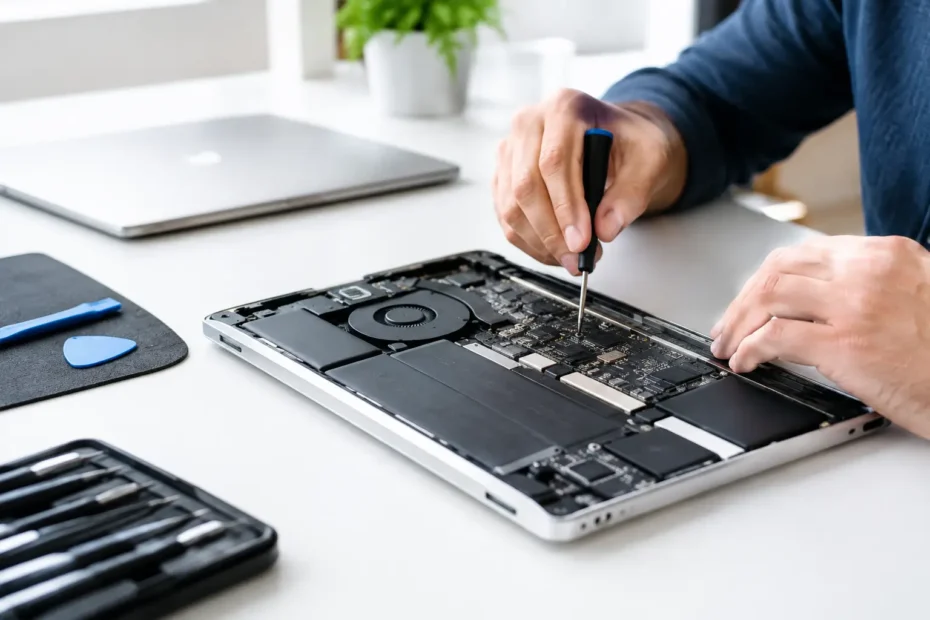
A Mac that will not turn on is not automatically a dead Mac. That distinction matters when the computer holds a client project, family photos, accounting files, or the work you need tomorrow morning. This Mac power circuit repair example shows why a proper diagnosis often costs far less than replacing the entire logic board – and why guessing can make a recoverable problem worse.
The case is representative of a common no-power failure seen in newer MacBooks: the charger appeared to work, the customer had tried multiple USB-C cables and power adapters, but the MacBook remained completely unresponsive. No startup chime, no screen flash, no trackpad click, and no charging indication.
An Apple store or a general repair counter may classify that symptom as a logic board failure and recommend a board replacement. For many owners, that means a repair quote large enough to make replacement seem like the only option. Component-level diagnosis asks a more useful question first: which part of the power system failed, and can that part be repaired safely?
The symptom: a MacBook with no power
The MacBook arrived after a small drink spill near the USB-C side several days earlier. It had worked briefly after the spill, then began shutting down intermittently before failing completely. Delayed failure after liquid exposure is common. Even when the Mac dries out, residue can continue corroding tiny board components and create electrical leakage between circuits.
The owner had already done the sensible basics: tested a known-good charger, tried another cable, checked more than one outlet, and held the power button. Those steps rule out a surprising number of simple problems. They do not, however, identify what is happening on the logic board.
At this point, repeatedly connecting power is not always harmless. If a shorted component is pulling down a power rail, continued attempts can generate heat at the damaged area. That can worsen corrosion or damage a component that was initially still salvageable.
Mac power circuit repair example: tracing the fault
A modern MacBook power system is not one single circuit. It is a chain of circuits that negotiate power from the charger, protect the board from incorrect voltage, create primary power rails, and then deliver the correct voltages to the processor, storage, display, and other systems.
The diagnosis started with visual inspection under magnification. Near one USB-C power input area, there was light corrosion around small components and a power-management section of the board. The damage was not dramatic, which is exactly why visual inspection alone cannot determine the repair.
Next came measurement. A USB-C power meter helped confirm that the Mac was not negotiating and drawing power normally. Then, using a multimeter, the technician checked resistance to ground on the main incoming power rail and nearby rails. An abnormally low resistance reading indicated a short rather than an open fuse or a simple charging-port issue.
That distinction changes the repair plan. A blown fuse may prevent power from reaching the board. A short means a component is allowing electricity to take an unintended path to ground. Replacing a charging port or battery without finding that short would not solve the underlying problem.
Finding one failed component, not replacing the board
To locate a short on a dense logic board, a technician may inject a carefully controlled low voltage into the affected rail and observe the board with thermal imaging, freeze spray, or other diagnostic methods. The faulty component often becomes warmer than surrounding parts because it is dissipating the injected energy.
In this example, the heat source was a failed capacitor on a primary power rail. Capacitors are small components that help smooth and stabilize voltage. When one fails shorted, it can prevent the entire Mac from starting even though much of the logic board remains healthy.
The failed capacitor was removed, the board was cleaned to address liquid residue, and the power rail was checked again. The short was gone. A replacement capacitor with the correct specification was installed, and the area was inspected for damaged pads, corrosion, and nearby compromised components.
This is where micro-soldering skill matters. The goal is not simply to make the Mac turn on once. The repair must restore the circuit without lifting fragile board pads, creating solder bridges, or leaving corrosion that may cause another failure later.
Why testing after the repair matters
A successful power-on is only the beginning. After the component replacement, the MacBook was tested through its charging and startup sequence. It accepted power normally, booted consistently, charged the battery, recognized USB-C functionality, and remained stable under load.
A quality repair also includes checking for the reason the component failed. In spill cases, that means examining surrounding board areas for corrosion and cleaning contamination rather than treating the visible bad part as the entire story. In non-liquid cases, the technician considers whether a damaged charger, cable, power surge, or another failed circuit may have contributed.
The customer’s files were still intact because the issue had been limited to the power circuit. Once the Mac booted, backing up the data immediately was the right next step. No repair shop can promise every no-power Mac will have recoverable data, especially after severe liquid damage or storage-related failures, but restoring board power can make a major difference.
What this repair can and cannot tell you
A no-power Mac does not always have a shorted capacitor. Depending on the model and symptoms, the fault could involve a battery, charging port, USB-C controller, input fuse, charging circuit, power-management controller, display circuit, or damage deeper in the board.
The same symptom can also point to very different repair decisions. If corrosion has spread across multiple layers of the board, the repair may be more extensive and less predictable. If the cost of repair approaches the value of the Mac, replacement may make more sense. But when the failure is isolated to a repairable component, replacing an entire logic board can be an expensive answer to a small electrical fault.
That is why a transparent diagnosis should come before a quote. You should know what failed, what repair is proposed, whether liquid damage or corrosion was found, and whether there is a realistic risk of additional issues. A technician should also be clear when a repair is not economically sensible.
What to do when your Mac will not power on
If your Mac stopped working after a spill, disconnect the charger and do not keep trying to start it. Do not use rice, a hair dryer, or compressed air. Rice does not remove conductive residue, and excessive heat or airflow can move moisture deeper into the machine.
For a Mac with no known liquid exposure, test one known-good charger, cable, and outlet. If it remains unresponsive, avoid buying parts based on internet guesses. A battery, charging port, or logic board may all produce similar symptoms, and unnecessary part swaps add cost without improving the diagnosis.
For Mac owners in Central Florida, YourMac.Repair provides direct access to Eduardo, a specialist with more than 30 years of Apple experience. That means you can discuss what happened to your Mac and receive a repair-first assessment instead of being routed into a generic replacement process.
The useful question is not, “Can this Mac turn on again?” It is, “What failed, what does it take to fix it correctly, and what does that mean for my data?” A careful power-circuit diagnosis gives you an answer based on evidence, not a guess.
Need Mac or iPhone repair in Winter Garden / Orlando?
YourMac.Repair — board-level Apple repair with honest diagnosis and fast turnaround. We say YES when Apple says NO.
- Mac Logic Board Repair — liquid damage specialist
- Mac Screen Repair
- Mac Battery Replacement
- Mac & PC Data Recovery
- iPhone Screen Repair — same-day service
📞 (407) 580-9965 · WhatsApp · 819 Marsh Reed Dr, Winter Garden, FL 34787