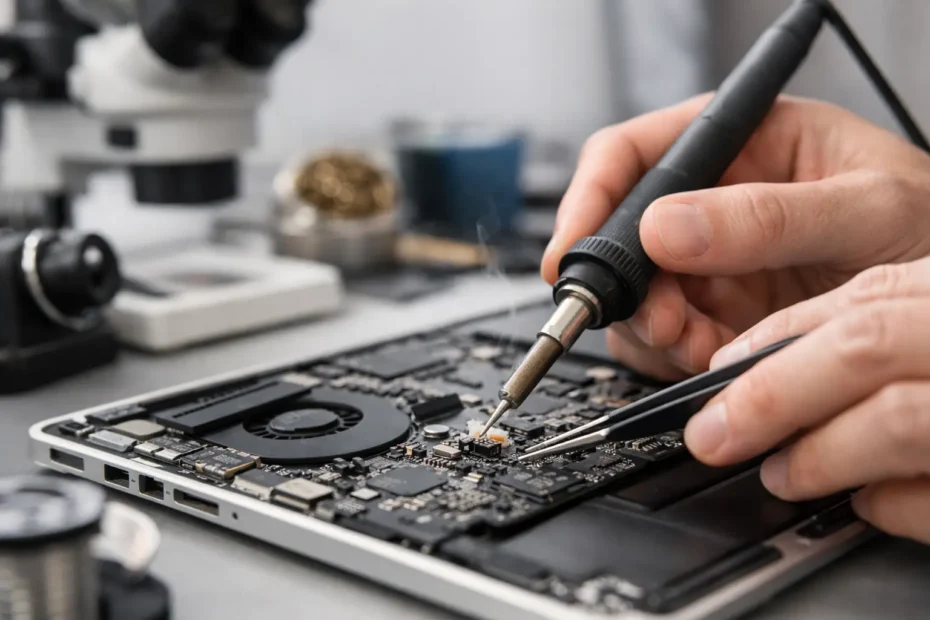
A MacBook that suddenly stops charging, shows no backlight, or dies after a spill usually does not need a generic parts swap. In many of these cases, macbook micro soldering repair is the difference between replacing an entire logic board and fixing the failed components that caused the problem in the first place.
That distinction matters more than most people realize. When a shop only works at the module level, the answer is often simple but expensive – replace the whole board, replace the whole top case, replace the whole display. A board-level specialist approaches the problem differently. The goal is to identify the exact failed circuit, isolate the bad component, and repair the original board whenever that makes sense.
What macbook micro soldering repair actually means
Micro soldering is component-level work performed directly on the logic board. Instead of replacing a complete assembly, the technician works under magnification to remove and replace tiny chips, capacitors, resistors, filters, connectors, and other board components.
On a MacBook, that work often involves power rails, charging circuits, backlight circuits, SSD-related components, keyboard and trackpad lines, USB-C circuitry, and damage caused by corrosion after liquid exposure. These parts are extremely small, and the diagnosis behind them matters just as much as the soldering itself. Good micro soldering repair is not just steady hands. It is understanding how the board is supposed to behave, where voltage should be present, and what failed first.
That is why two shops can look at the same dead MacBook and give very different answers. One may call it unrepairable. Another may find a shorted capacitor, a burned charging IC, or corrosion on a critical line and bring the machine back to life.
When MacBook micro soldering repair makes sense
The most common reason people look for this kind of repair is a MacBook with no power. The machine does nothing when you press the power button, or it may draw power inconsistently, cycle on and off, or show signs of life without fully booting.
Liquid damage is another major category. A spill does not always destroy a board immediately. Sometimes the MacBook keeps working for days or weeks while corrosion spreads and starts affecting individual circuits. That can lead to charging issues, battery detection failures, backlight loss, random shutdowns, or complete board failure later on.
Micro soldering repair also makes sense when the laptop contains important data and the customer wants the best chance of preserving it. A full board replacement can be expensive, and on many modern MacBooks it can also complicate data access because storage is often tied closely to the original board design. Repairing the original board is often the most practical path when the files matter as much as the hardware.
There are trade-offs, though. Not every board is repairable, and not every case is a good candidate. If there is severe multilayer board damage, previous bad repair work, or catastrophic liquid damage across multiple critical areas, the repair may become less predictable or less cost-effective.
Problems this type of repair can solve
A proper board-level diagnosis can resolve a surprisingly wide range of failures. No power is the obvious one, but it is far from the only one.
A MacBook that charges but does not turn on may have a problem in the power sequence. A machine that turns on but has no image may have a backlight issue, display data line problem, or GPU-related fault depending on the model. A battery that is not recognized may point to charging circuitry, communication lines, or liquid damage near the battery connector area.
Ports are another example. USB-C failures are not always a simple port replacement. Sometimes the port is damaged, but sometimes the fault sits deeper in the charging or data negotiation circuit. The same goes for keyboard and trackpad issues after a spill. Replacing the obvious part may not solve anything if the board has corrosion on the affected lines.
This is where experience matters. The symptom you see is not always the component that failed.
Why diagnostics matter more than the soldering iron
People often focus on the repair technique because micro soldering sounds specialized, and it is. But the real value starts before any solder is touched.
A skilled technician checks for shorts, missing rails, abnormal resistance values, power sequence problems, and signs of impact or liquid exposure. They inspect under the microscope, measure circuit behavior, and compare findings against known board behavior for that exact model.
Without that step, repairs become guesswork. Guesswork is how boards get damaged by unnecessary chip replacements, lifted pads, overheated traces, and wasted time. On modern Apple laptops, careless board work can easily turn a repairable machine into a parts donor.
That is one reason customers often seek out specialists instead of high-volume repair counters. They want someone who can explain what failed, what the realistic repair path is, and whether the job is worth doing before the process goes too far.
The cost question most Mac owners ask
For many customers, the first concern is whether micro soldering repair is worth the money. That depends on the MacBook model, the failure involved, and the value of the data inside.
In a lot of cases, board-level repair is significantly less expensive than replacing the entire logic board, especially on newer MacBook Pro and MacBook Air models. It can also make more sense than replacing the laptop altogether if the machine is otherwise in good condition.
But there is no honest flat answer for every job. A single failed component in the charging circuit is very different from a liquid-damaged board with multiple affected areas. A straightforward issue may be a strong candidate for repair. A heavily corroded board with several unstable circuits may still be repairable, but the risk and labor are different.
Transparent diagnosis matters here. A trustworthy shop should tell you when repair is sensible, when the board is too far gone, and when your money is better spent elsewhere.
What to expect from a real specialist
If you are considering macbook micro soldering repair, look for more than the phrase itself on a website. Ask how diagnosis is handled. Ask whether the person doing the work actually performs board-level repair in-house. Ask whether they deal with liquid damage, no-power problems, and data-focused cases on a regular basis.
The best repair experiences tend to be direct and clear. You should know what symptoms were confirmed, what the likely fault area is, and what the next step will be. You should not be pressured into replacing major assemblies before proper testing is done.
This is where an owner-operator specialist can make a real difference. Working directly with the technician usually means better accountability and more accurate communication. At YourMac.Repair, that direct access is part of the value – customers are not being routed through a script or a sales desk when the problem is technical and urgent.
Repair-first is often the smarter path
Apple devices are well built, but that does not mean every major failure requires a major replacement. A lot of dead or partially working MacBooks are written off too early because the shop evaluating them is not equipped for board-level work.
Micro soldering repair is not magic, and a good technician will not pretend otherwise. Some machines are too damaged. Some repairs are not economical. Some issues hide secondary faults that only appear after the main failure is resolved. That is part of honest repair work.
Still, when the right machine lands on the right bench, component-level repair can save the computer, preserve the data, and avoid a much larger bill. For Mac owners dealing with no power, liquid damage, charging issues, or other logic board symptoms, that option is often worth exploring before giving up on the device.
If your MacBook matters to your work, your files, or your daily routine, the smartest first step is not guessing. It is getting the board evaluated by someone who knows how to repair the problem at the component level and who will tell you the truth about what comes next.
Need Mac or iPhone repair in Winter Garden / Orlando?
YourMac.Repair — board-level Apple repair with honest diagnosis and fast turnaround. We say YES when Apple says NO.
- Mac Logic Board Repair — liquid damage specialist
- Mac Screen Repair
- Mac Battery Replacement
- Mac & PC Data Recovery
- iPhone Screen Repair — same-day service
📞 (407) 580-9965 · WhatsApp · 819 Marsh Reed Dr, Winter Garden, FL 34787